ClockWise HRGuideWhat a role may do
What a role may do
Every action in ClockWise is a permission, switched on or off for each role. Switches save at once. The administrator has no master key: whatever is off for the admin role is off for the administrator.
Your account must be allowed to edit roles.
Whoever may edit roles can give any role any permission — their own included. Keep that permission for the people who should have every other.
1Open the role's permissions
On Roles, click Permissions on the role.
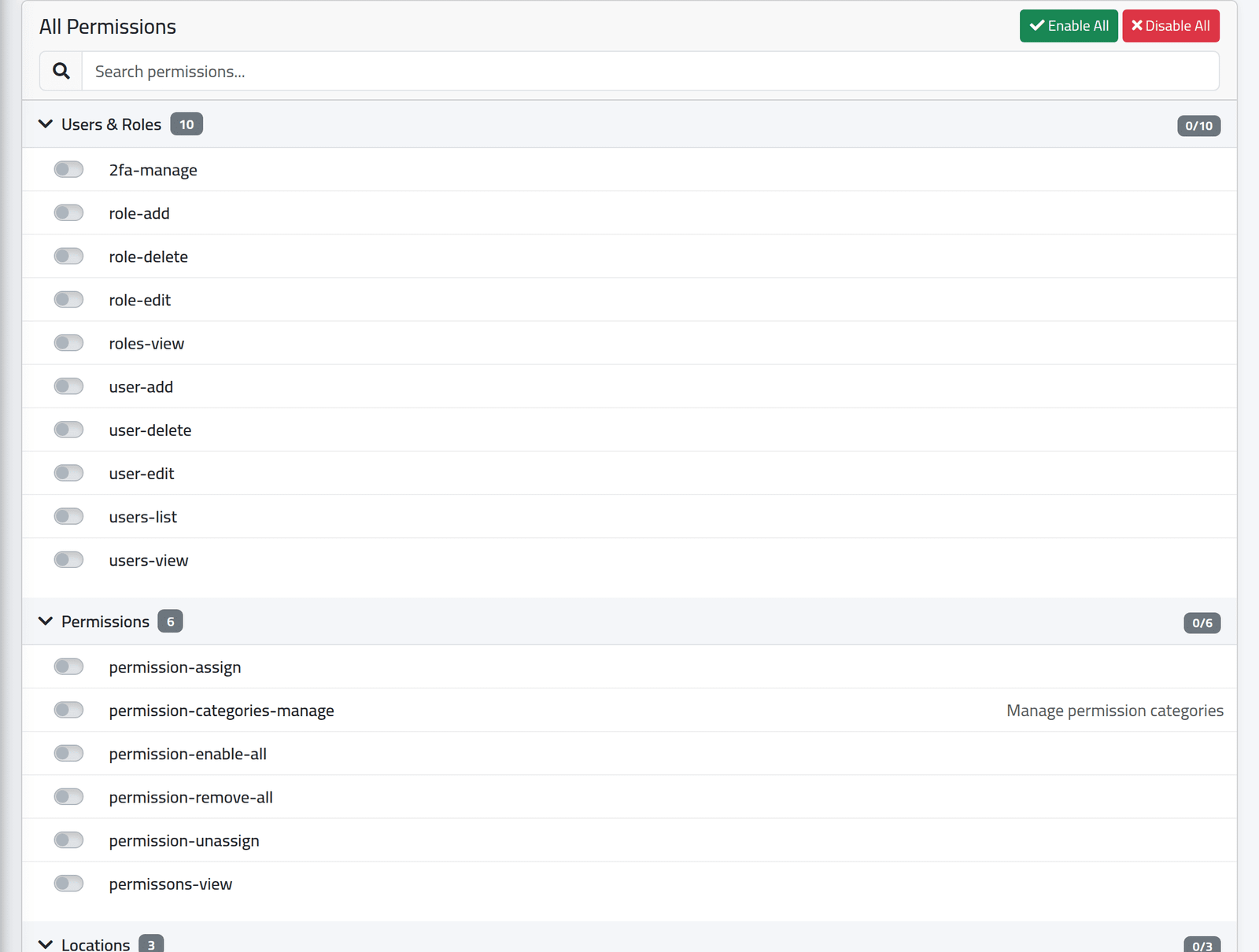
The permissions are grouped by category — Users & Roles, Employees, Salaries and so on — each group with how many of its permissions the role holds. At the foot, how many it holds in all.
2Find one
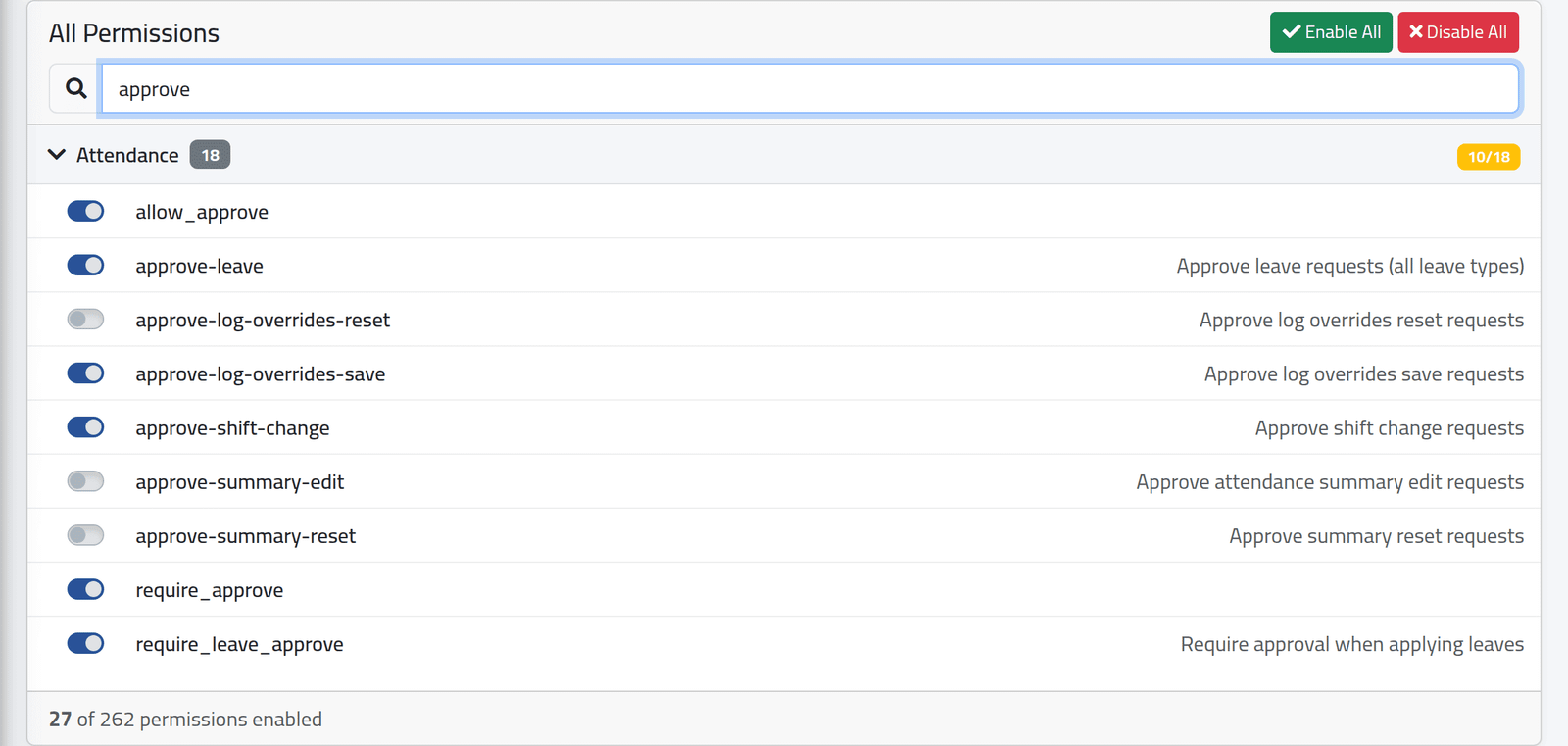
Type in Search permissions…. The list keeps only the permissions whose name or description contains what you typed. In the picture, the approval permissions, and the ones Branch Manager holds.
Permissions are named by what they allow: employees-view opens the employee
list, employees-edit saves changes to a file, salaries-close closes a
salary period. Some have a description beside them; many do not.
3Switch one on or off
Click its switch. It saves at once, with no Save button.
Enable All and Disable All switch every permission in the list, after you confirm.
What happens next
The change applies to everyone holding the role at their next page.
Some things are worth knowing before you switch:
- A menu item and its screen are separate. The menu hides what a role may
not open, but some menu groups only appear with their own
…_grouppermission — a role allowed into a screen may still not see its menu heading. - Most screens need two permissions: one to see, one to act.
require_approvesends a person’s attendance corrections for approval;allow_attendance_editlets them apply corrections directly — see Correcting a day.employees-view-onlytakes away the right to save anything on an employee file, even from someone who may otherwise edit it.
If it goes wrong
| What you see | What it means |
|---|---|
| Someone sees a menu item but gets Unauthorized action. | The role may see the menu, not use the screen. Switch on the screen’s own permission. |
| A switch went back by itself | Your account may not edit roles. |
| The administrator cannot open a screen | Its permission is off for the admin role. Switch it on. |