ClockWise HRGuideOne person's attendance
One person's attendance
The same punches and the same calculated days, from the person's own file — without choosing them from a list first.
Open the person’s file and click Attendance.
1Their punches
Logs lists the person’s punches, newest first — the last hundred, or those between the dates you give. They are the machine’s punches, as in Reading the punches.
2Their days
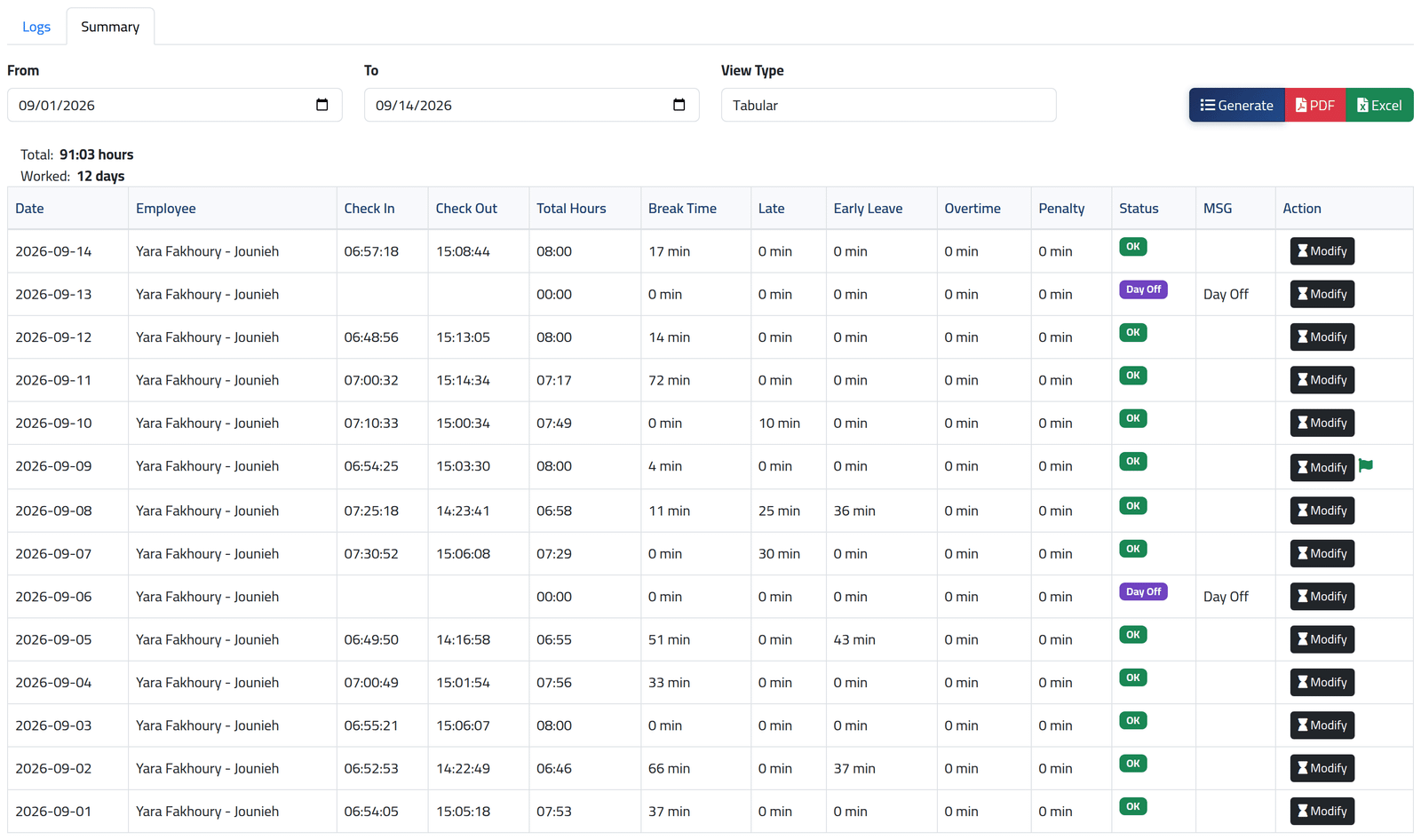
Click Summary, give From and To, and click Generate.
The table is the one in Reading a day’s attendance, newest day first, with the same Modify button, the same clock for a request waiting and the same flag for a corrected day. Correcting from here works exactly as in Correcting a day.
PDF and Excel download those days for this one person.
What happens next
Nothing changes until you correct a day.
If it goes wrong
| What you see | What it means |
|---|---|
| PDF is refused | It needs two permissions — exporting attendance and the attendance-details report. Your account has one. |
| The Attendance tab is empty for a new employee | They have no punches yet, or no schedule — see Giving someone a schedule. |