ClockWise HRGuideDepartments and sub-departments
Departments and sub-departments
Departments group sub-departments, and every employee is filed under a sub-department. The names are shared by every branch: there is one Floor, not one per restaurant. Switching one off changes less than it suggests.
Departments and sub-departments are company-wide. Kitchen and Hot Line exist once and serve every branch; an employee’s branch is filed separately.
Each list has its own permissions to view, add, edit and delete.
1Departments
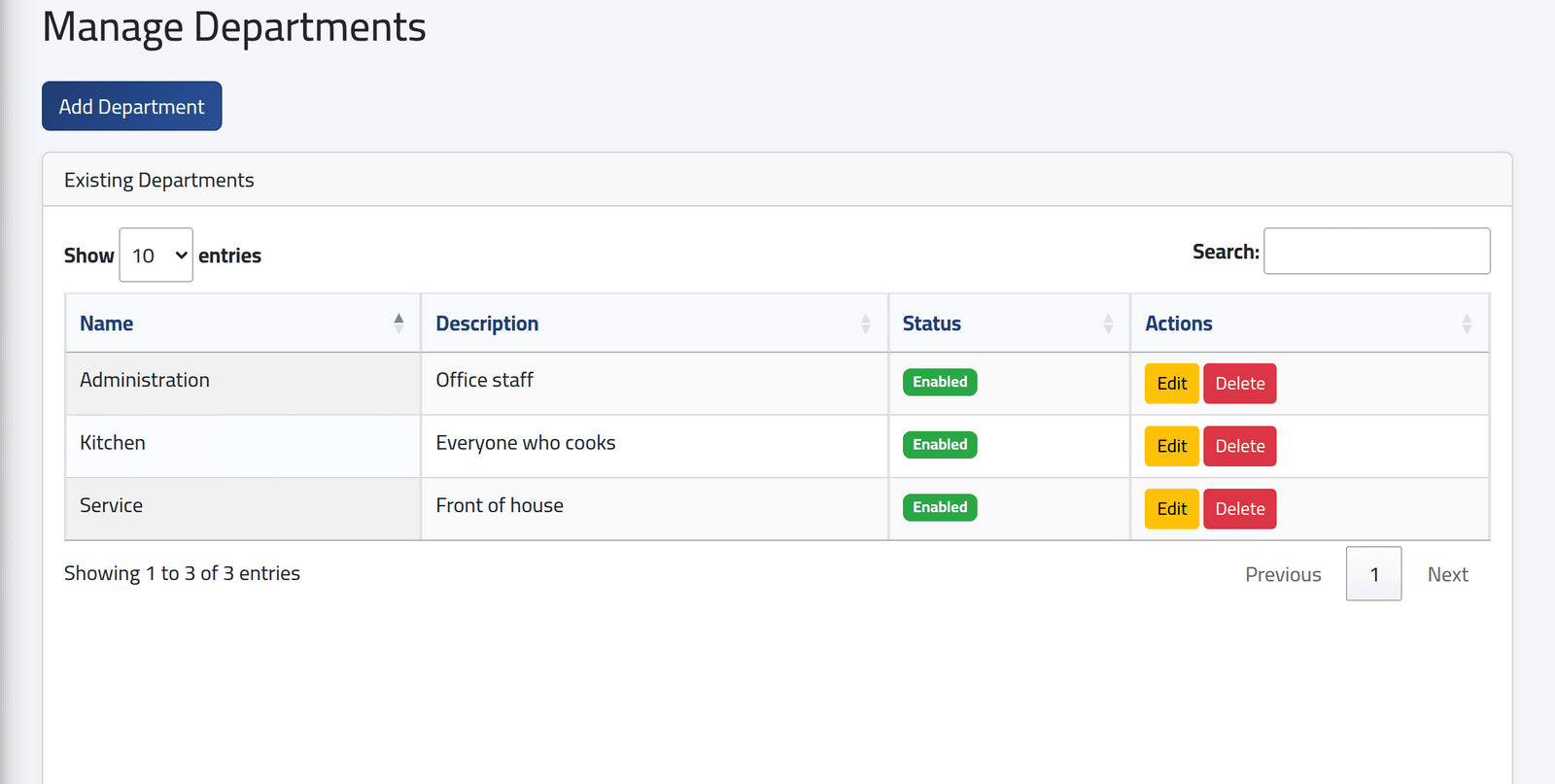
In the menu on the left, under Company, click Departments. Each department with its description and Status.
Click Add Department for a new one: a name, a description and a status. Fill in the description — left empty, saving fails with an error page.
2Sub-departments
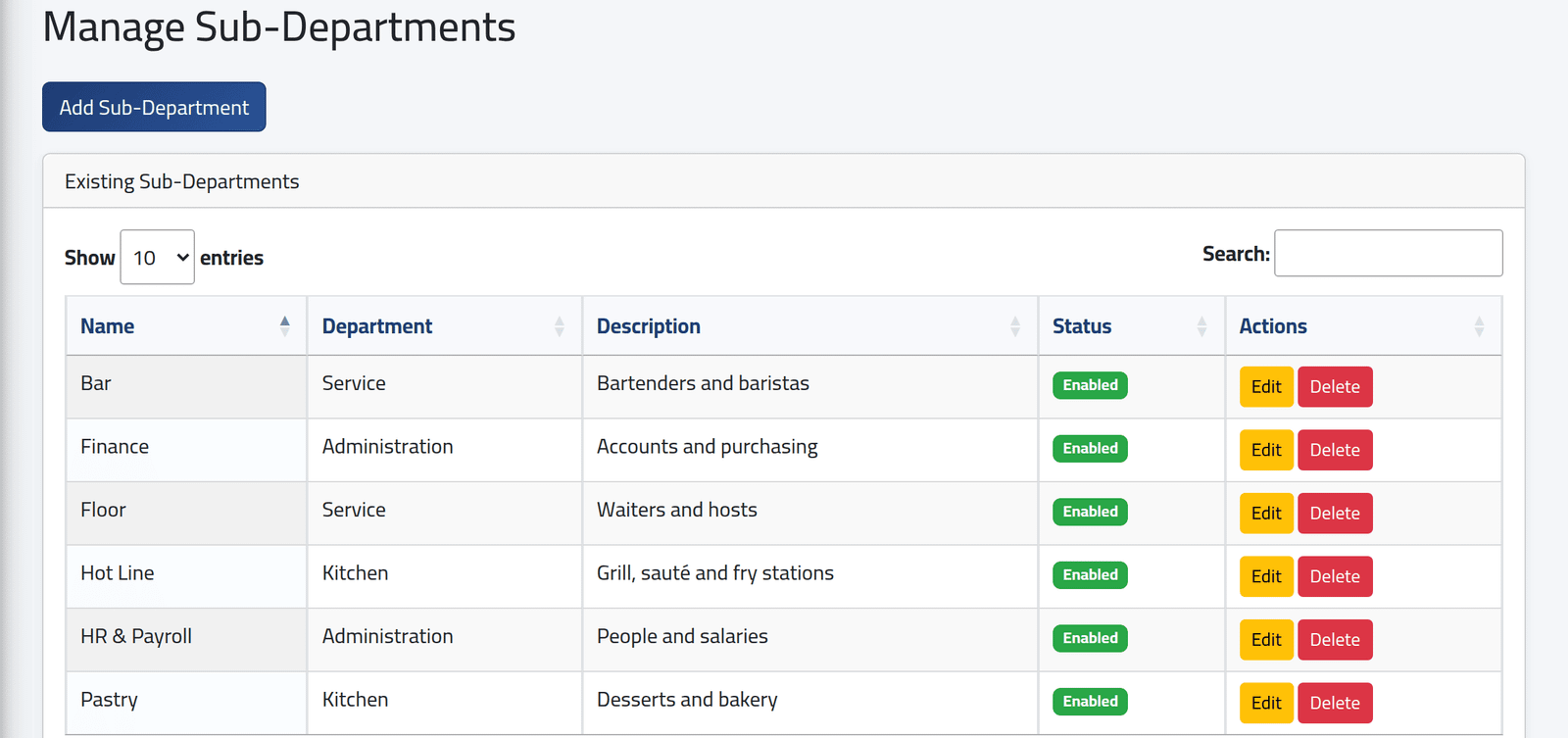
Under Company, click Sub-Departments. Each sub-department with the department it belongs to.
3Add a sub-department
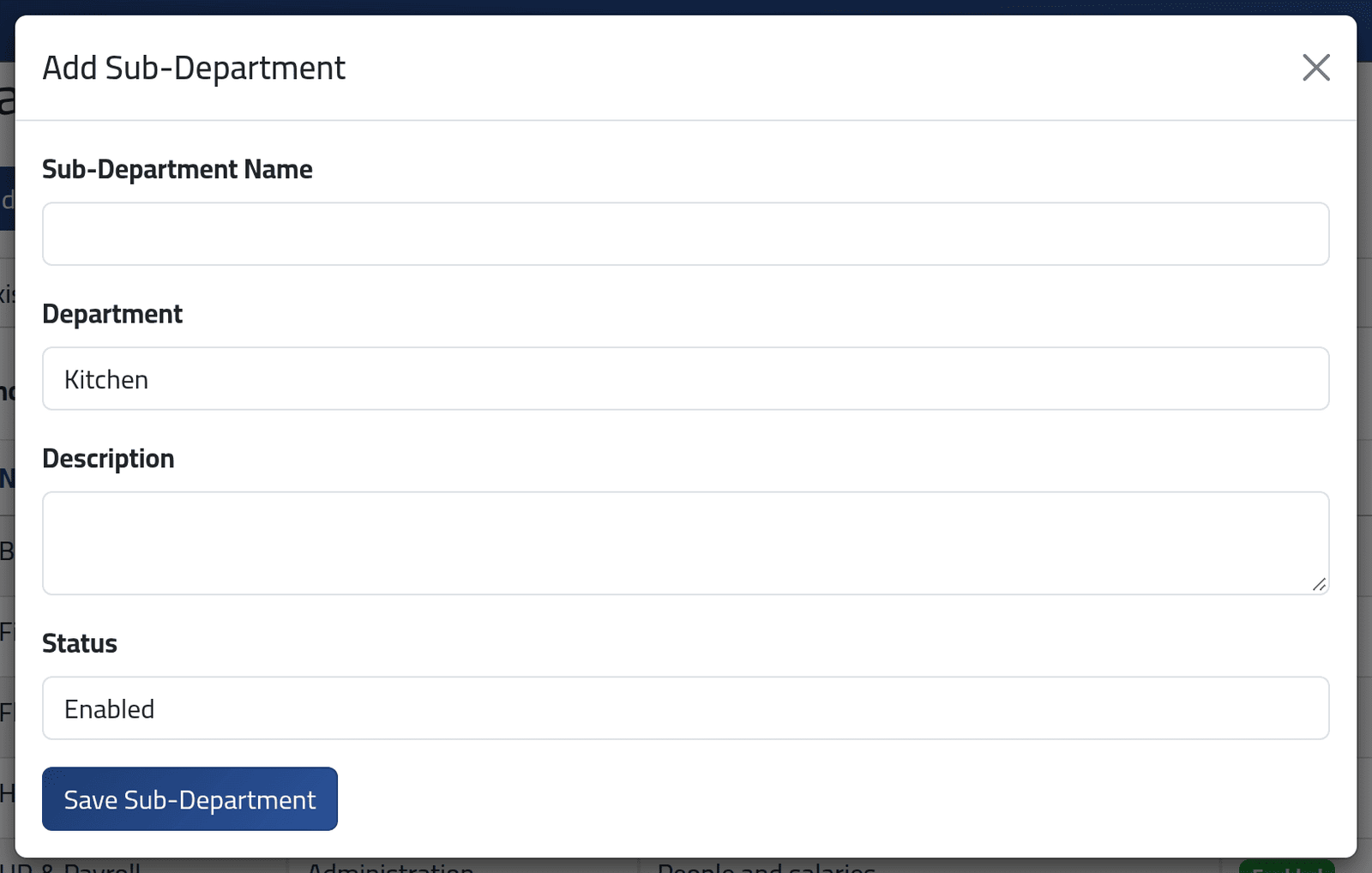
Click Add Sub-Department: Sub-Department Name, Department, Description (fill it in) and Status. Click Save Sub-Department.
A sub-department name can be used once in the whole company, whichever department it is in. Two “Floor” sub-departments under two departments are not possible; name them apart, such as Floor — Terrace.
What happens next
The new sub-department is offered on the employee file at once — see Changing an employee’s details.
Disabled does not take a department or sub-department off the employee forms. It is still offered when someone is filed or moved; only the Attendance Logs filter and the training lists leave it out. To stop it being used, tell the people who file employees.
A sub-department can be moved to another department with Edit: the people in it move with it.
If it goes wrong
| What you see | What it means |
|---|---|
| Delete does nothing | A sub-department with employees, or a department with sub-departments, cannot be deleted, and the screen does not say so. Move the people first, then delete the sub-departments, then the department. |
| Nothing happens on Save | The name is already used somewhere in the company — or a required field is empty. These screens show no messages. |
| An error page after saving | The description was empty. |