ClockWise HRGuideSwitching modules on and off
Switching modules on and off
Inspections, Recruitment, Training and Tips are optional. Switch off the ones your company does not use and they disappear for everyone — nothing recorded in them is lost.
The switches are on the Company settings page. Tips has its own permission: without it, the Tips section is not shown at all.
1Inspections
In the menu on the left, under General Settings, click System Settings. Under Employee Settings, Enable Inspection Module turns on branch inspections, checklist forms and their reports (see My inspections).

2Recruitment and Training
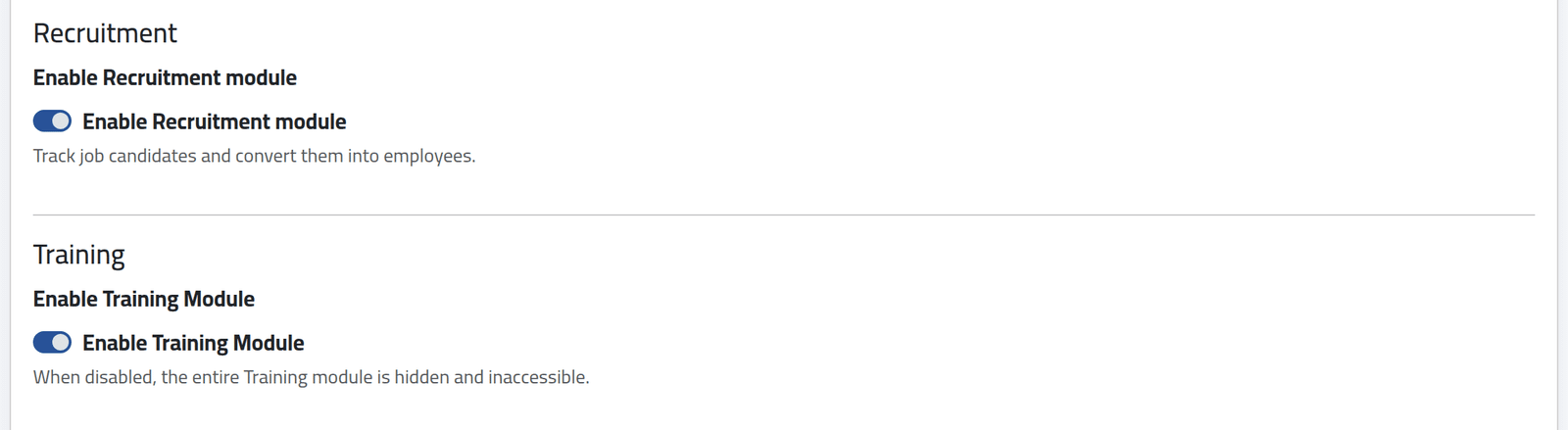
Further down, Enable Recruitment module turns on candidates and hiring them as employees (see Recording a candidate), and Enable Training Module turns on programs, sessions and certificates (see Defining a training program).
3Tips
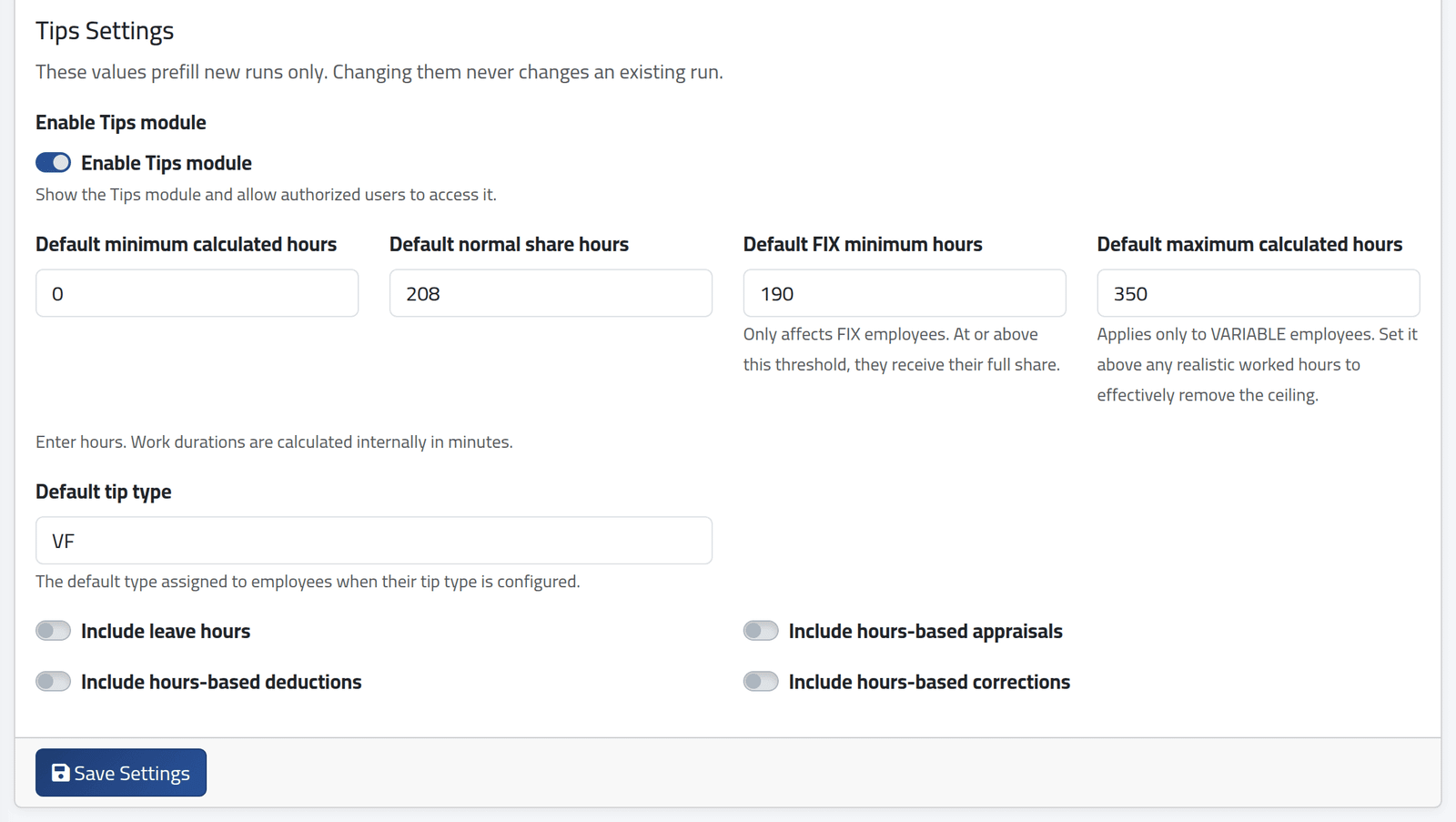
At the bottom, Enable Tips module, and the values each new tips run starts with:
- the four hour limits — minimum calculated hours, normal share hours, FIX minimum hours and maximum calculated hours;
- Default tip type, given to employees whose tip type is set up;
- whether leave hours and hours-based appraisals, deductions and corrections count.
These are defaults only: changing them never changes a run already made. What each one means is in Sharing out a tips box.
4Save
Click Save Settings.
What happens next
A module switched off leaves the menu for everyone, and its pages answer Not Found, even from a saved link. Its records stay in the database untouched: switch it on again and everything is where it was.
Switching a module off does not stop work already in its records from counting elsewhere. Closed tips runs that were paid stay paid; a candidate already employed is an ordinary employee.
If it goes wrong
| What you see | What it means |
|---|---|
| A module is missing from the menu for everyone | It is switched off here. |
| A module is missing for one person only | Their account lacks its permissions — see What a role may do. |
| The Tips section is not on the page | Your account may not change the tips settings. |
| The hours are refused on save | Normal share hours must be above the minimum; FIX minimum hours above 0 and no more than the normal hours; maximum hours at least the normal hours. |