ClockWise HRGuideFile types
File types
The kinds of document kept on employee files — ID card, contract, health certificate — and, for each, whether an expiry date must be given.
Seeing the list and changing it are separate permissions. This screen is in English in both languages, and shows no messages.
1Open the list
In the menu on the left, under General Settings, click File Types.
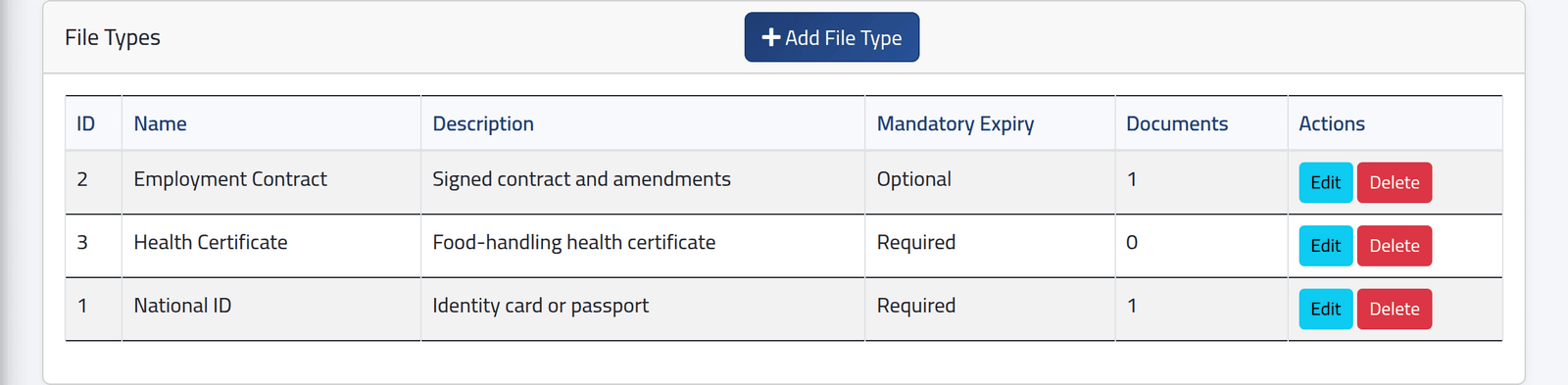
Each type with its description, whether its expiry is Required or Optional, and how many employee documents use it.
2Add one
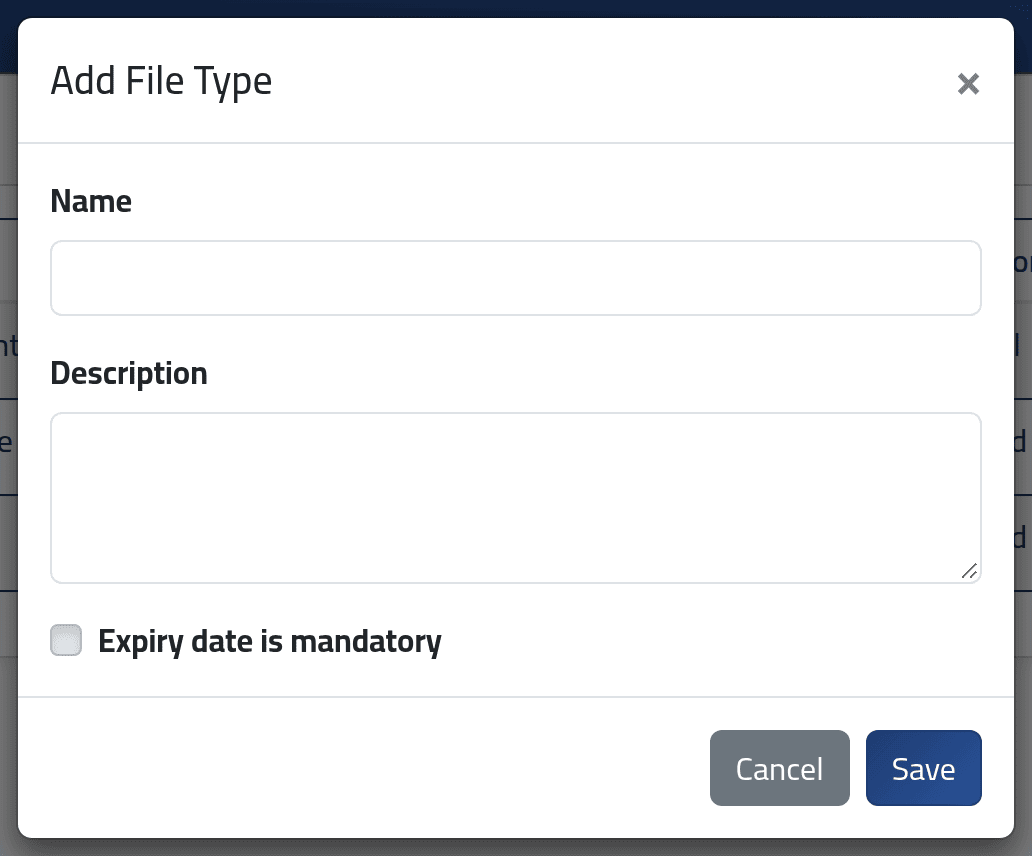
Click Add File Type: Name (each once), Description and, if every document of this kind expires, tick Expiry date is mandatory. Save.
What happens next
The type is offered at once when a document is added — see Documents. With the expiry mandatory, a document of that type cannot be saved without a date; documents already filed keep whatever they had.
Edit renames a type everywhere it is used.
If it goes wrong
| What you see | What it means |
|---|---|
| Delete does nothing | Documents use this type. It cannot be deleted while they do; the screen does not say so. |
| Nothing happens on save | The name is already used. |