ClockWise HRGuideAdding an asset
Adding an asset
An asset is anything the company hands to employees — a uniform, a knife set, a tablet, a locker key — with its stock and its price. Whether it is returnable or permanent decides who pays for it.
- The asset’s group must exist — see Asset groups.
- Your account must be allowed to manage assets.
Choose the type with care:
| Type | When it is given out | When it comes back |
|---|---|---|
| Returnable — tools, keys, tablets | nothing is charged | back to stock, or marked damaged with an optional charge |
| Permanent — shoes, gloves | the employee is charged its price, from their next salary | the charge is cancelled, as long as it has not been taken yet |
1Open the list
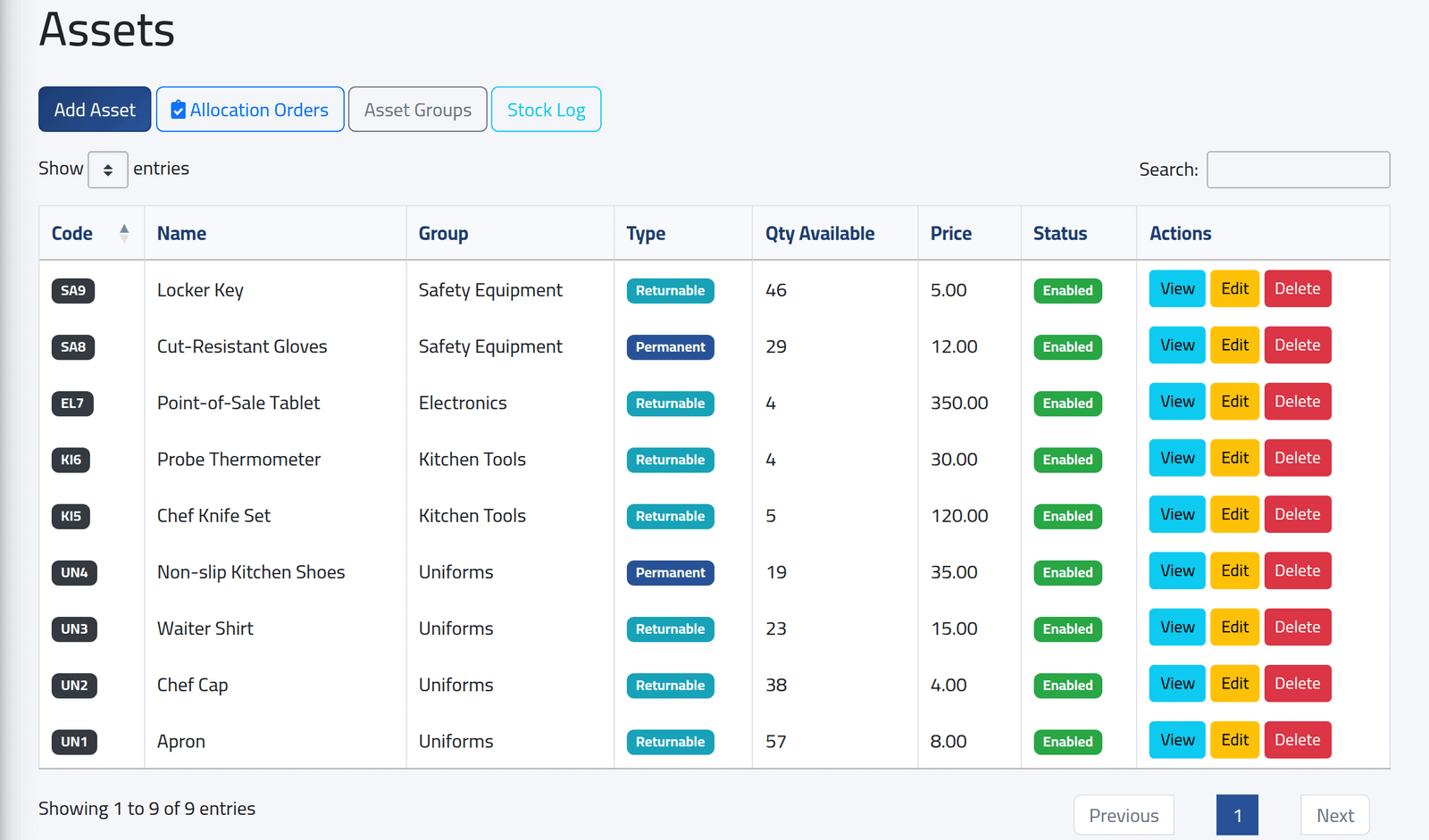
In the menu on the left, under Assets Management, click Assets. Each asset with its code, name, group, type, quantity in stock, price and status. Search finds any of them by code, name or group.
2Add an asset
Click Add Asset.
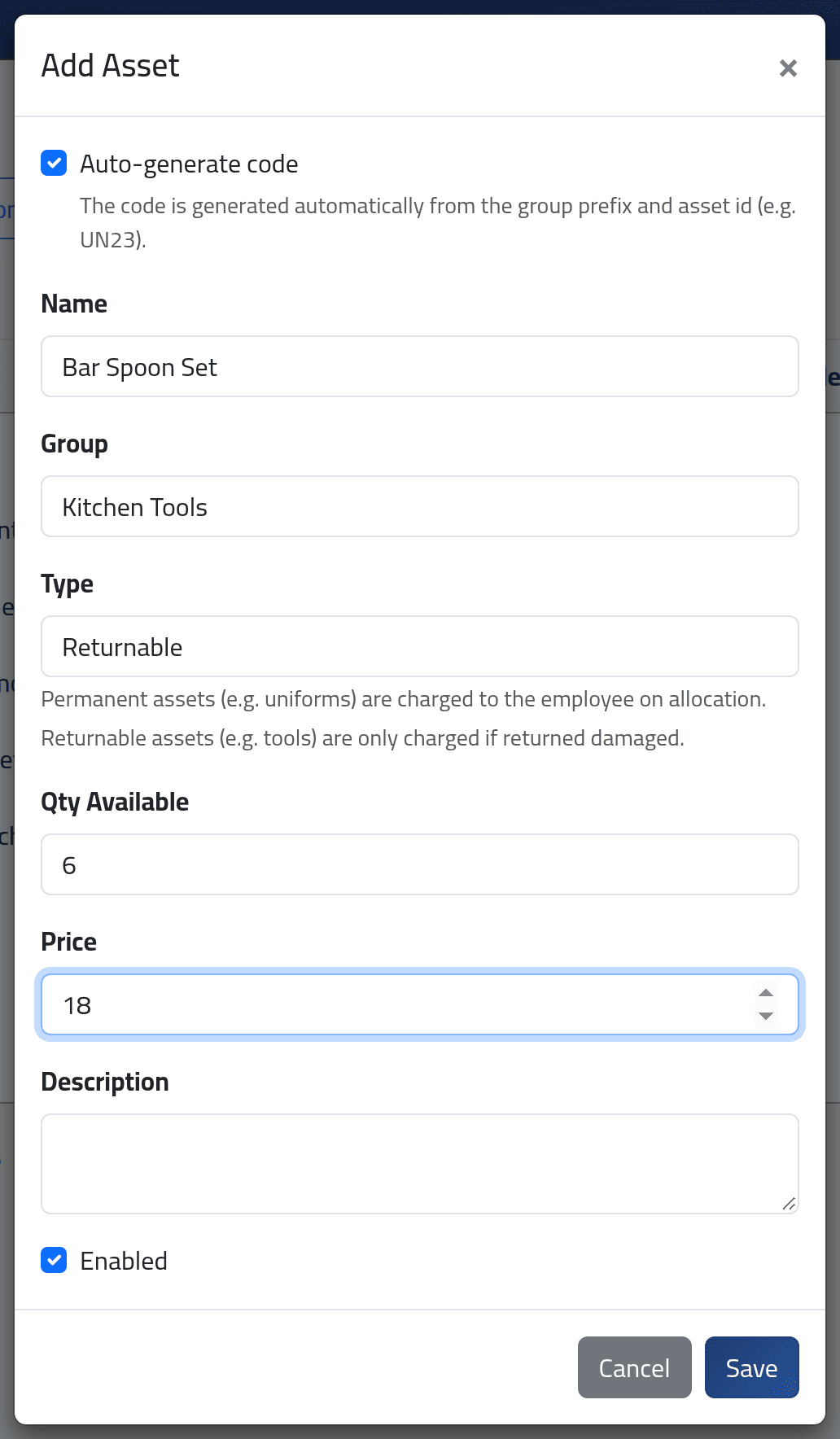
- Auto-generate code — leave it ticked: the code is the group’s two
letters and a number, such as
KI10. Untick it to type your own, in capital letters, digits and dashes. - Name, Group and Type.
- Qty Available — how many you hold now. It is recorded in the stock log as the opening stock.
- Price — per unit. It is what a permanent item costs the employee, and the suggested charge when a returnable one comes back damaged.
- Enabled — a disabled asset stays on record but is left out when a bundle is applied to an order.
Click Save.
What happens next
The asset is in the list with its code. Give it out from its page — see Giving out an asset and adjusting stock. Edit changes its name, group, type, price or code; the stock changes only through stock adjustments, allocations and returns.
A price change affects only what is given out afterwards. Every allocation keeps the price it was given out at.
If it goes wrong
| What you see | What it means |
|---|---|
| Cannot delete an asset with active allocations. | Someone still holds it. Take it back first, or disable it. |
| A refusal on the code | Another asset has it, or it holds characters other than capitals, digits and dashes. |
| No Add Asset, Edit or Delete | Your account may see assets but not manage them. |