ClockWise HRGuidePaying and holding salaries
Paying and holding salaries
Once a period is closed, each person's salary is Pending until you mark it Paid — one at a time or all at once. A salary you must not pay yet is dismissed: held back, with a reason. Marking paid records a payment; it does not make one, and it cannot be taken back.
The period must be closed — see Closing a salary period. Paying, dismissing and undoing a dismissal are three separate permissions.
If you pay through payment batches, generate the batch before marking anyone paid here — see Payment batches.
1Open the closed period
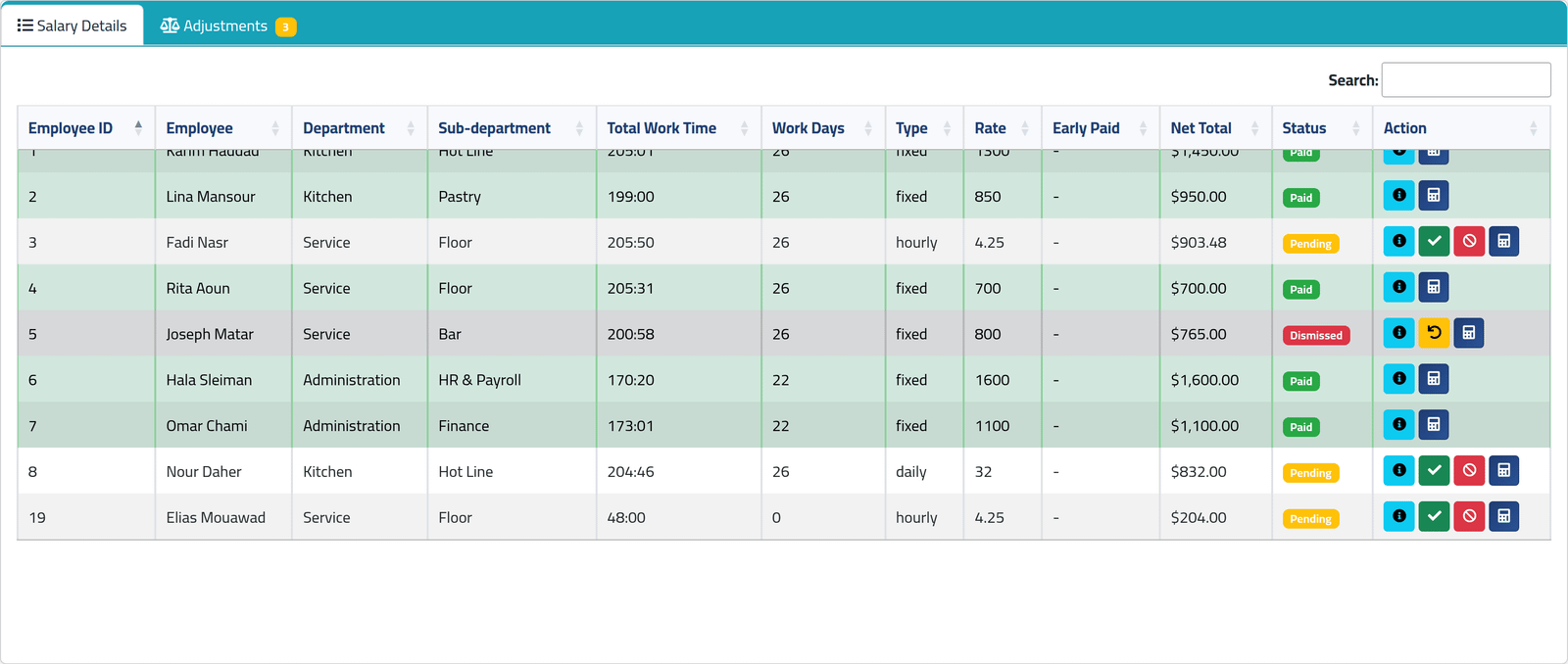
Open the period (see Reading a salary period). Each row now carries a Status:
- Pending — not paid yet;
- Paid — the row turns green;
- Dismissed — held back; the row turns grey.
The list scrolls inside its own box. In the picture, five people are paid, Joseph Matar’s salary is held, and Fadi Nasr, Nour Daher and Elias Mouawad are still pending.
2Mark one person paid
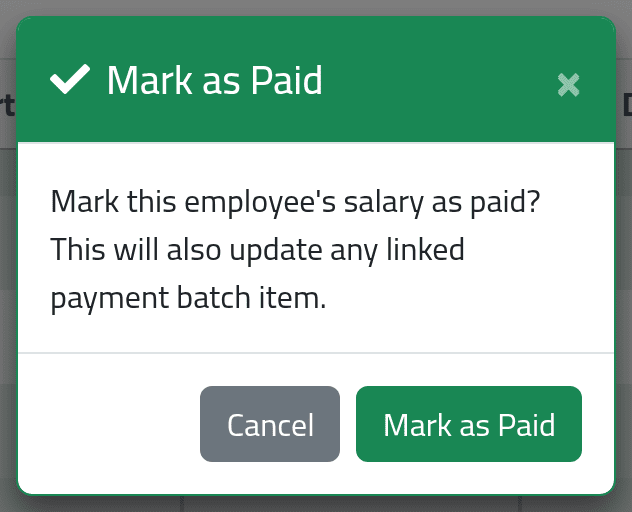
Click the green tick on their row, then Mark as Paid.
If the person is in a payment batch, their line in it is marked paid too.
3Or mark everyone paid
Actions › Pay All Pending marks every pending salary that is not held as paid, in one go. Use it only when every one of those salaries has really been paid.
4Hold someone's salary
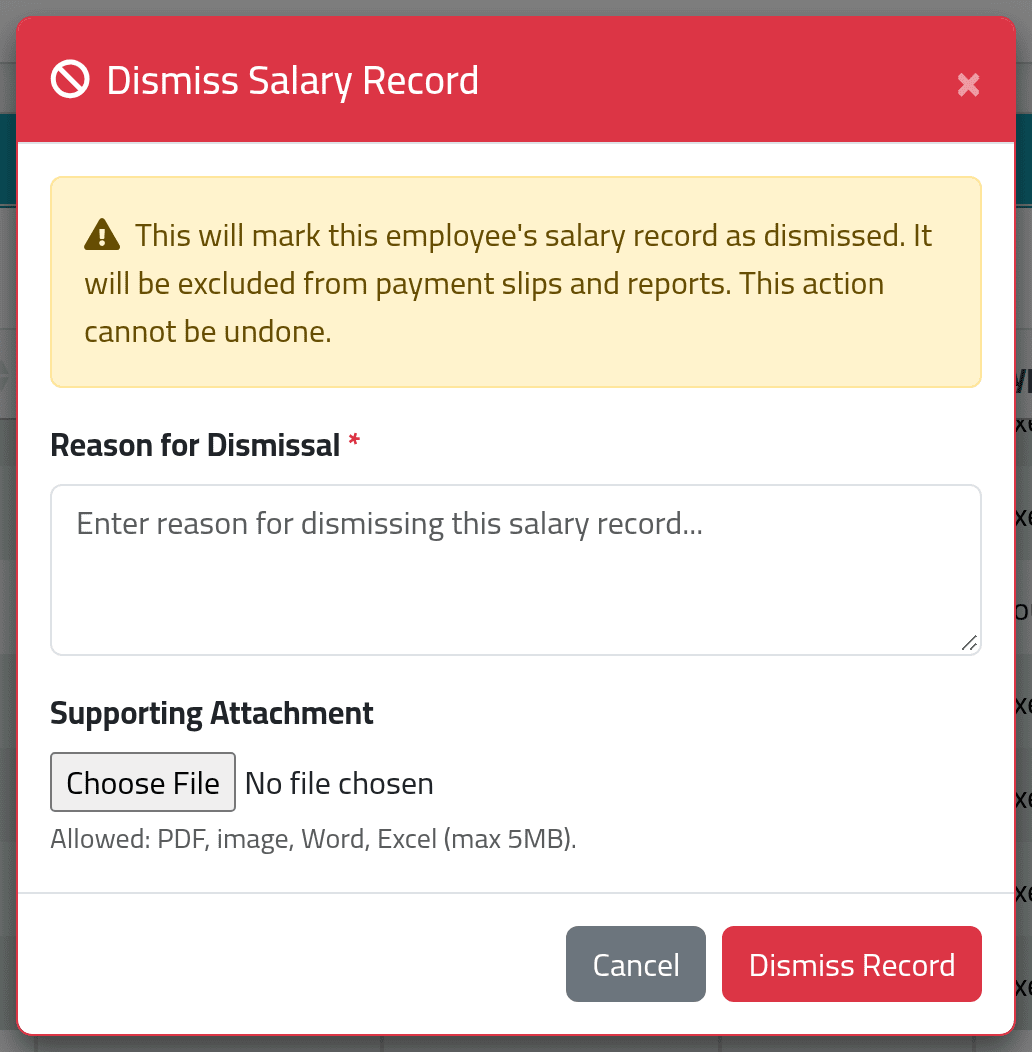
Click the red circle on their row. Give a Reason for Dismissal and, if you have one, a Supporting Attachment. Click Dismiss Record.
A held salary is left out of the payment slips, of new payment batches and of Pay All Pending. The person’s adjustments for the period are set aside with it.
The dialog says this cannot be undone. It can, by an account allowed to: the yellow arrow on a held row puts the salary back to Pending, and the adjustments with it. Then pay it as usual.
You can also hold someone while the period is still open. The row shows Dismissed straight away, and the salary is created already held when the period closes.
What happens next
A paid salary stays paid. There is no button that takes a payment back, on this page or in a batch — so mark people paid only once the money has really gone.
ClockWise does not carry a held salary into the next period. It stays in this one, held, until somebody undoes the hold and pays it.
If it goes wrong
| What you see | What it means |
|---|---|
| Cancel and the × do nothing on Mark as Paid or Dismiss Salary Record | A fault in these two dialogs. Press Esc to close them. |
| Cannot dismiss a record that has already been paid. | It was marked paid. That cannot be reversed. |
| No green tick on a row | The salary is paid or held, the period is still open, or your account may not pay salaries. |
| A held person is still in a payment batch | The batch was generated before you held them. Set their line to On Hold — see Paying a batch. |