ClockWise HRGuideCreating a salary period
Creating a salary period
A salary period is one branch's month — or whatever stretch you pay for. Create it and the days already worked inside its dates join it at once. Creating next month also moves this month off the Current list.
A period belongs to one branch. “All Branches” is a shortcut that creates one period per branch, each with its own record.
Your account must be allowed to add salaries, and you only create periods for the branches your account can see.
1Open Current Salaries
In the menu on the left, under Salaries, click Current.
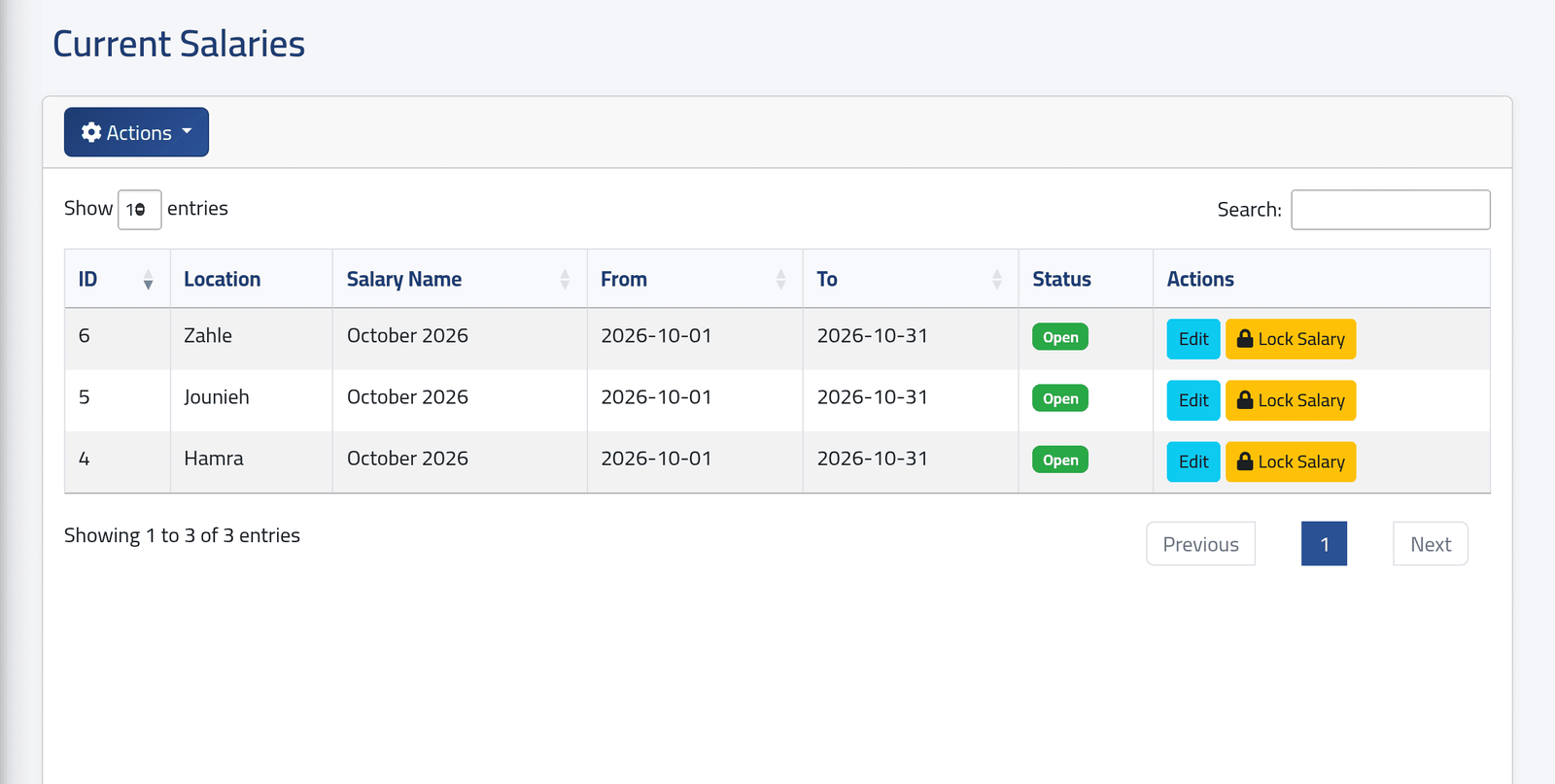
There is one row per branch: that branch’s latest period, whatever its status. In the picture, each branch’s October 2026.
Current shows only the latest period of each branch. Once October exists, September moves to Salaries › History — even while it is still open and still waiting to be paid. Look for it there.
2Fill in the period
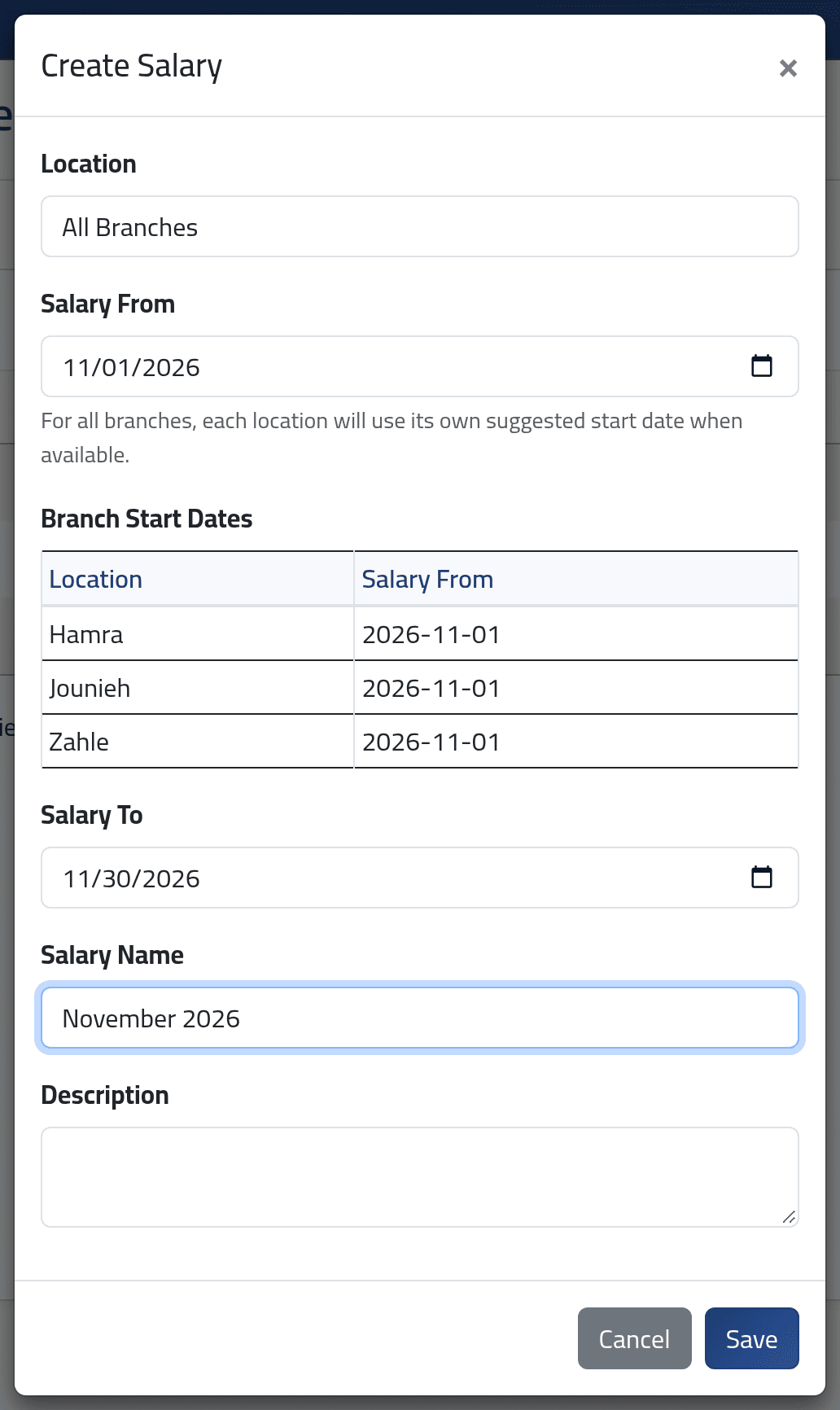
Click Actions, then Create Salary.
- Location — one branch, or All Branches.
- Salary From — filled in for you with the day after the branch’s last period. With All Branches, Branch Start Dates shows where each branch will start: each starts the day after its own last period. The date in the box is used only for a branch that has no period yet.
- Salary To — the last day of the period.
- Salary Name — what everyone will see in the lists, such as November 2026.
- Description — optional.
Click Save.
Keep periods back to back. ClockWise refuses periods that overlap, but it does not stop you leaving a gap. Days that fall in a gap belong to no period, so they are never paid.
What happens next
The new period is Open. As it is created, ClockWise brings into it, for that branch and those dates:
- every day already worked out for the people in the branch;
- people on leave with no punches at all, so they are not left out;
- adjustments waiting for a period (Orphaned — see Adjustments for the coming salary);
- early salary payments waiting for a period.
Days worked after this are added to the period as they are calculated.
The period appears on Current Salaries, and the branch’s previous period moves to History.
If it goes wrong
| What you see | What it means |
|---|---|
| A page saying A salary period already exists for … that overlaps with these dates. | That branch already has a period covering some of these days. With All Branches, nothing was created for any branch. Go back and change the dates. |
| The salary from field must be a date before salary to. | Salary To is earlier than Salary From. |
| Last month’s period has gone from Current Salaries | A later period exists for that branch. It is under Salaries › History. |
| Create Salary is not in Actions | Your account cannot add salaries. |
Never delete a closed period. Accounts allowed to delete salaries see
Delete on Current Salaries, and it is offered on closed periods too.
Deleting a period takes with it every salary record and payment batch
generated when it closed. Its days and adjustments go back to waiting for a
period. Use Delete only on a period created by mistake, before
anything has been done with it. You will be asked to type DELETE to
confirm.