ClockWise HRGuidePaying someone early
Paying someone early
Pay someone for part of a period before it closes — they are leaving, or travelling. ClockWise records what was paid and takes it off their salary when the period closes. For a fixed salary, though, "part of a period" is worth the whole month.
Your account must be allowed to close early salaries, and must be able to change employee files: an account with view-only access to files sees the preview but no Close Early Salary button.
The dates may not overlap an early salary already paid to the person, nor a closed salary period of their branch.
1Preview it
Open the person’s file (see Finding an employee) and click Early Salary. Give From and To and click Preview Early Salary.
The preview is worked out like a salary for those dates: days and hours worked, base salary, overtime, adjustments, advances, loan instalments due, and the Net Amount.
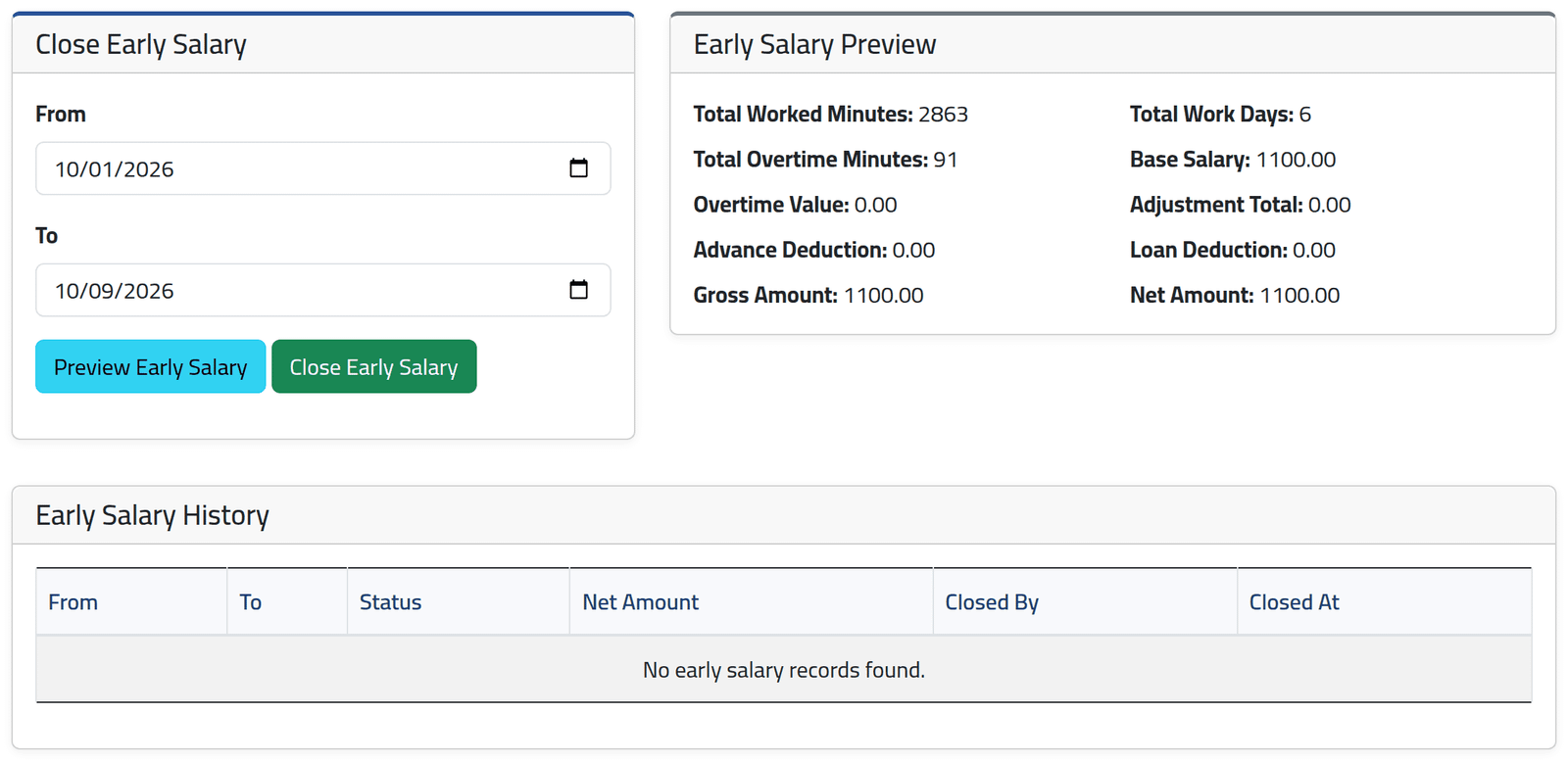
For a fixed salary, the base is the whole monthly rate, whatever the dates. In the picture, Omar Chami — fixed at $1,100 a month — is previewed for 1 to 9 October, and the net is $1,100.00. Closing it would pay him the month, and leave nothing to pay at the end of it. Daily and hourly salaries are worked out from the days and hours in the dates.
2Close it
When the preview is right, click Close Early Salary. There is no confirmation: the record is made at once, marked as paid.
3See the record
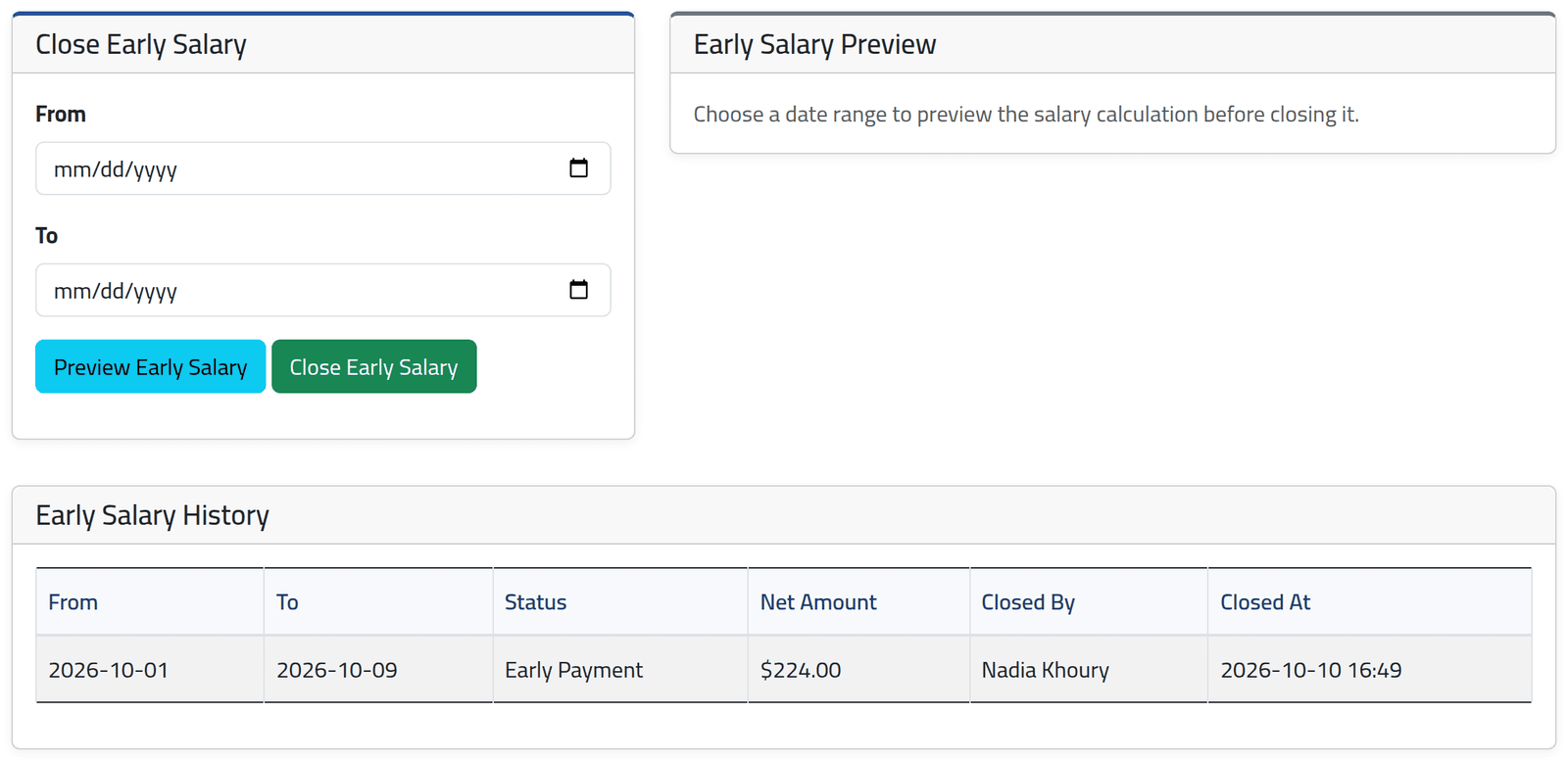
Early Salary History on the same tab lists every early payment: the dates, Early Payment or linked, the net amount, who closed it and when.
In the picture, Nour Daher — paid by the day — was paid 1 to 9 October early: seven days at $32, $224.00.
4Let it join its period
The early payment waits until a salary period of the person’s branch covers its dates. It joins that period by itself when the period is created, recalculated or closed. Until then it is listed on Current Salaries under Unlinked Early Salary Records.
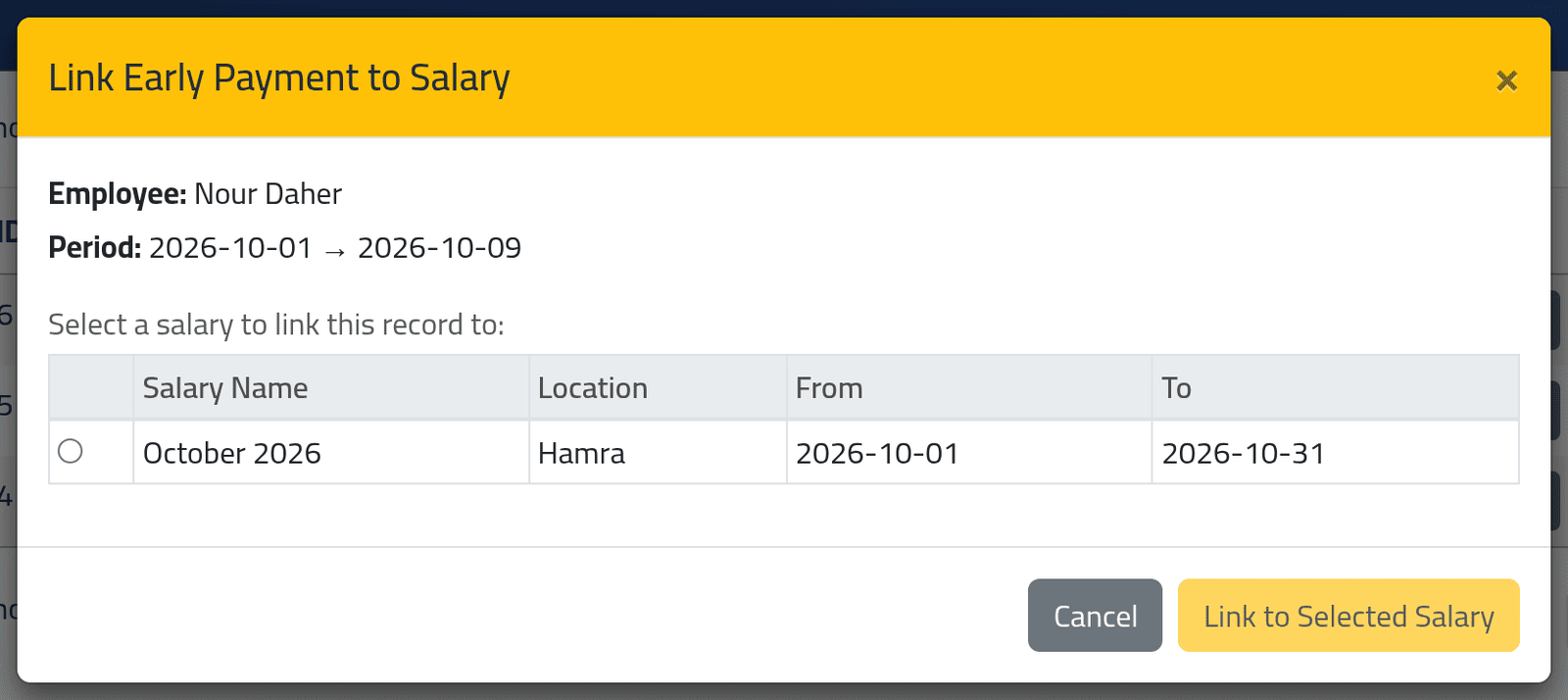
To link it straight away, click Link to Salary on the record there, choose an open period of the branch, and click Link to Selected Salary. In the picture, Nour’s payment can join Hamra’s October.
What happens next
When the period closes, what was paid early is taken off the person’s net:
- the period’s row shows it in Early Paid;
- if nothing is left to pay, the salary is marked Paid by itself;
- if the early payment was more than the whole period’s salary, the row is flagged Overpaid and the net is zero. ClockWise does not recover the difference.
If it goes wrong
| What you see | What it means |
|---|---|
| An early salary record already exists for an overlapping period. | The person was already paid early for some of these days. |
| This period overlaps with a closed salary batch. | Those days belong to a closed period. Pay the difference with an adjustment instead. |
| No Close Early Salary button | Your account can only view employee files, or may not close early salaries. |
| An early payment closed by mistake | Nothing in ClockWise removes it. It will be taken off the person’s salary at closing. |
| Early (0) on Salary History does nothing | That button only works on Current Salaries. |