ClockWise HRGuideLocation groups
Location groups
A location group is a set of branches that can fairly be compared — the city restaurants, the franchise branches. Reports can be narrowed to one group, so branches are ranked against their peers.
Your account must be allowed to manage location groups. A branch can belong to any number of groups.
1See the groups
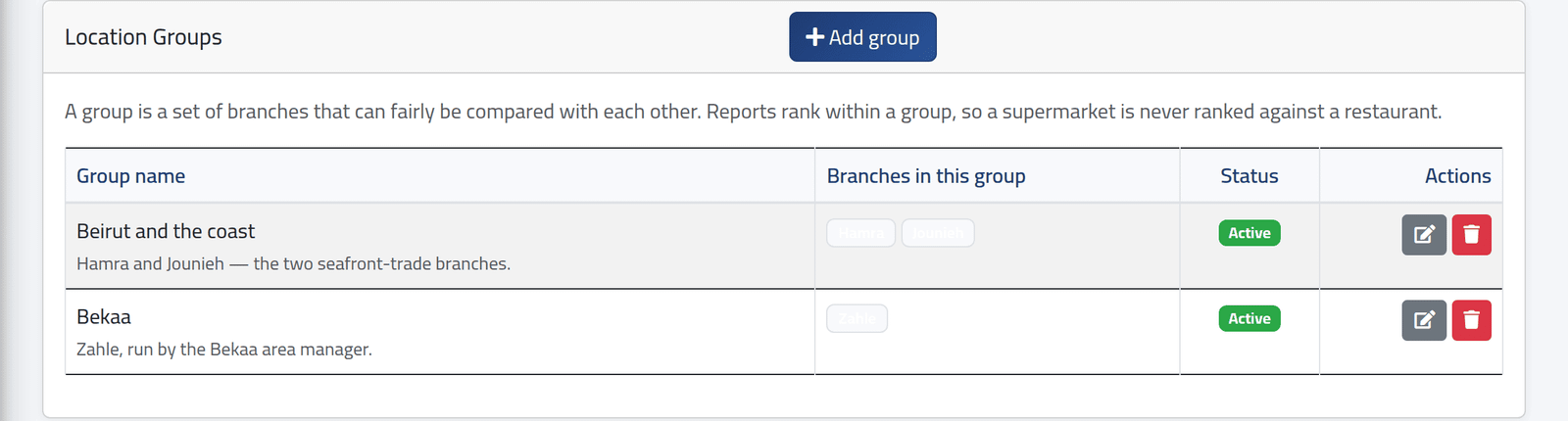
In the menu on the left, under Inspections, click Location Groups. Each group with its description, its branches and whether it is active.
2Add one
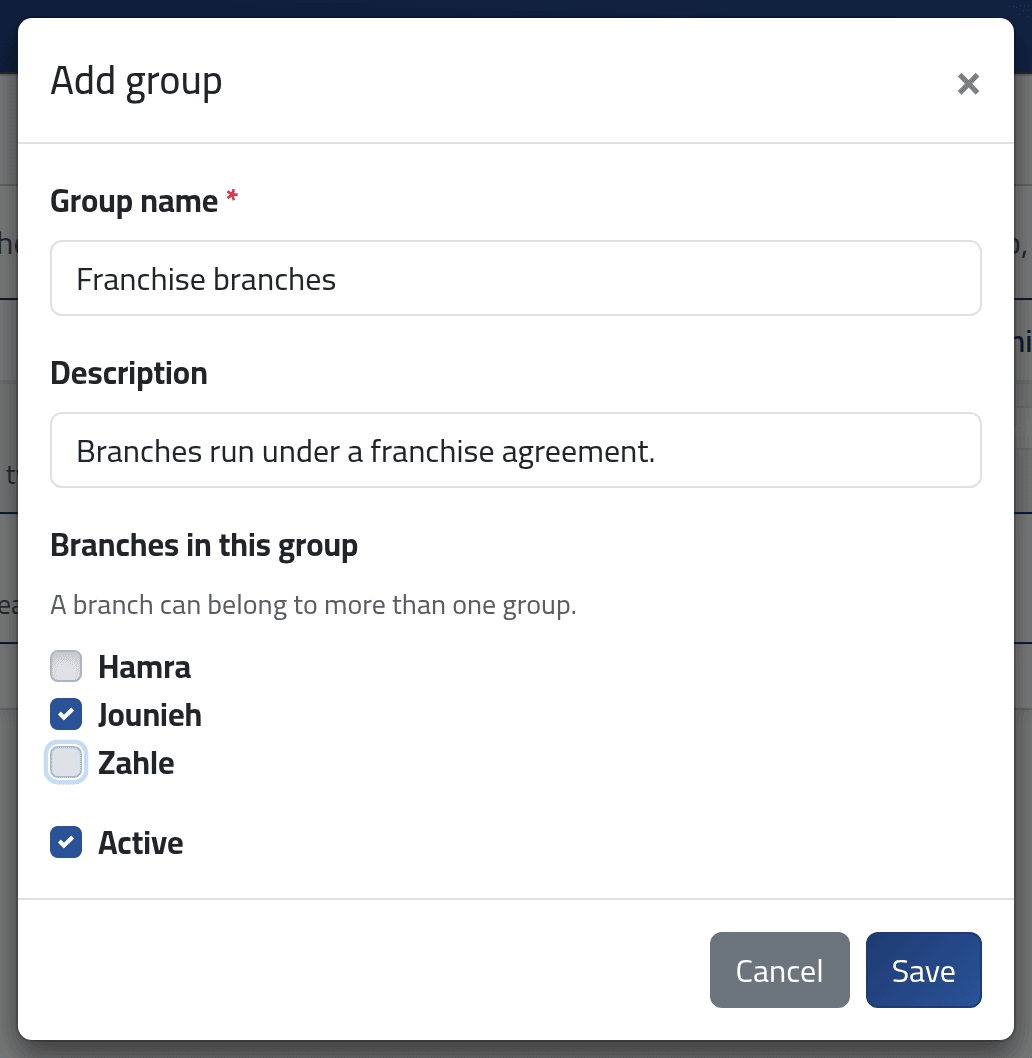
Click + Add group. Give the Group name — unique — and a description, tick the Branches in this group, keep Active ticked, and click Save.
Check the ticks before saving. The dialog opens with the branches — and the name — of the last group in the list already filled in. Clear them, then choose this group’s.
What happens next
The group is offered under Location group on Inspection Reports — see Inspection reports. Only active groups are offered. Deleting a group changes no inspection; it only removes the choice.
If it goes wrong
| What you see | What it means |
|---|---|
| A refusal on the name | Another group has it already — perhaps the name left over from the last group in the list. |
| The group is not offered on the reports | It is inactive. |