ClockWise HRGuideReading a salary period
Reading a salary period
One branch's period: everyone in it, their hours and days, and what each will be paid. While the period is open, every figure is worked out again each time you open the page — at each person's pay rate as it is today.
Your account must be allowed to edit salaries to open a period. The Type, Rate and Net Total columns appear only if it may also see salary amounts.
1Find the period
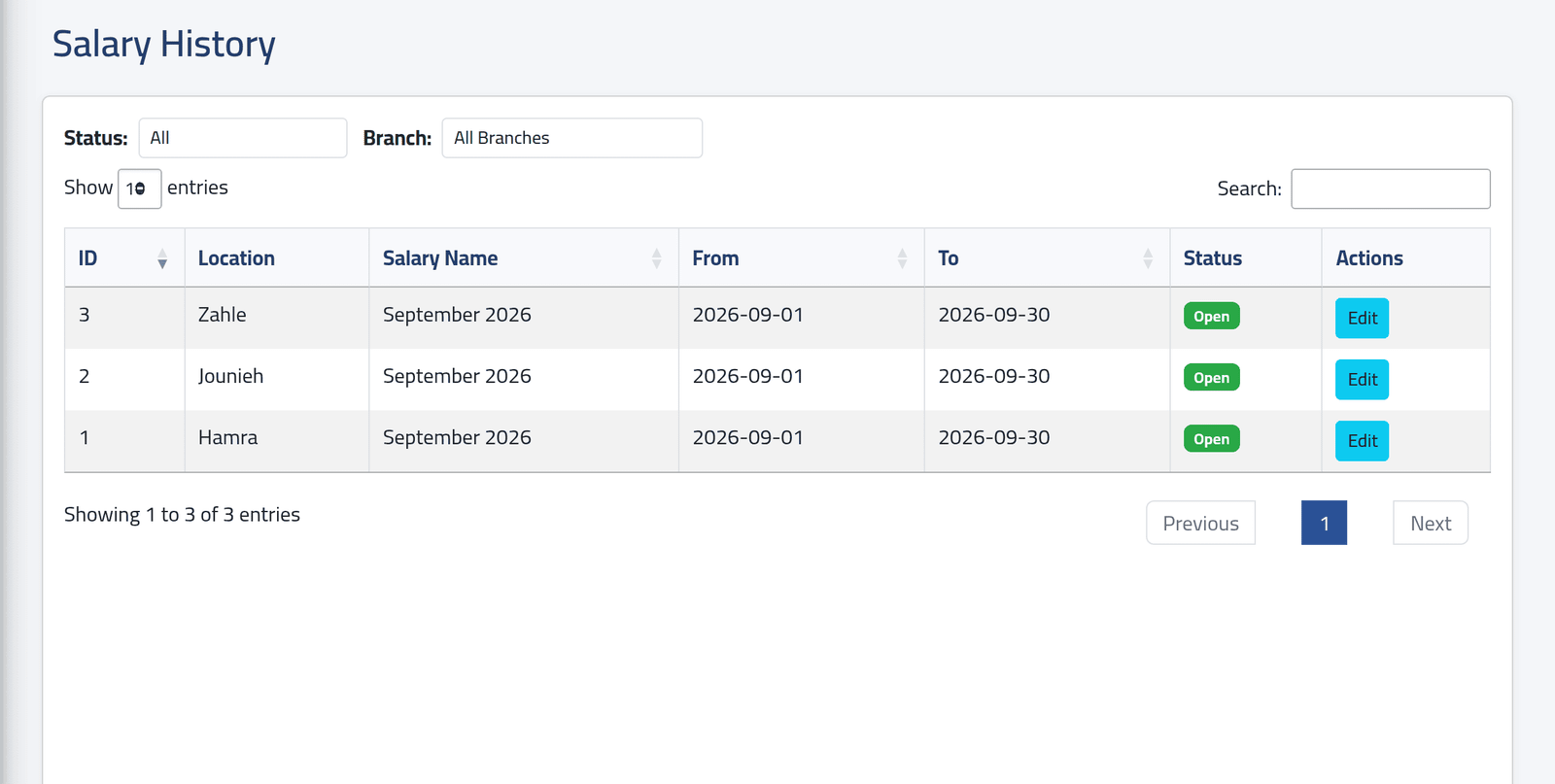
The branch’s latest period is on Salaries › Current. An earlier one — last month, still open while you finish it — is on Salaries › History. Narrow the list with Status and Branch.
Click Edit on the period. The button is called Edit even when you only want to read.
2Read the period
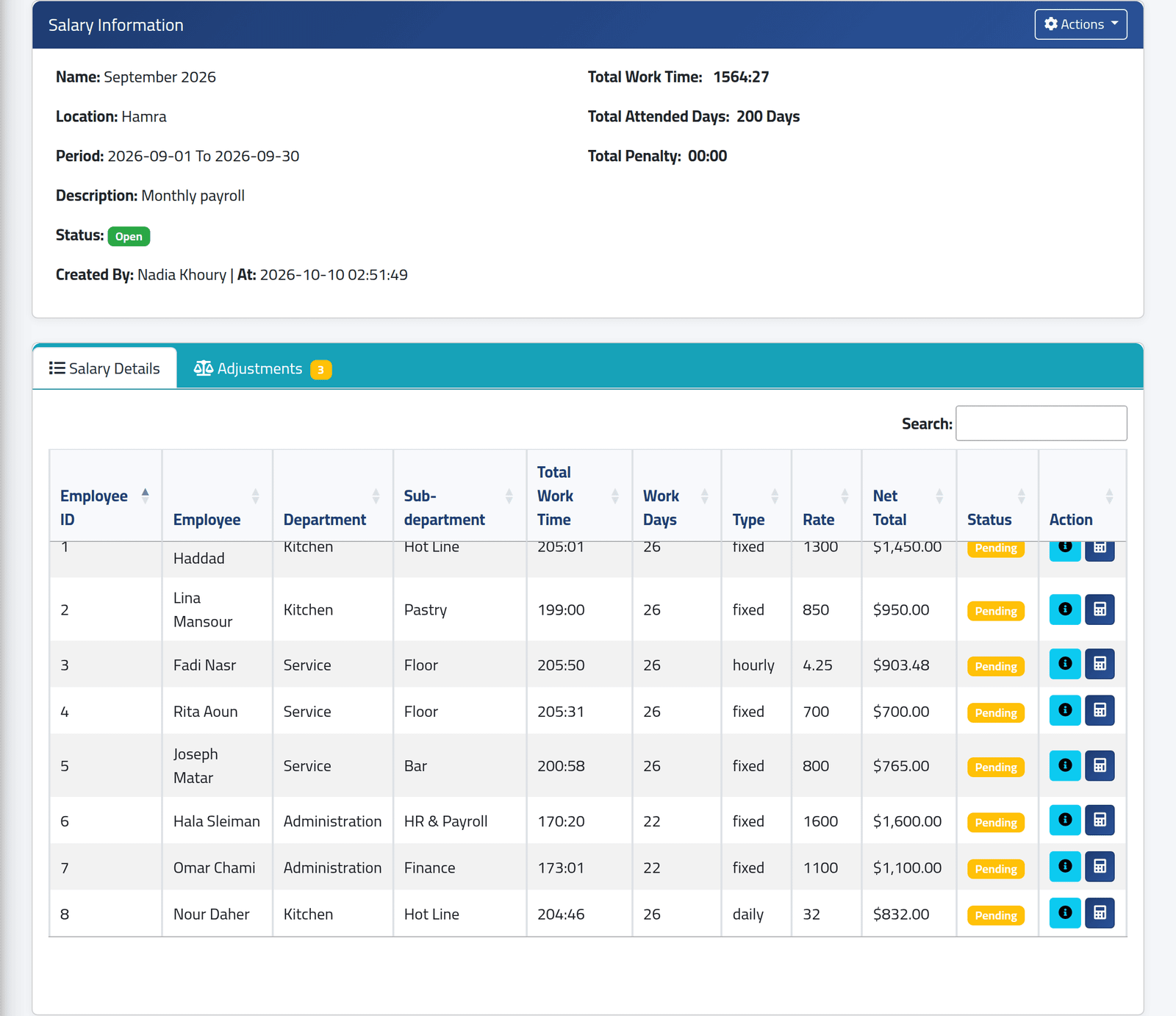
At the top: the period’s name, branch, dates and status — Open, Locked beside it once its hours have been checked, or Closed. On the right, the branch’s total work time, attended days and penalty time for the period.
Salary Details has one row for each person with days in this branch and period. The list scrolls inside its own box.
- Total Work Time — hours and minutes worked out from the punches.
- Work Days — days that count: worked days and leave days with no error. Error days, absences and days off are not counted.
- Type and Rate — how the person is paid, from Setting an employee’s pay.
- Net Total — what they would be paid if the period closed now.
How the type turns into pay:
| Type | Pay before add-ons and adjustments |
|---|---|
| fixed | the rate, whatever the days |
| daily | the rate × Work Days |
| hourly | the rate × hours worked, plus overtime at your company’s overtime rate |
In the picture, Nour Daher is paid by the day: 26 days at $32 is $832.
This is where an uncorrected Error day costs money. It is missing from Work Days and its hours are short, so a daily or hourly employee is paid less. A fixed salary does not move. Correct Error days before the period closes — see Reading a day’s attendance.
3Open one person's breakdown
Click the blue (i) on a row.
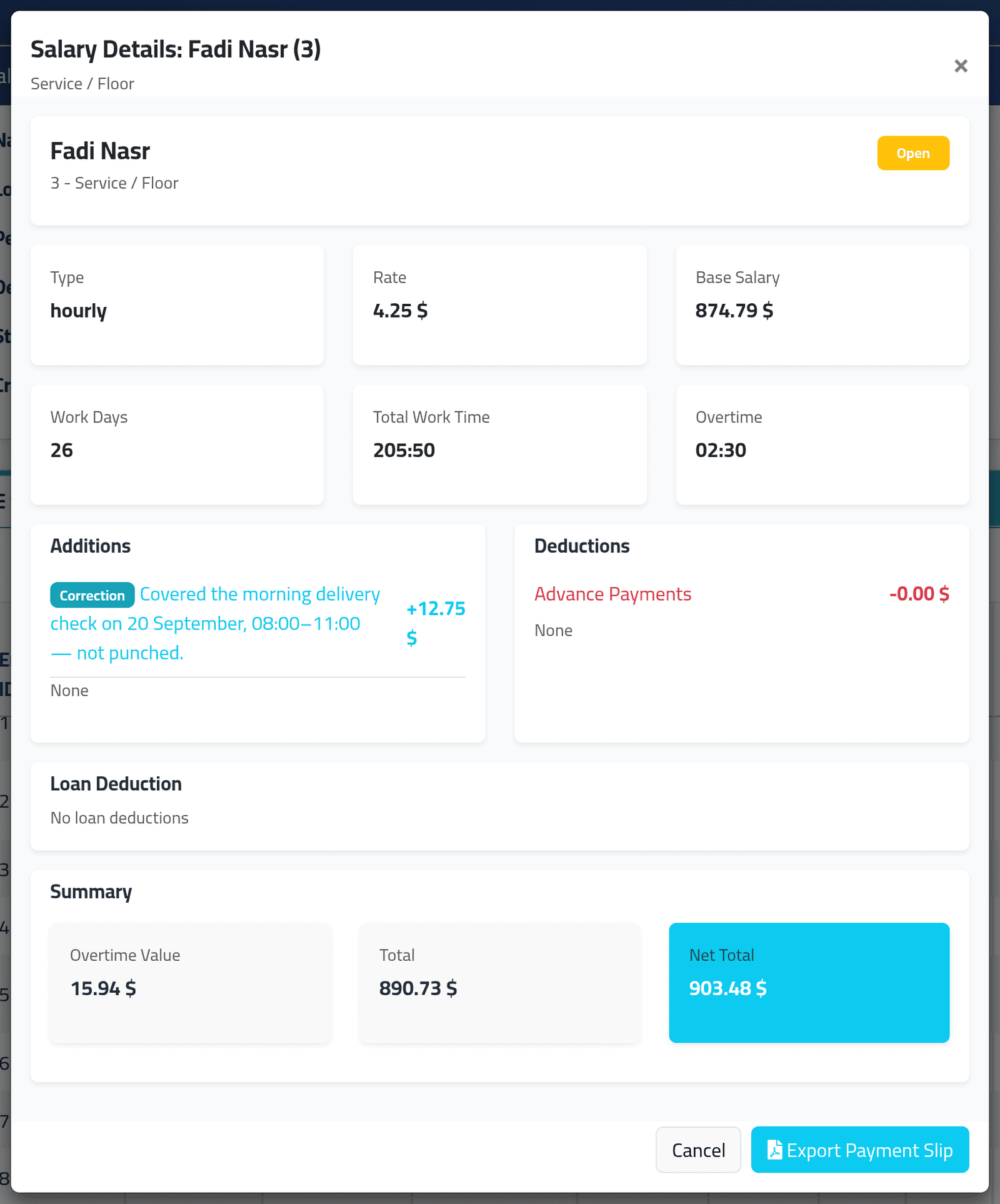
The breakdown shows Type, Rate, Base Salary, Work Days, Total Work Time and Overtime. Below them:
- Additions — the person’s add-ons, appraisals and corrections that add;
- Deductions — add-ons that deduct, deductions, and advance payments;
- Loan Deduction — loan instalments falling due in the period;
- Summary — Total, which is base pay, overtime and add-ons (less any add-on that deducts), then Net Total after adjustments, advances and loans.
In the picture, Fadi Nasr is paid by the hour. 205 hours 50 minutes at $4.25 is $874.79. Two and a half hours of overtime at 1.5 times add $15.94, which makes a Total of $890.73. A three-hour correction adds $12.75, so his Net Total is $903.48.
Overtime is shown for everyone, but it is paid only to hourly employees.
4See their days
The calculator button on a row opens, in a new tab, that person’s days in the period — the table from Reading a day’s attendance, with the same Modify button.
What happens next
Reading changes nothing.
While a period is open, its figures are worked out from each person’s current type and rate. A rise entered on 10 October applies to the whole of September if September is still open. Close a period before changing anyone’s pay for the next one.
The figures stop moving when the period closes — see Closing a salary period.
If it goes wrong
| What you see | What it means |
|---|---|
| Somebody is missing from Salary Details | They have no calculated days in this branch for these dates. Perhaps they have no schedule, or they have moved branch. See Recalculating and locking a period. |
| No Type, Rate or Net Total columns | Your account may not see salary amounts. |
| Net Total is lower than the lines in the breakdown add up to | A correction with a minus amount is subtracted from Net Total but not listed in the breakdown. Check the period’s Adjustments tab. |
| A page saying the action is not authorised | Your account cannot edit salaries, or the period belongs to a branch your account cannot see. |