ClockWise HRGuideOrganising conversations
Organising conversations
Star what matters, archive what is finished, sort conversations into your own folders — and, as a conversation's owner, add or remove people, rename it, lock replies or close it.
Starring, archiving and folders are yours alone: they change nothing for the other participants. Changing the conversation itself is for its owner — the person who started it — or the administrator.
These pictures show the Email layout — see Sending a message.
1Star, archive, file
Beside each conversation, the star marks it; it then also appears under Starred. The archive button moves it out of the inbox into Archived; open Archived and archive it again to bring it back. The folder button above the list moves the ticked conversations into a folder.
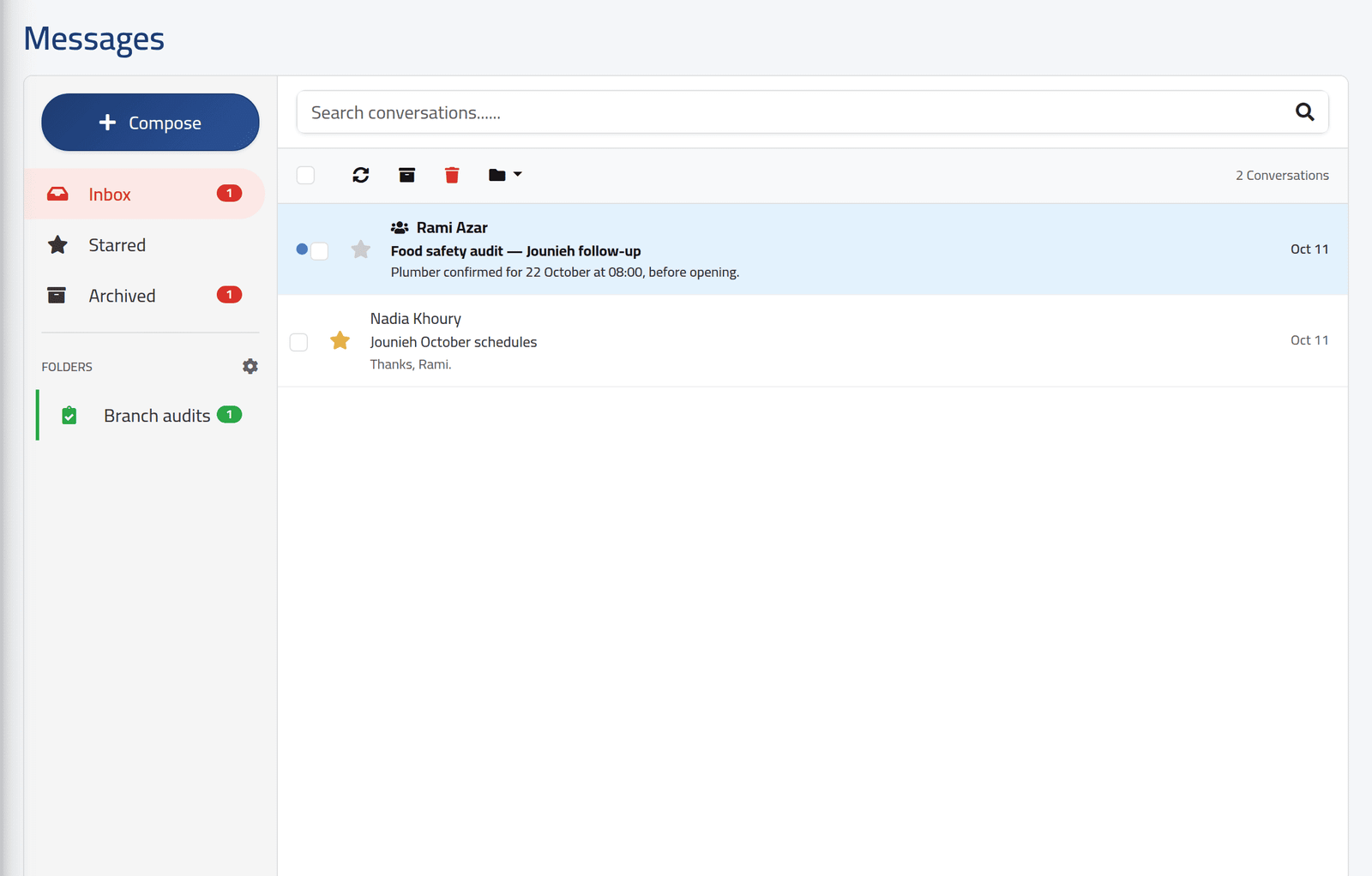
2Your folders
The cog beside FOLDERS opens Manage Folders: create a folder with a name, colour and icon, rename it, or delete it. Deleting a folder puts its conversations back in the inbox.
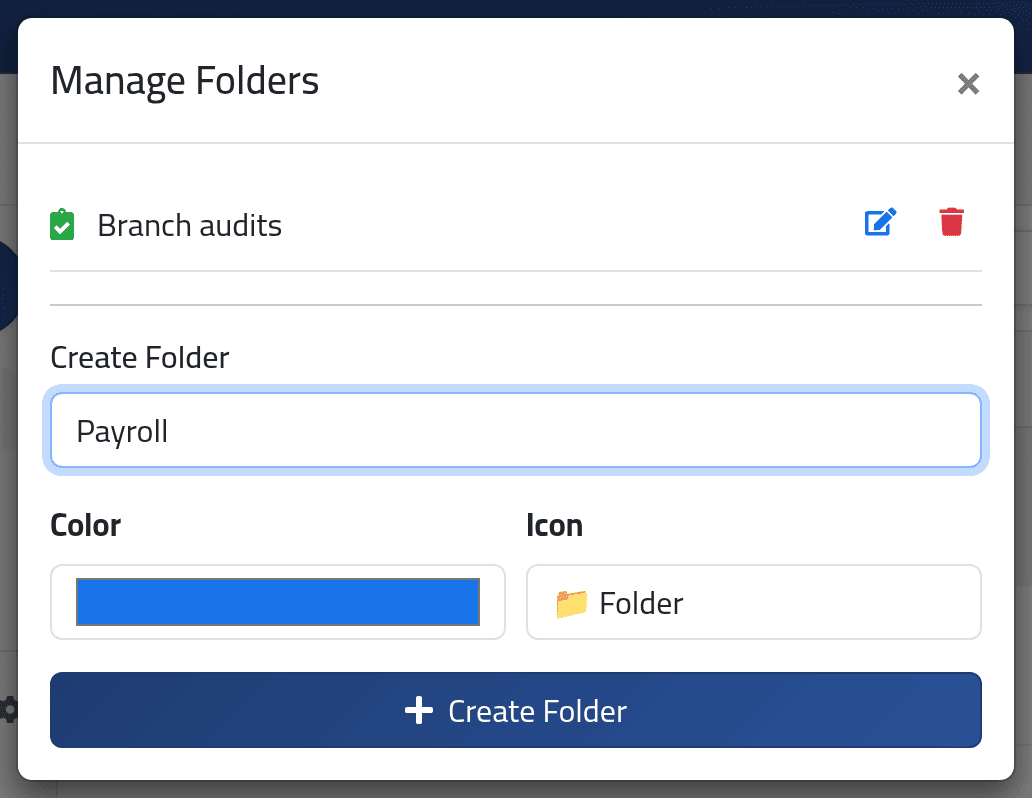
3As the owner
Open the conversation:
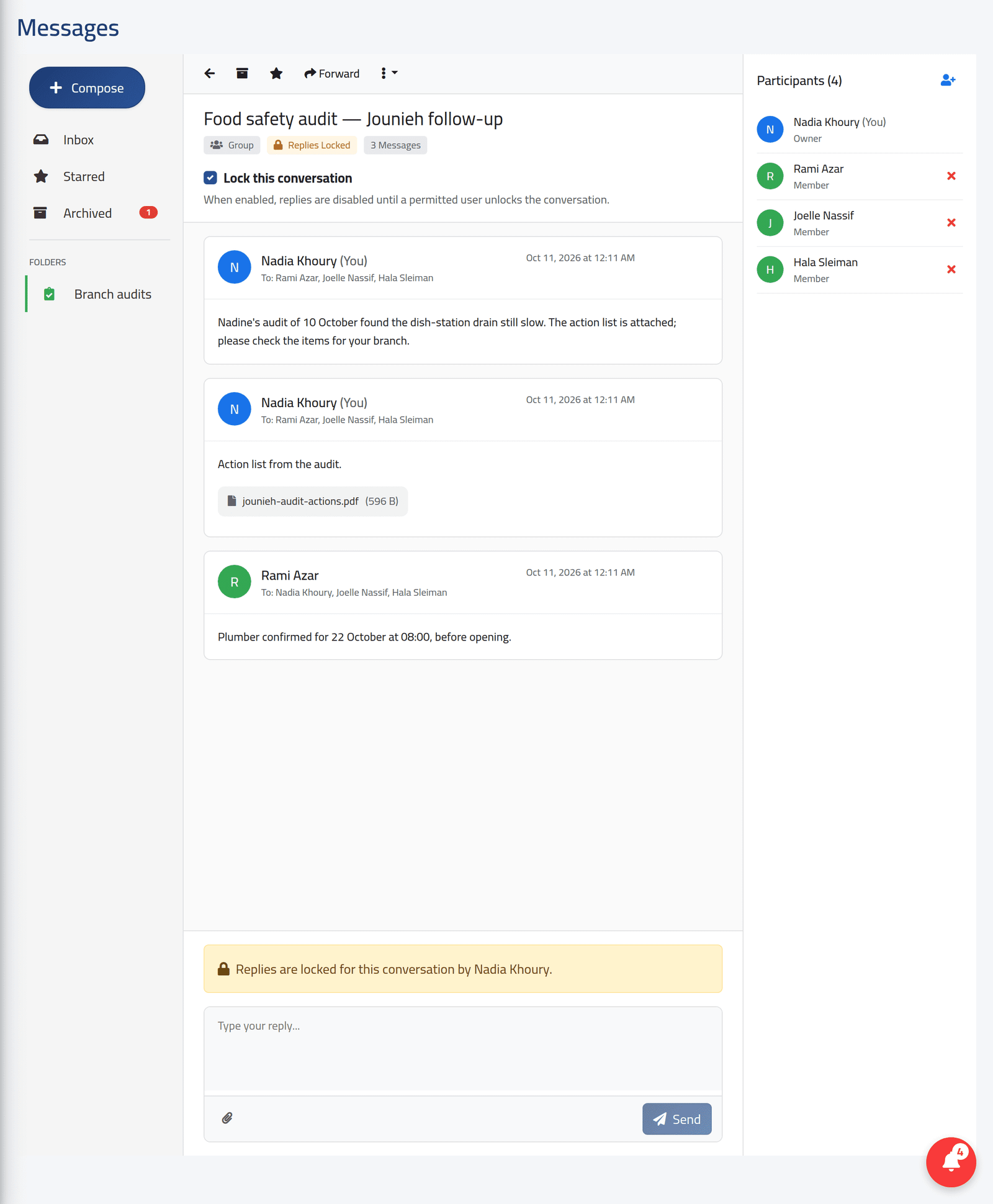
- Participants, on the right — the person icon adds people; the ✕ removes one, who then no longer sees the conversation.
- The menu — rename the conversation, or close it. A closed conversation stays readable, but nobody can reply.
- Lock this conversation — stops replies until it is unlocked; the reply box says who locked it. Here, Nadia Khoury locked the audit thread once the plumber was booked.
- Forward — starts a new conversation with other people, its first message a copy of this one’s messages.
What happens next
The others see the lock or the closed status at once; what you star, archive or file stays your own view.
In the Chat layout the star, archive and folders are there, but folders cannot be created or edited — the cog does nothing — and the lock cannot be switched. Create folders and lock conversations in the Email layout, or ask the administrator.
If it goes wrong
| What you see | What it means |
|---|---|
| No lock switch | Your account may not lock conversations. |
| No add or remove buttons on participants | You are not the conversation’s owner. |