ClockWise HRGuidePublishing, versions and archiving
Publishing, versions and archiving
Publishing freezes a form so every inspection on it is scored the same way. To change a published form, make a new version, build it and publish that; then archive the old one. Past inspections always keep the version they were made on.
Publishing needs its own permission. The builder’s problem list must be empty — see Building an inspection form.
1Publish
In the builder, click Publish and confirm. The version becomes Active: it is offered on Start Inspection and can be assigned.
2A published version
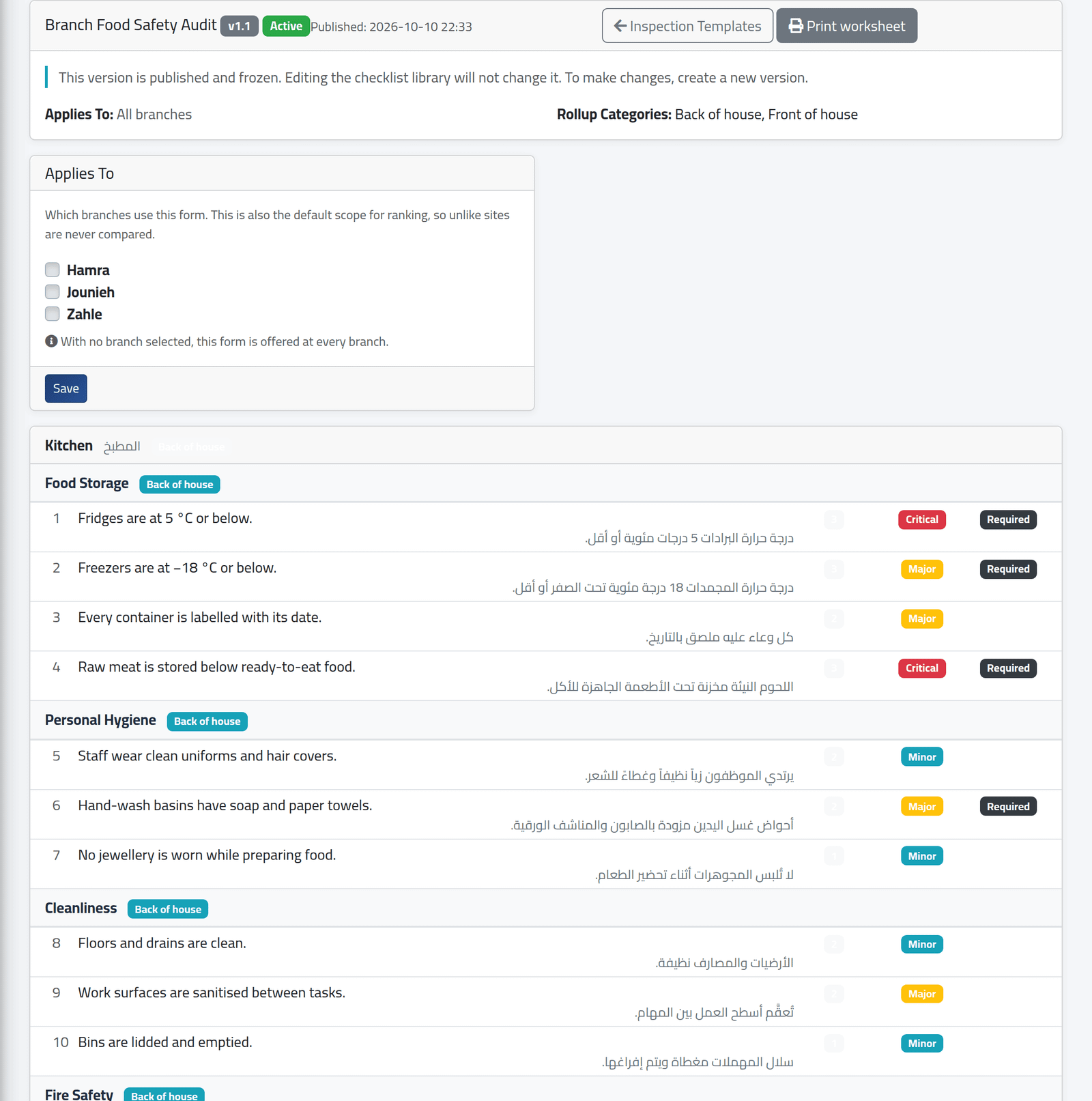
View on an active or archived version shows it as it was frozen: its areas, categories and questions with their weight, severity and Required. Nothing on it can be edited — not even by changing the library. Applies To can still be changed here, for the whole form.
3Change a published form
On Inspection Templates, click New Version on the active one. A draft copy opens in the builder, numbered one higher — 1.1 becomes 1.2. Change it, then publish it.
4Archive the old version
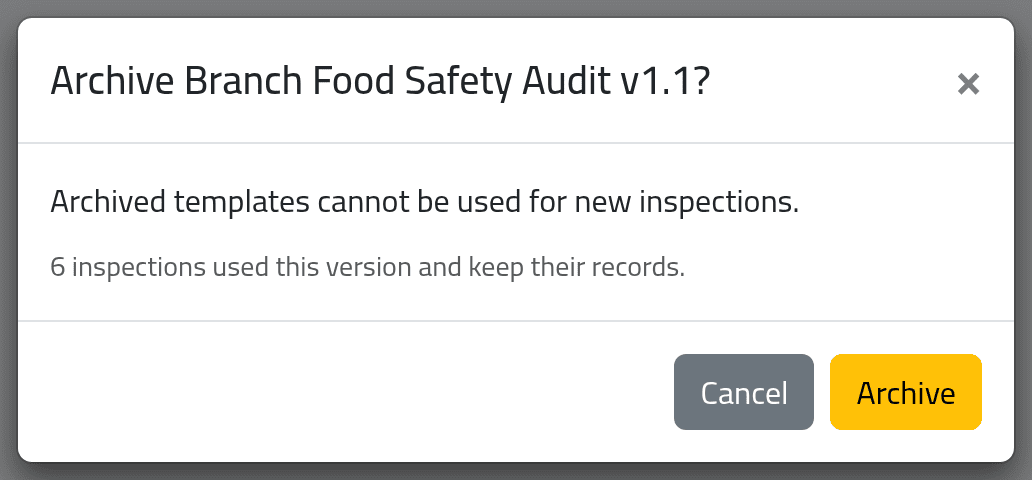
Click the archive button on the version to retire and confirm with Archive. It can no longer be started or assigned; its inspections stay, and still count in reports.
What happens next
Publishing a new version does not retire the old one. Both stay Active, and inspectors are offered both, until you archive the old version by hand. Open assignments stay on the version they were made with: cancel and re-issue them on the new one (see Assigning inspections).
Reports and repeat findings follow a question across versions, so a new version does not reset a branch’s history.
A draft nobody has inspected with can be deleted from the list. A version with inspections cannot — archive it.
If it goes wrong
| What you see | What it means |
|---|---|
| Publish is greyed out | The problem list is not empty. |
| No New Version | Only the active version can be copied, and your account must be allowed to manage templates. |
| An inspector still uses the old questions | The old version is still active, or the inspection was started before the new one was published. |