ClockWise HRGuideAsset bundles
Asset bundles
A bundle is a saved list of items and quantities that always go out together — a kitchen starter kit, a floor starter kit. On an order, one click adds the whole list.
Your account must be allowed to manage bundles. The assets must exist.
1See the bundles
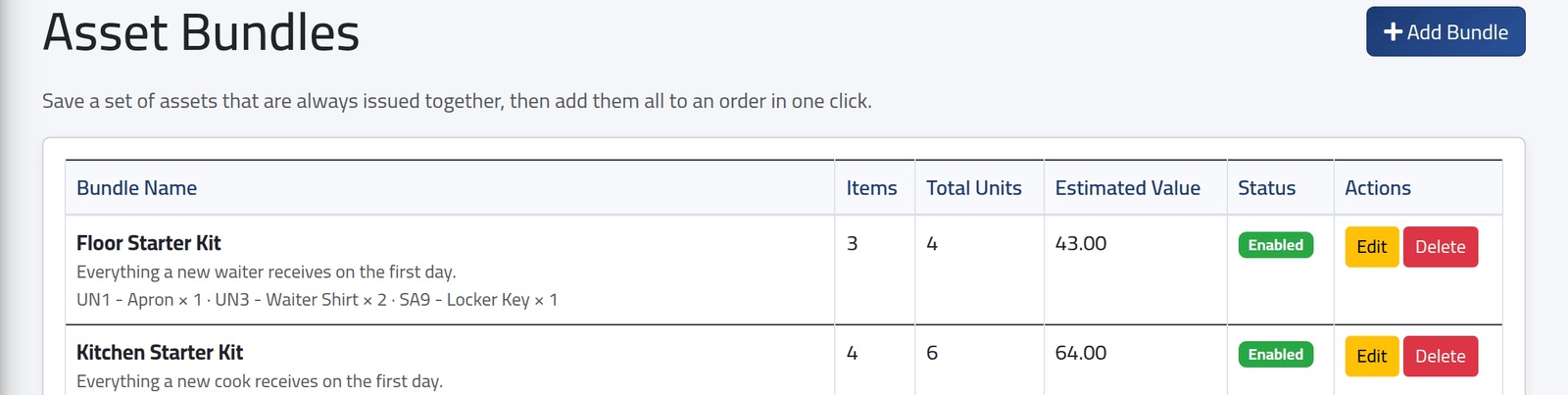
In the menu on the left, under Assets Management, click Asset Bundles. Each bundle with its items, how many units it gives out and their value.
2Add or edit one
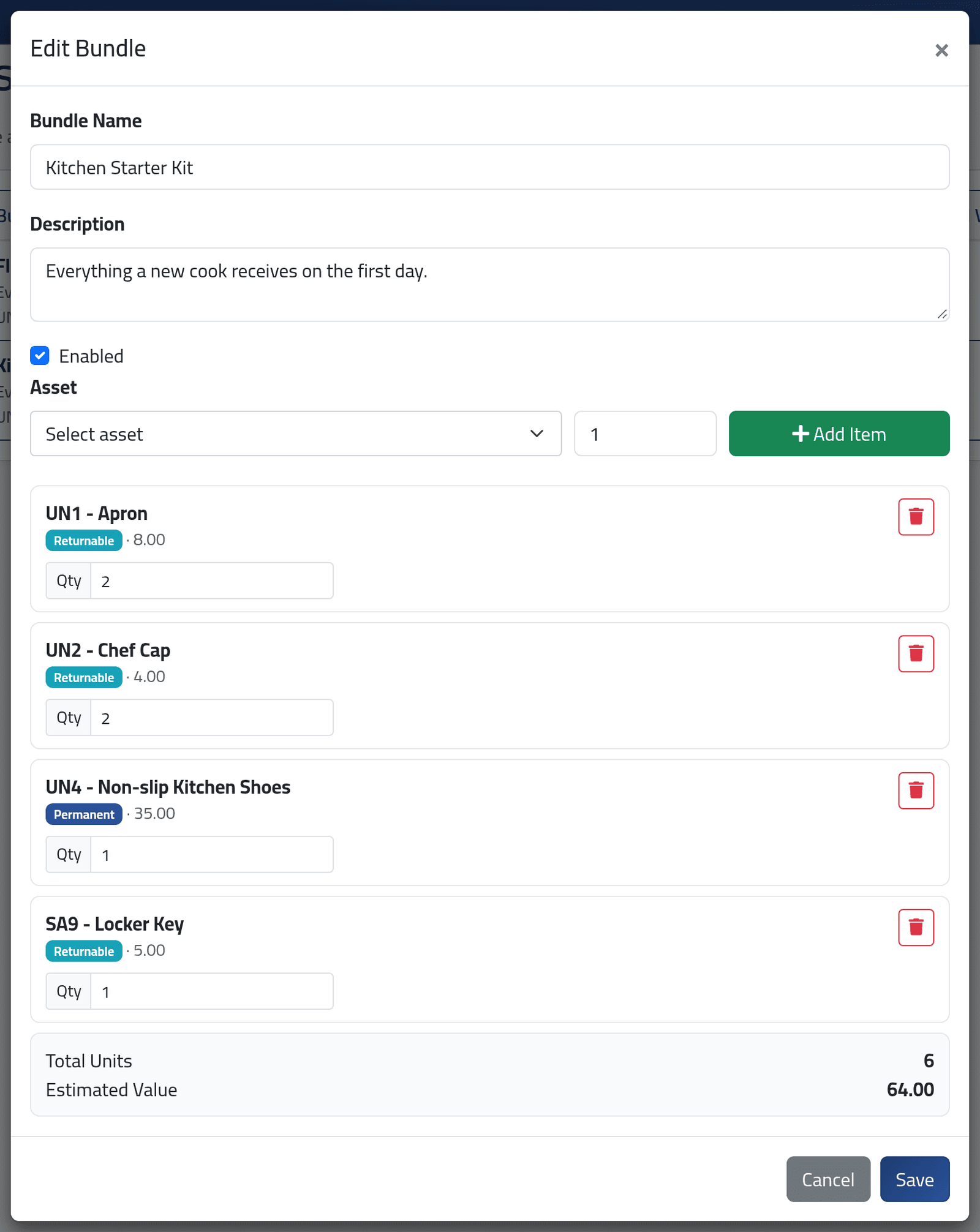
Click + Add Bundle, or Edit on a bundle. Give it a name — unique — and a description. Choose an asset and its quantity and click + Add Item; repeat for each item. Change a quantity in its box, or remove a line with its bin. Click Save.
What happens next
The bundle is offered on new and draft orders — see Giving out several assets at once.
A bundle is a template. Changing it changes nothing already given out: orders keep the items they were made with. A disabled bundle is no longer offered; a disabled asset in a bundle is skipped, with a warning, when the bundle is applied.
If it goes wrong
| What you see | What it means |
|---|---|
| A bundle with this name already exists. | Choose another name. |
| A bundle must contain at least one item. | Add an item before saving. |