ClockWise HRGuideCurrencies and exchange rates
Currencies and exchange rates
The currencies people can be paid in, and what each is worth against the default one. Every salary total and report is in the default currency; everyone paid in another is converted at these rates.
One currency is the default: the one the company counts in. Its rate is
always 1. Every other rate says how many of that currency make one of the
default — with the US dollar as default, the Lebanese pound is 89500.
1Open the list
In the menu on the left, under General Settings, click Currencies.
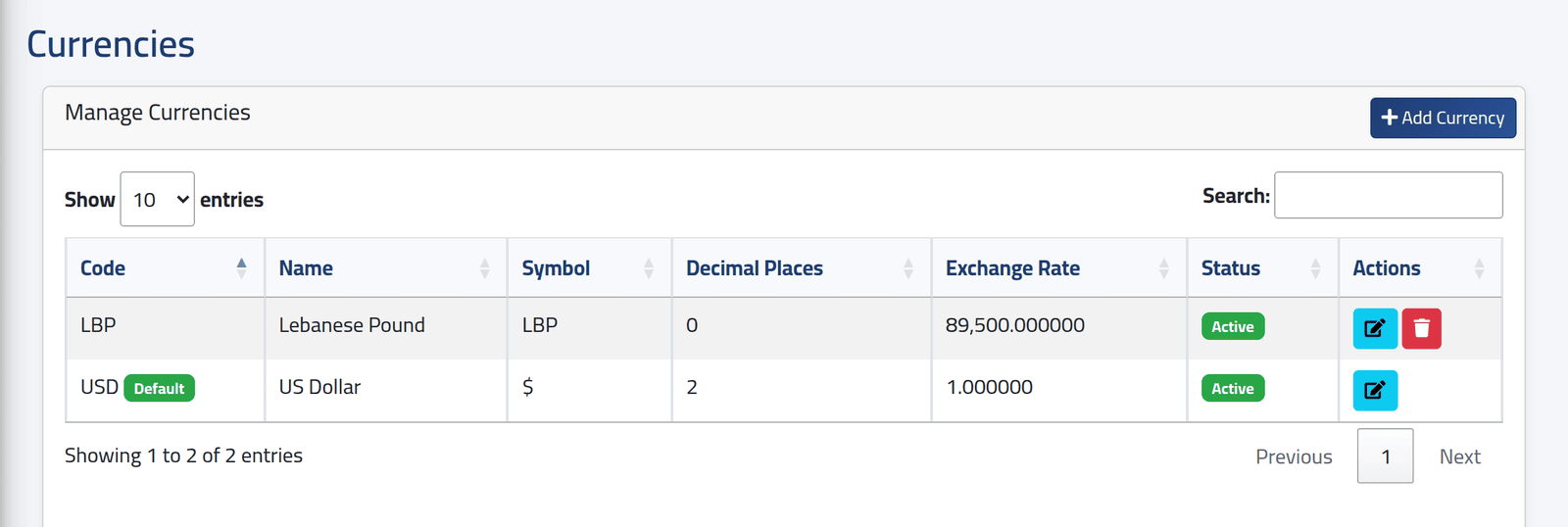
Each currency with its symbol, how many Decimal Places amounts in it show, its Exchange Rate, and whether it is Active. The default is marked Default, and has no delete button.
In the picture, the dollar is the default, and the pound is worth 89,500 to the dollar, shown with no decimals.
2Add one
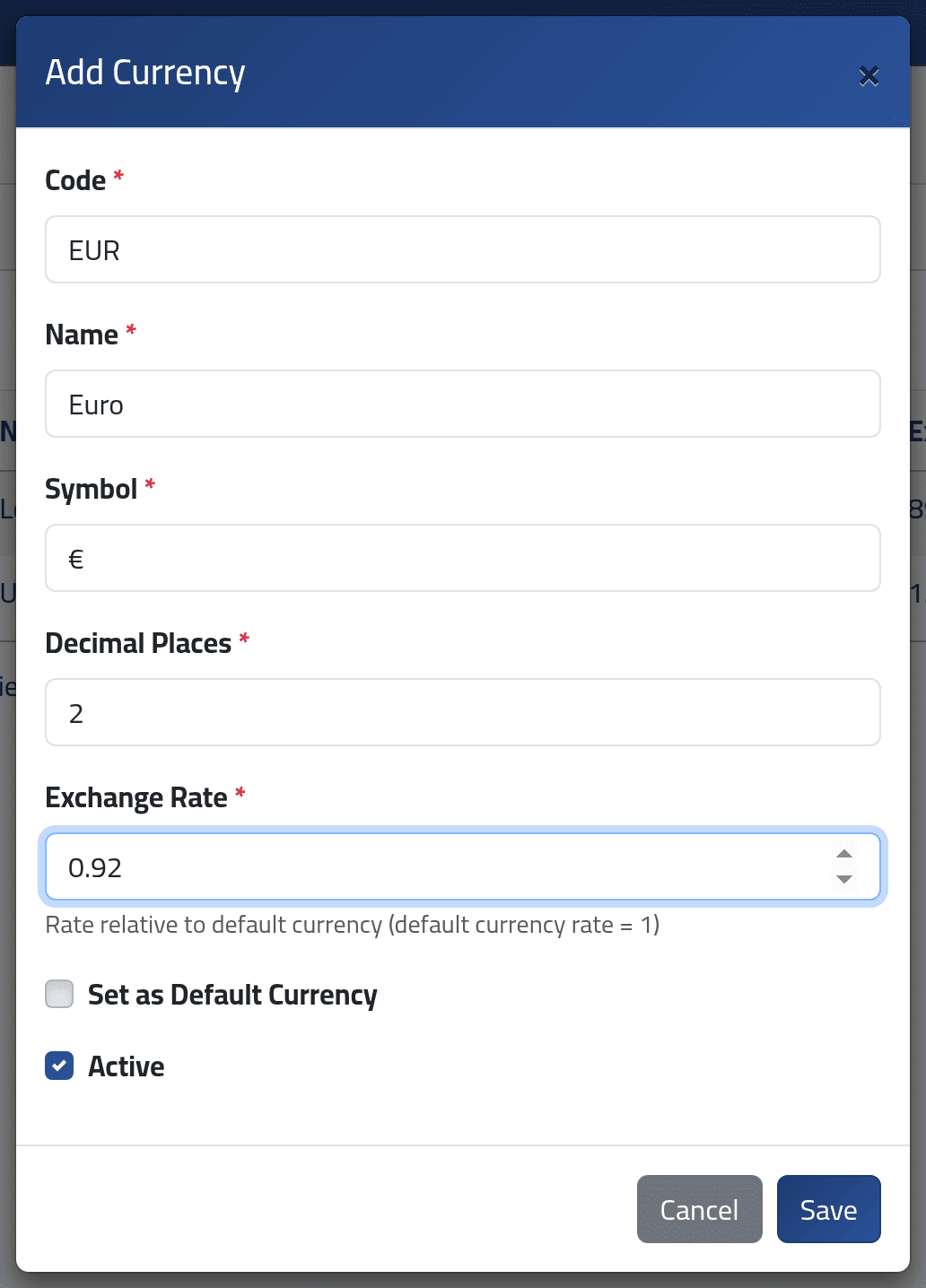
Click Add Currency:
- Code —
EUR, each once — Name and Symbol. - Decimal Places — from 0 to 6.
- Exchange Rate — how many of this currency make one of the default.
- Active — offered when choosing a currency.
Click Save.
3Update a rate
Click the edit button on the currency, change Exchange Rate and save.
What happens next
The currency can be chosen for a person’s pay in Setting an employee’s pay. Their pay is worked out in their own currency, then divided by the rate to reach the default currency: that is the figure in salary totals, payment batches and every payroll report.
- Open salary periods use the rates as they are now, so a new rate changes their totals at the next calculation.
- Closed periods keep the rates of the day they were closed (see Closing a salary period). Changing a rate later does not touch them.
Two things are not converted: an employee’s own rate on their file, and loan amounts.
Making another currency the default sets its rate to 1 and takes the default off the old one — but the other rates are not recalculated. The old default keeps its 1, and every rate is now wrong. Before you change the default, work out every currency’s new rate, and enter them straight after.
If it goes wrong
| What you see | What it means |
|---|---|
| You must have at least one default currency. | You unticked the only default. Make another currency the default instead. |
| Cannot delete the default currency. | Make another currency the default first. |
| Cannot delete currency that is in use by employees. | Someone is paid in it. Switch it off instead: it stays on their file but is not offered to anyone new. |
| The code has already been taken. | That currency exists — perhaps switched off. |
| Totals look far too small or too large | A rate was entered upside down: it must be units of this currency per one of the default. |