ClockWise HRGuideDefining a training program
Defining a training program
A program is a course the company runs again and again — food safety, first aid, a fire drill. It holds what every session of it starts from: how long it lasts, who teaches it, how many seats, and whether it is mandatory, recurring, assessed and certified.
- The Training module must be switched on for the company.
- Your account must be allowed to manage training programs. Many people can see programs; few should define them — in the demo, the training coordinator schedules sessions but does not create programs.
- Programs belong to the whole company, not to a branch.
1Open the list
In the menu on the left, under Training, click Training Programs.
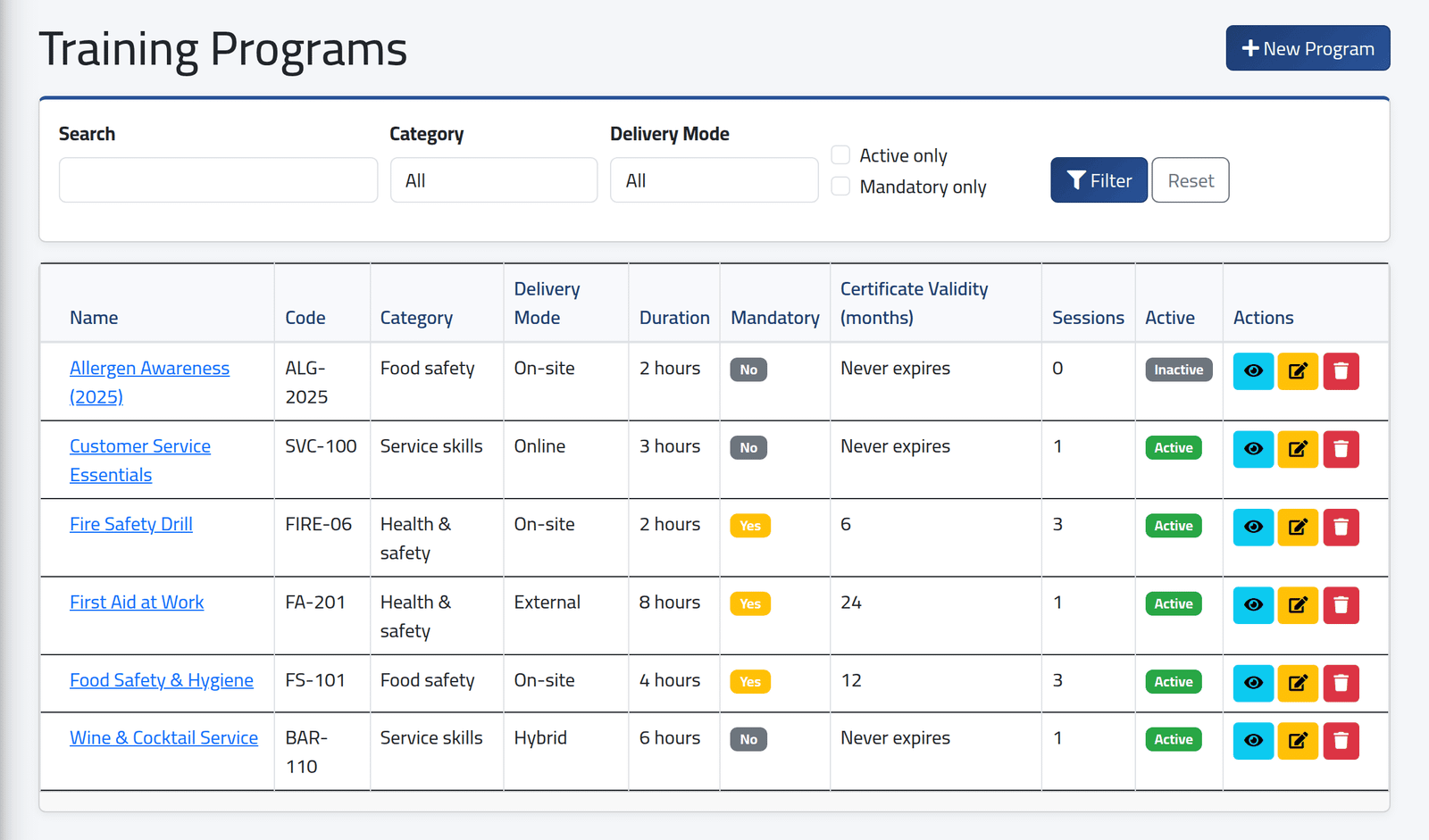
Each program with its code, category, delivery mode, duration, whether it is mandatory, how many months its certificate lasts, how many sessions it has had, and whether it is active. Search by name or code, or filter by category, delivery mode, Active only or Mandatory only.
Click + New Program.
2What it is
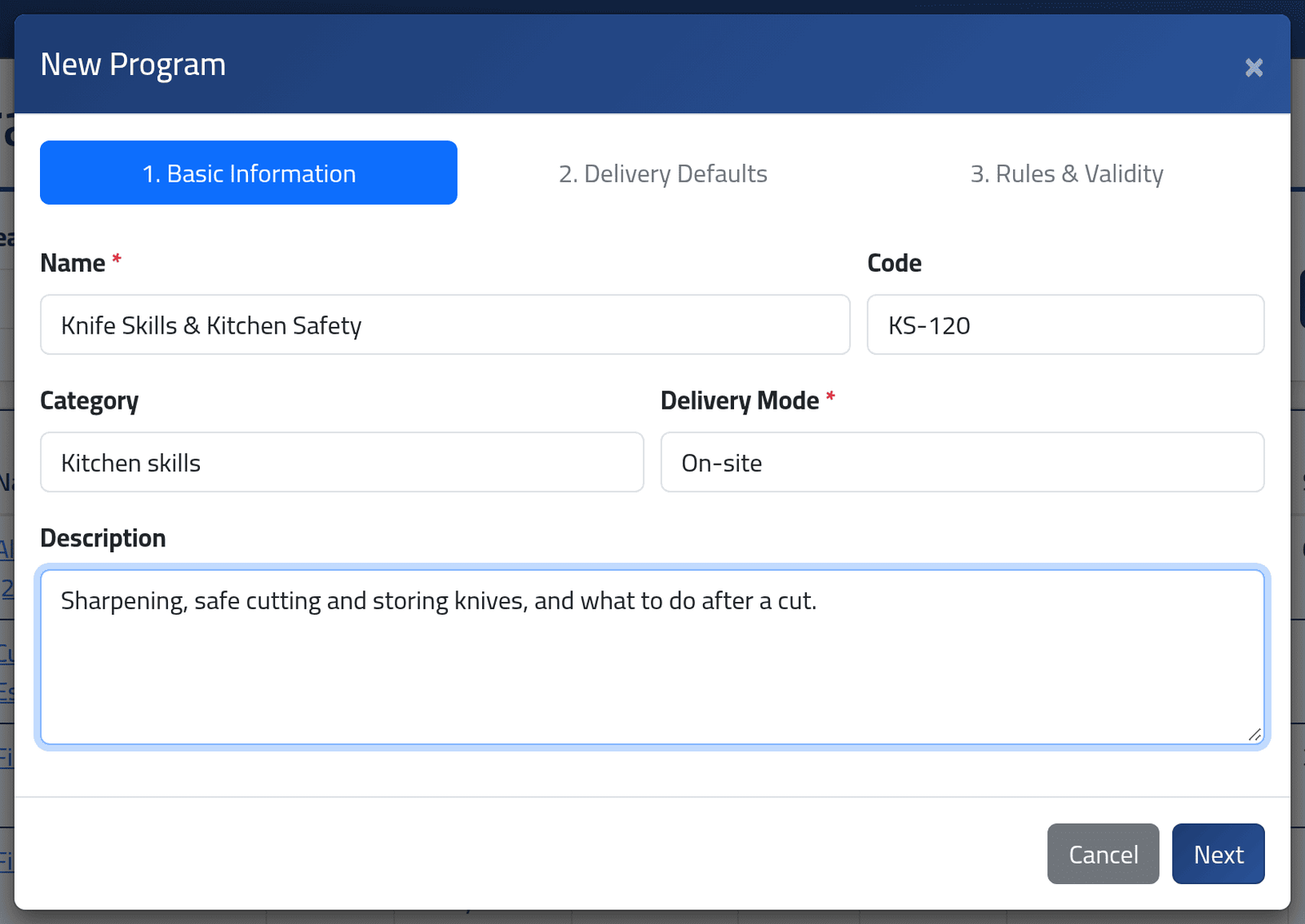
- Name — required.
- Code — your own short reference. Two programs cannot share one.
- Category — free text; the list’s filter offers every category already used, so spell it the same way each time.
- Delivery Mode — On-site, Online, Hybrid or External.
- Description.
Click Next.
3What a session starts from
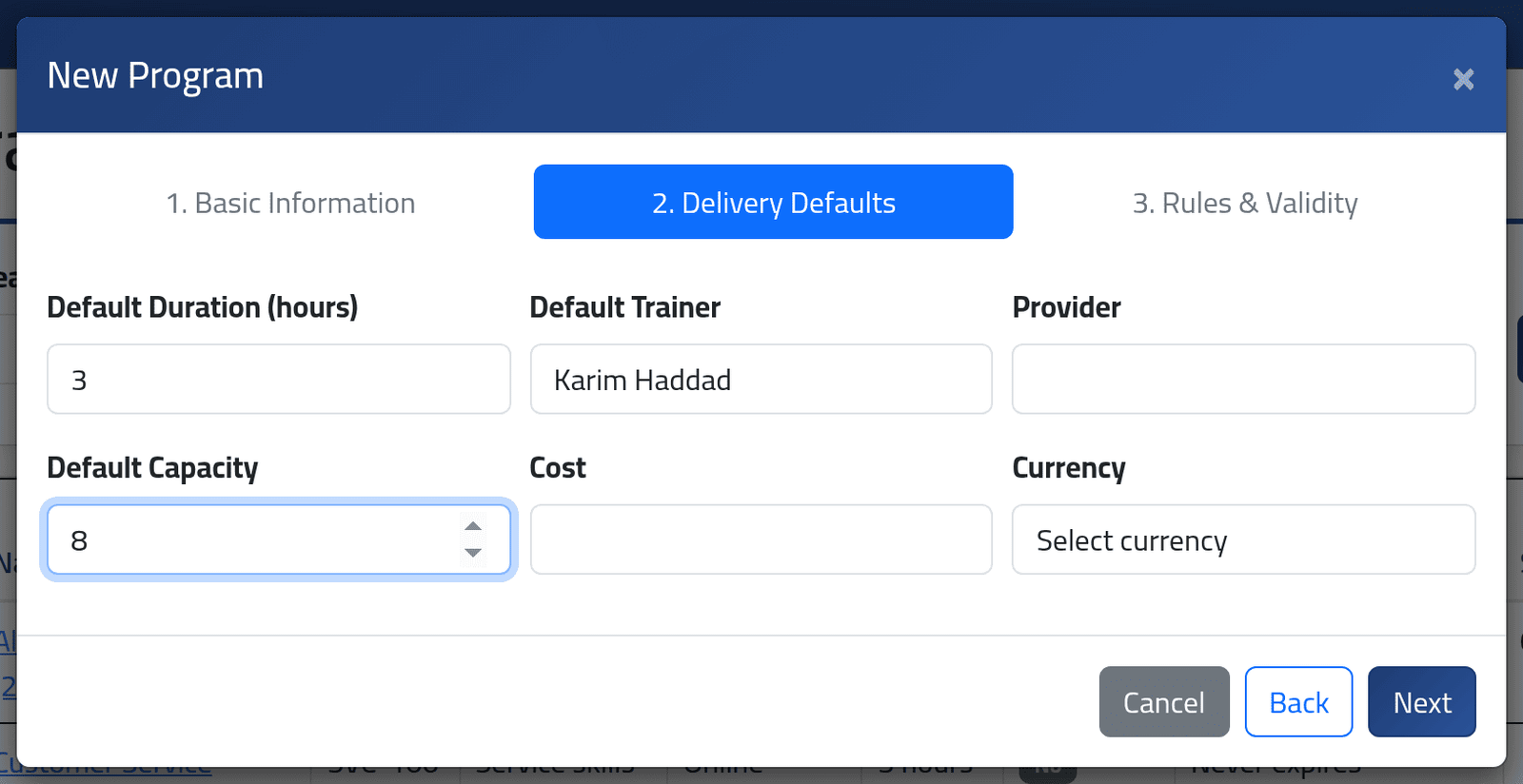
Default Duration (hours), Default Trainer, Provider, Default Capacity, Cost and Currency.
These are copied into each new session, not linked to it. A session scheduled from this program starts with this trainer, capacity and cost, and its end time is filled in from the duration — all of which can be changed on the session. Changing them here later does not change sessions already scheduled.
Click Next.
4The rules
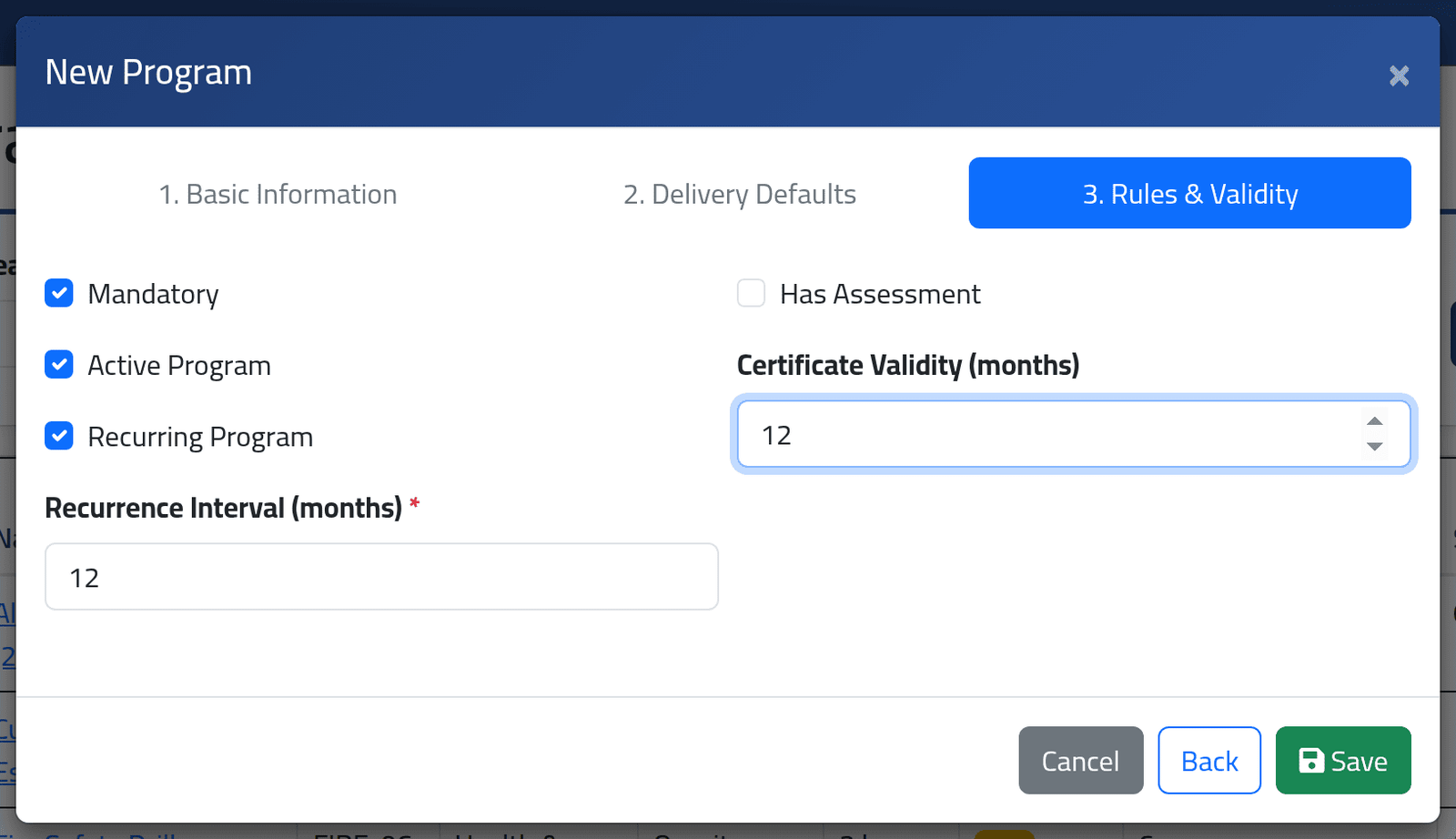
- Mandatory — every employee is expected to hold it: each employee’s training record shows it as held, missing or expired.
- Active Program — only active programs can be scheduled.
- Recurring Program and Recurrence Interval (months) — how often it must be repeated. A recurring program’s sessions offer Create Next Occurrence, which copies the session that many months later (see A session’s status).
- Has Assessment and Pass Score — a score of at least the pass score is a pass.
- Certificate Validity (months) — how long a certificate from it lasts. Left empty, it never expires.
Click Save.
5The program's page
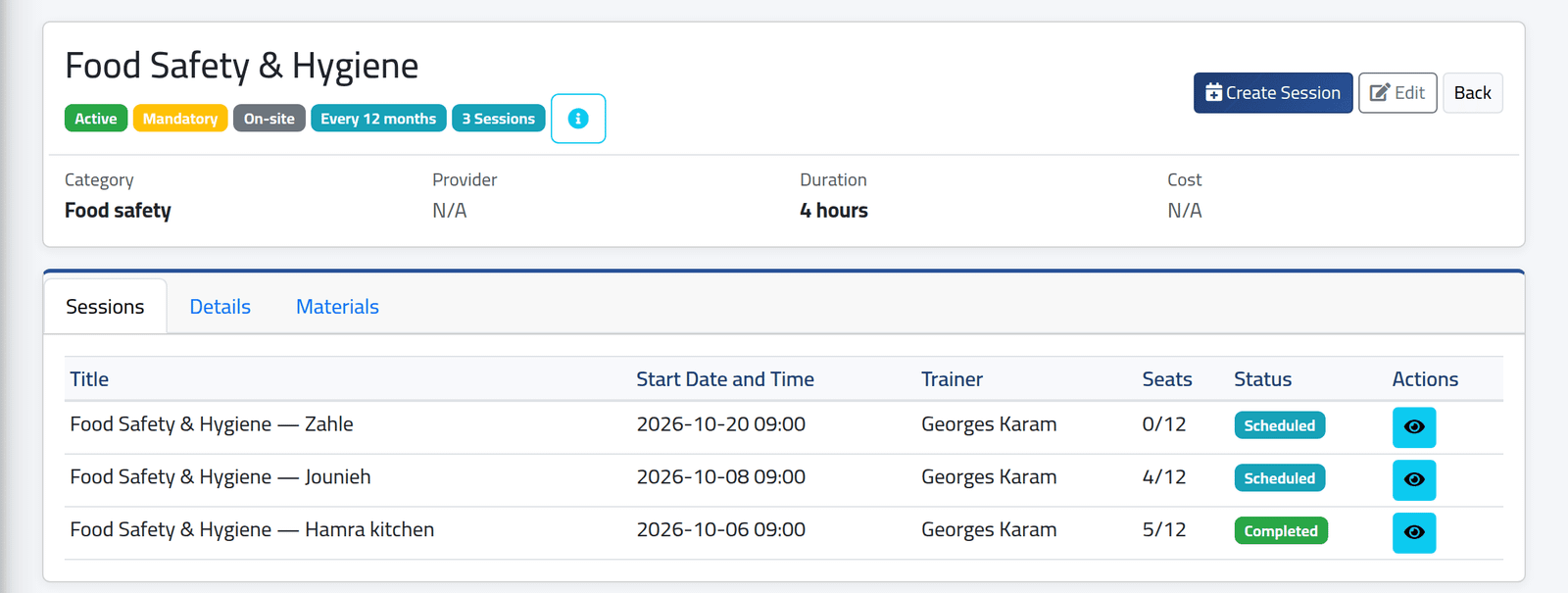
Its badges, the details at the top, and its sessions, newest first. Create Session schedules a new one with this program already chosen (see Scheduling a training session). The Details tab lists every setting; Materials holds the files every session of it shares.
What happens next
The program can now be scheduled. Use Edit on its page or in the list to change it.
A program that has ever had a session cannot be deleted — not even if the session was deleted. Untick Active Program instead: it stays on its past sessions and records, and can no longer be scheduled. Allergen Awareness (2025), in the picture, was retired that way.
If it goes wrong
| What you see | What it means |
|---|---|
| This program has sessions and cannot be deleted. Deactivate it instead. | See the warning above. |
| A refusal on the code | Another program already uses it. |
| The wizard will not leave step 3 | Recurring needs an interval; an assessment needs a pass score. |
| The program is missing when scheduling | It is inactive. |
| No + New Program or Edit | Your account may view programs but not manage them. |