ClockWise HRGuidePaying a batch
Paying a batch
Inside a batch: one line per person, with the method and the account. Mark the lines paid as the money goes out, fix a line with no method, and export the list for the bank. Marking a line paid marks that person's salary paid, for good.
Open the batch: on the period, Actions › Payment Batches, then View — see Payment batches. Updating lines and exporting are separate permissions.
1Read the batch
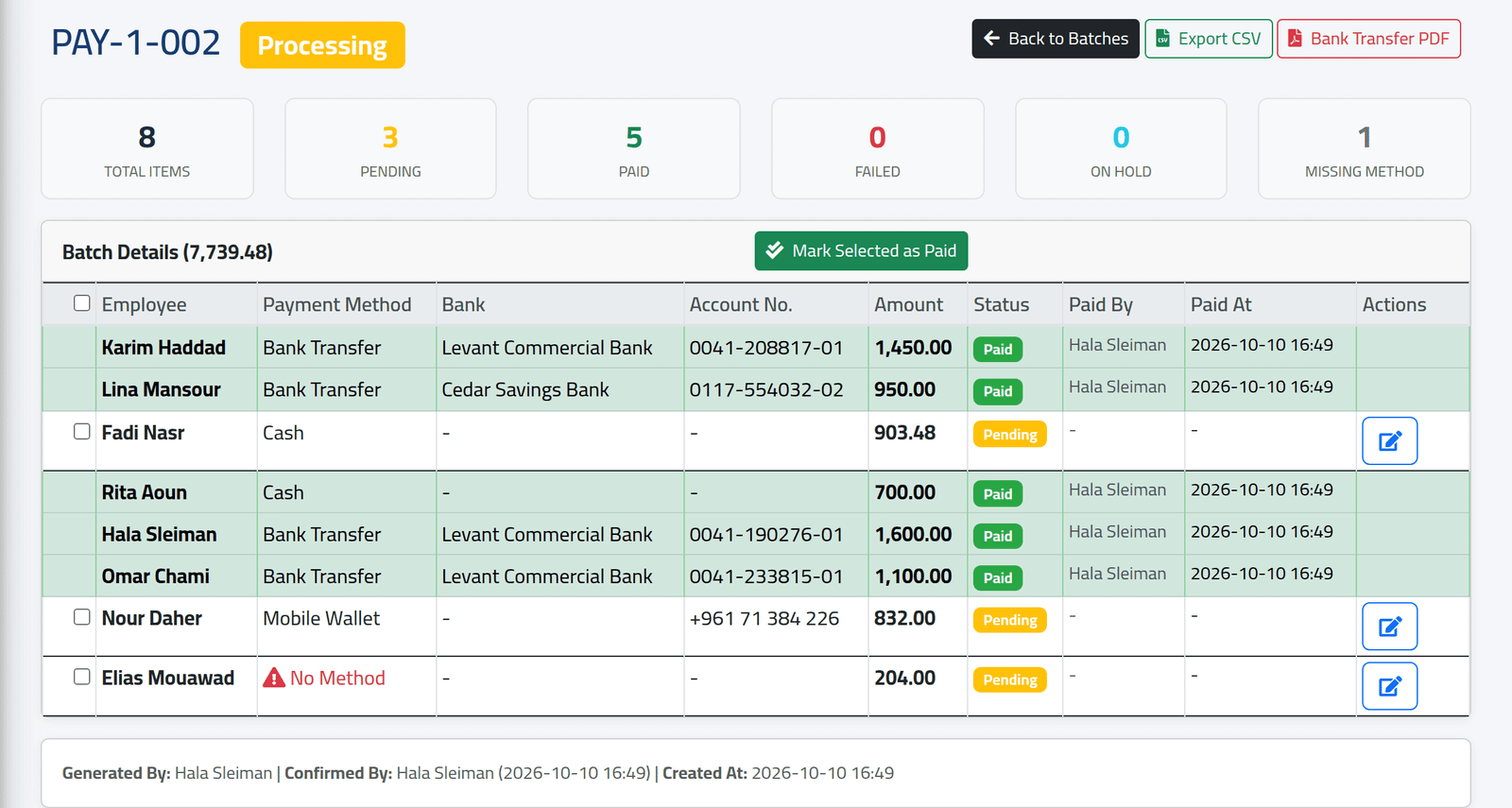
At the top, the counts: total lines, Pending, Paid, Failed, On Hold, and Missing Method. Below, one line per person: method, bank, account number (or wallet number), amount and status.
In the picture, the four bank transfers and Rita Aoun’s cash are paid. Fadi Nasr’s cash and Nour Daher’s wallet transfer are pending, and Elias Mouawad has no method because he has no payment account.
2Mark several paid at once
Tick the lines that have been paid and click Mark Selected as Paid. The tick box at the top selects every line still to pay.
3Update one line
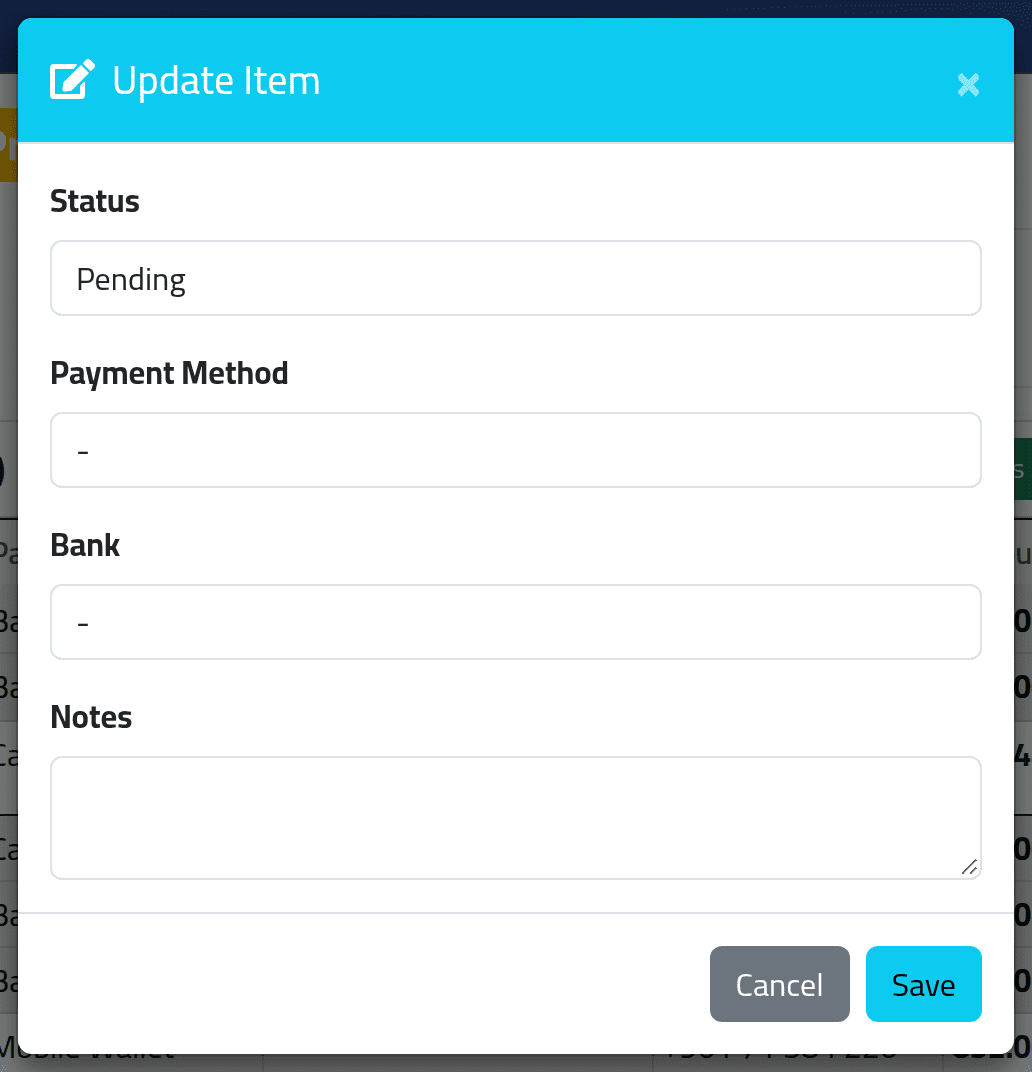
Click the pencil on a line. In Update Item:
- Status — Pending, Paid, Failed (it did not go through) or On Hold (not to be paid yet);
- Payment Method and Bank — for a line with none, or the wrong one;
- Notes — what happened.
Click Save.
The account number cannot be changed here. If it is wrong, correct the person’s account (see Payment accounts), then cancel the batch and generate a new one.
4Export for the bank
- Export CSV — every line, with method, bank, account, IBAN, wallet number, amount, status, and who paid it when.
- Bank Transfer PDF — the lines grouped by payment method, ready to hand over. Lines with no method are left out, so give every line a method first.
What happens next
A line marked Paid marks that person’s salary paid on the period as well, and it can no longer be edited. When every line is paid, the batch becomes Completed.
Failed and On Hold leave the person’s salary Pending. Once it has gone through, set the line to Paid.
If it goes wrong
| What you see | What it means |
|---|---|
| No Method on a line | The person had no default payment account when the batch was generated. Pick a method in Update Item, or add an account and generate again. |
| No pencil on a line | It is paid, or the batch is cancelled. |
| A line marked paid by mistake | Nothing in ClockWise reverses it. Note it, and settle the difference with the person. |
| Somebody is missing from the bank PDF | Their line has no payment method. |