ClockWise HRGuidePayment slips and exports
Payment slips and exports
A PDF slip for each person to sign, or one person's slip; an Excel sheet of the period; or one sheet of every branch's latest period. Every export is written to the financial audit log.
Slips need permission to print payment slips. The Excel exports need permission to edit salaries.
1Open the period's actions
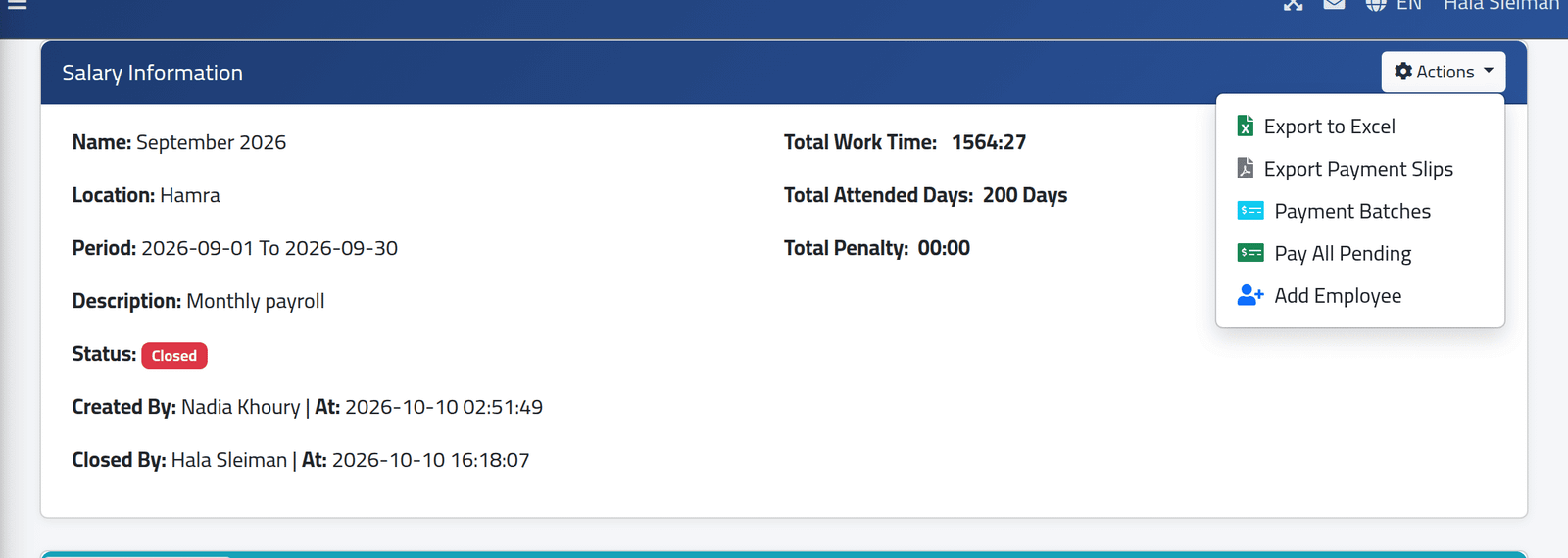
Open the period (see Reading a salary period) and click Actions. A closed period offers Export to Excel, Export Payment Slips, Payment Batches and Pay All Pending.
2Print everyone's slips
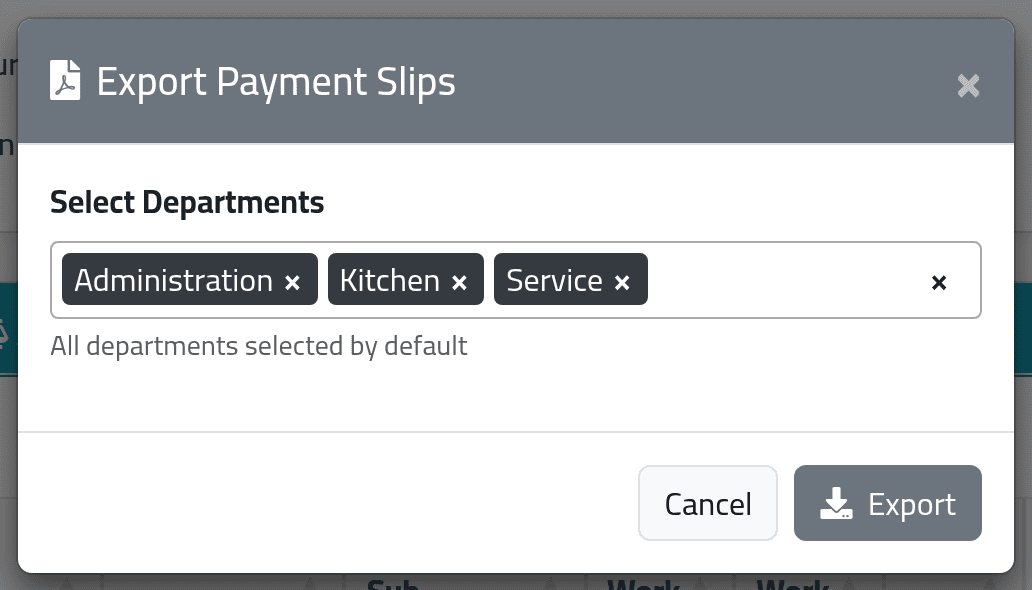
Click Export Payment Slips. Every department is selected; remove the ones you do not want, and click Export.
The PDF has one slip per person, with nobody whose salary is held. Each slip shows the period and the person, their type, rate, base salary, work days, hours and overtime, the additions and deductions line by line, and Net Total — with a box for a signature.
3Or print one person's slip
Click the blue (i) on their row, then Export Payment Slip. This works on an open period too, as an estimate of what they will be paid.
4Export the period to Excel
Actions › Export to Excel: one row per person, with their details, bank, hours, days, add-ons, deductions, loans, early payments and net salary.
To put every branch in one sheet, use Actions › Export All Current to Excel on Current Salaries. It takes each branch’s latest period — open or closed, as they stand.
What happens next
The file downloads. Each export is recorded, with who made it and when, in the financial audit log.
If it goes wrong
| What you see | What it means |
|---|---|
| No Export Payment Slips in Actions | The period is still open, or your account may not print slips. |
| No Export to Excel | The menu asks for the add-salaries permission. |
| Somebody has no slip | Their salary is held — see Paying and holding salaries — or their department was not selected. |
| The single slip’s box says Customer Signature | That is the label the application prints on one person’s slip. The slips for everyone say Cashier Signature. |