ClockWise HRGuideChanging a shift
Changing a shift
A shift has no start date. Changing one changes it for every day it was ever used — so for a new pattern, add a new shift instead.
Ask first whether you are correcting a mistake or recording a change. A mistake — the shift was entered wrong — is fixed by editing it. A change — the branch now opens at eight instead of seven — is a new shift, and the people who work it get a new schedule from the day it starts.
1Open the shift
Under Attendance Settings › Shifts, click Edit on the shift.
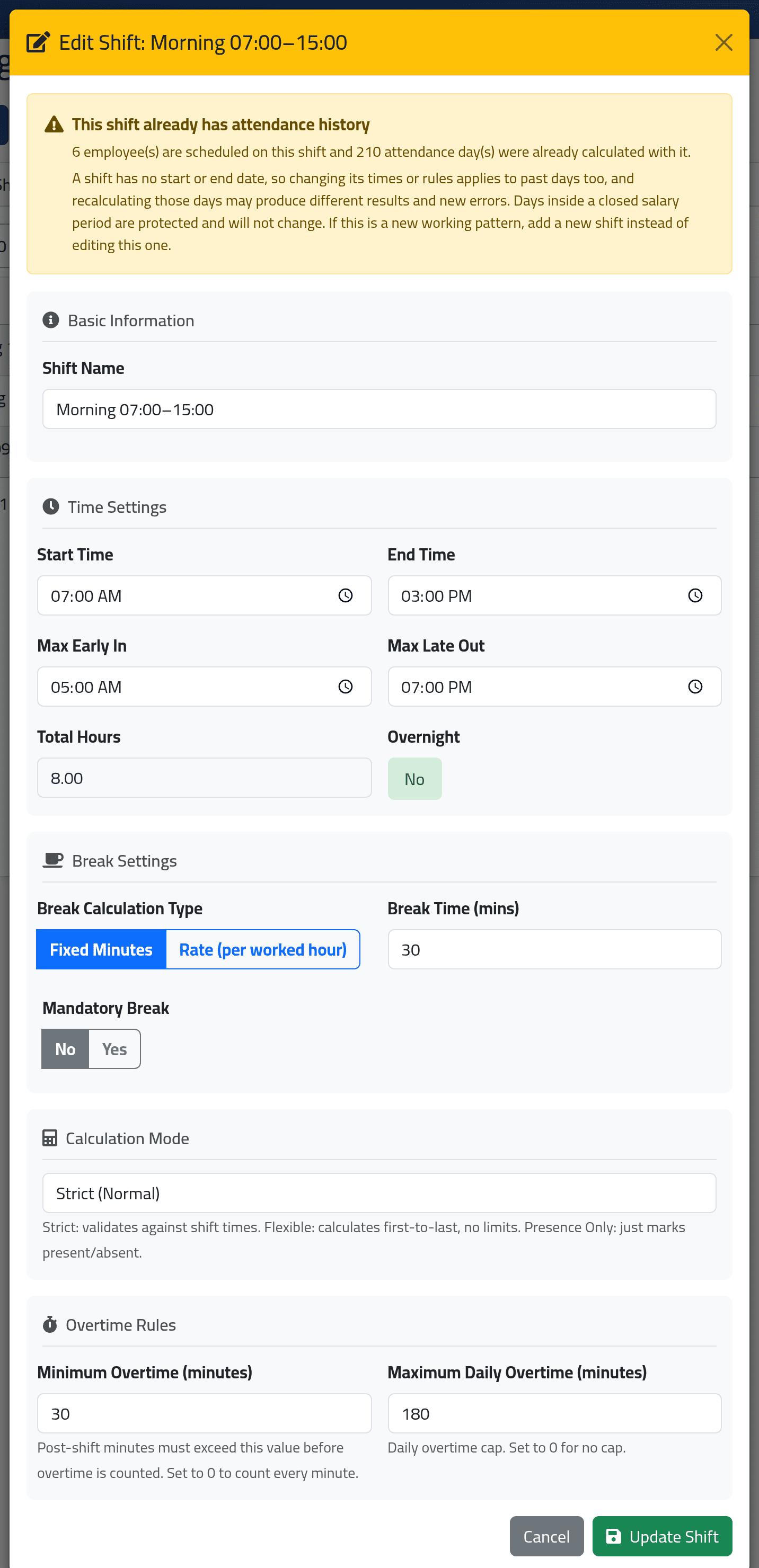
If the shift has been used, the form opens with a warning: This shift already has attendance history, saying how many people are scheduled on it and how many days were calculated with it.
A schedule says “Morning on Mondays”, not “07:00 to 15:00 on Mondays”. If Morning changes, every Monday that ever used it is now measured against the new hours — the past included — the next time those days are recalculated. A new shift leaves the old days as they were and applies only from the date people move onto it.
2Change it and save
Change the fields — they are explained in Adding a shift — and click Update Shift.
What happens next
Saving recalculates nothing by itself. Days already calculated keep their figures until they are recalculated — by somebody, or by ClockWise’s own run every two hours, which goes back over the last couple of days. From then on, they are measured against the new rules.
Days inside a closed salary period are never recalculated, so they keep the old figures for good.
If it goes wrong
| What you see | What it means |
|---|---|
| Old days still show the old hours | They have not been recalculated since you saved. |
| After a recalculation, days that were fine show errors | The new times no longer fit those days’ punches. This is what the warning was about — consider putting the old times back and adding a new shift. |
Do not delete a shift anybody is scheduled on. Delete asks only Are you sure? and checks nothing. Every schedule day that pointed at the deleted shift is then treated as a day off: no error, no hours, nothing to warn anybody that the person’s working days have quietly disappeared. Move everybody onto another shift first.