ClockWise HRGuidePayment accounts
Payment accounts
How a person is paid — bank transfer, cash, a mobile wallet — and which way is the default. A file with no default carries a warning on its tab.
Your account must be allowed to see payment accounts, and to manage them to add one. The payment methods and banks to choose from are kept in General Settings › Payroll Settings.
Have the account details in front of you: for a bank, the bank and the account number or IBAN.
1Open Payment Accounts
Open the person’s file and click Payment Accounts.
Each account shows its method, the bank or wallet details, and its status: Default, Active or Inactive.
A ! beside the tab’s name means the person has no default account. It shows on the tab from any part of the file, so you can see it without opening the tab.

2Add an account
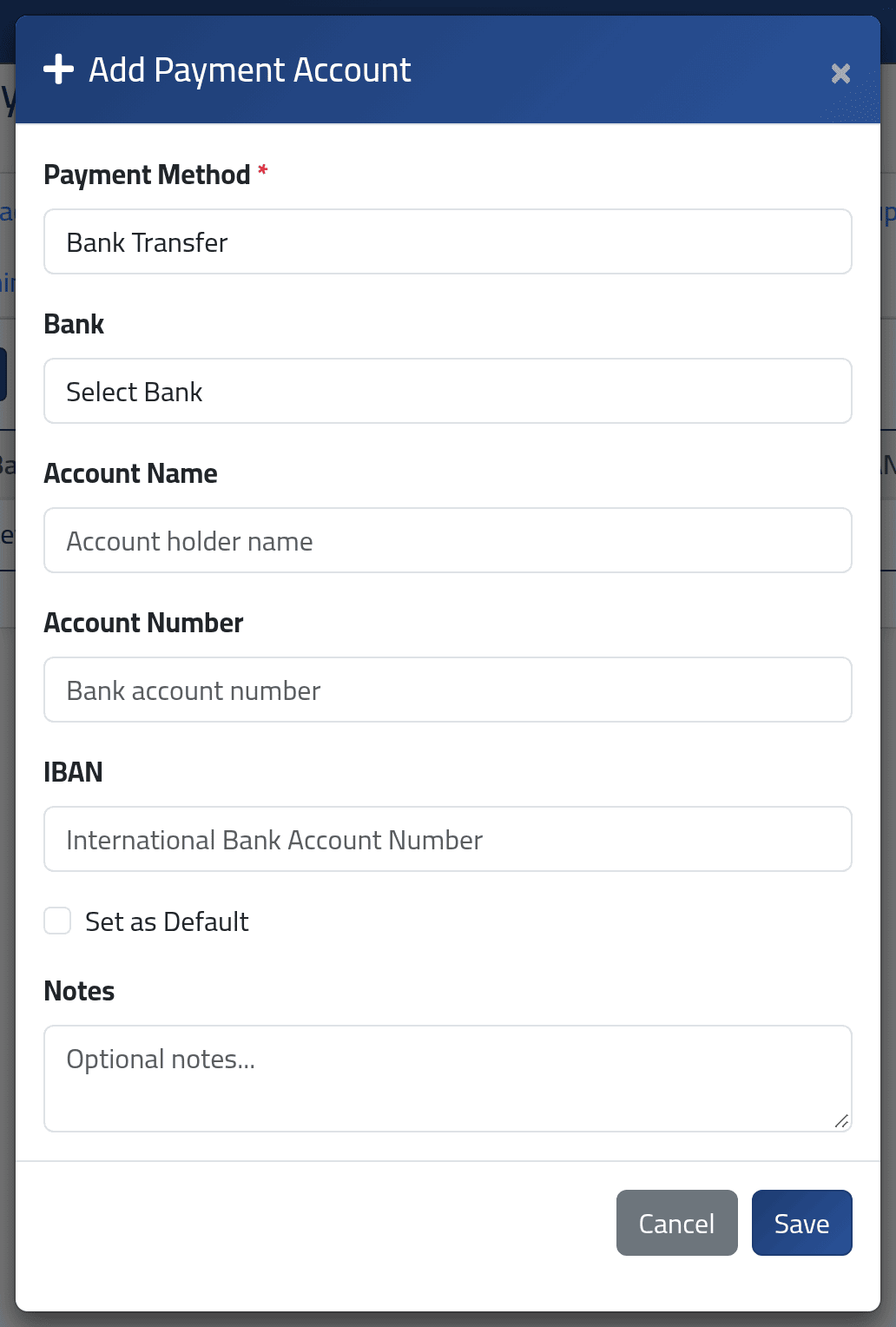
Click Add Payment Account and choose the Payment Method.
What else is required depends on the method’s name:
| If the method’s name contains | You must fill in |
|---|---|
| “bank” | Bank, and Account Number or IBAN |
| “wallet” | Phone / Wallet ID |
| “cheque” | Account Name |
Any other method — cash, for example — needs nothing more.
Tick Set as Default if this is how the person should normally be paid, and click Save.
ClockWise recognises a bank, a wallet or a cheque from the word in the method’s name. A method called “Transfer” asks for no bank at all; one called “Bank Transfer” does. Keep the words in the names when your administrator sets methods up.
3Change the default, or retire an account
On an account’s row, the buttons make it the default, switch it between active and inactive, edit it or delete it.
Switching the default account to inactive also takes away its default — the person then has none until you choose another.
What happens next
The default account is the one used when salaries are paid through payment batches. See Payment batches.
If it goes wrong
| What you see | What it means |
|---|---|
| The bank id field is required. | The method is a bank method. Choose the bank. |
| The account number field is required when iban is not present. | Give the account number or the IBAN. |
| A ! on Payment Accounts | No default account. Set one. |
| The method you need is not in the list | Ask your administrator to add it in Payroll Settings. |