ClockWise HRGuideSalary add-on types
Salary add-on types
The allowances and deductions that can be attached to someone's pay — transport, phone, uniform — and, for each, whether it adds or takes away, and how a per-day one is counted.
A type is only the kind of add-on. The amount, and whether it is paid per day, per hour, as a percentage or as a fixed sum, is set for each person in Setting an employee’s pay.
1Open the list
In the menu on the left, under General Settings, click Salary Add-on Types.
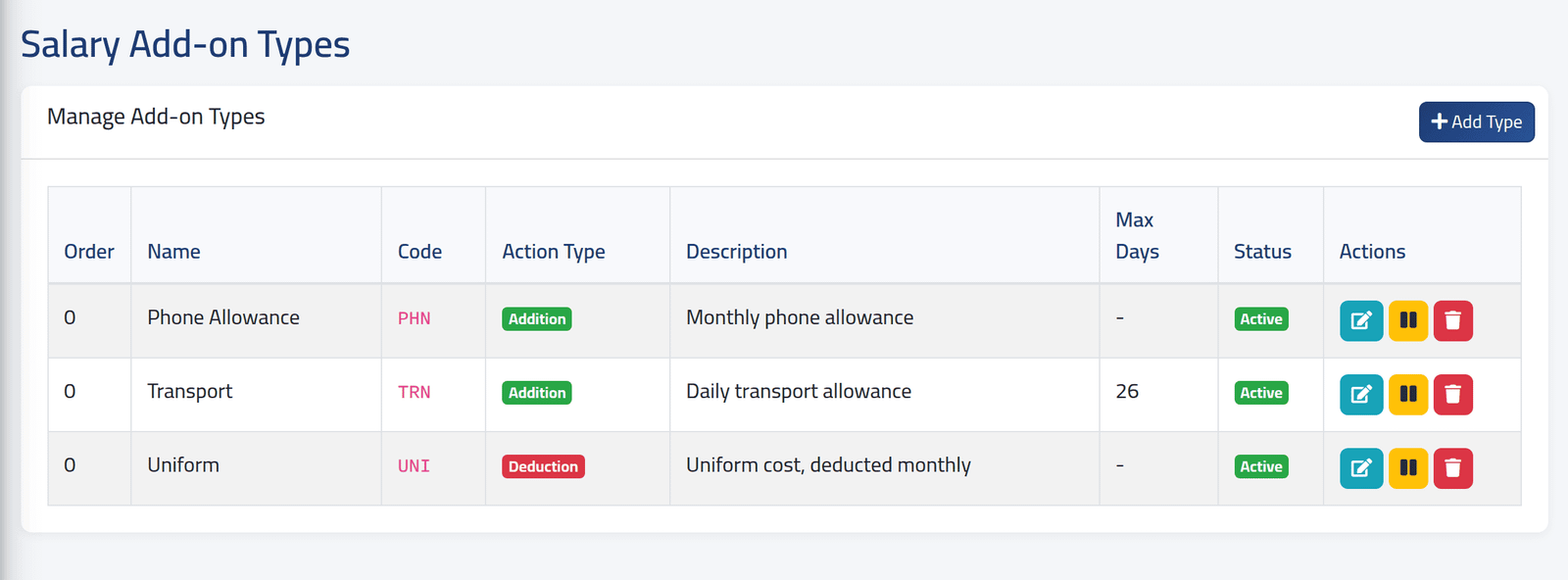
Each type with its code, whether it is an Addition or a Deduction, its Max Days and its status. The three buttons edit, switch off or on, and delete.
In the picture, Transport is paid for at most 26 days a period; Uniform is taken off the pay.
2Add one
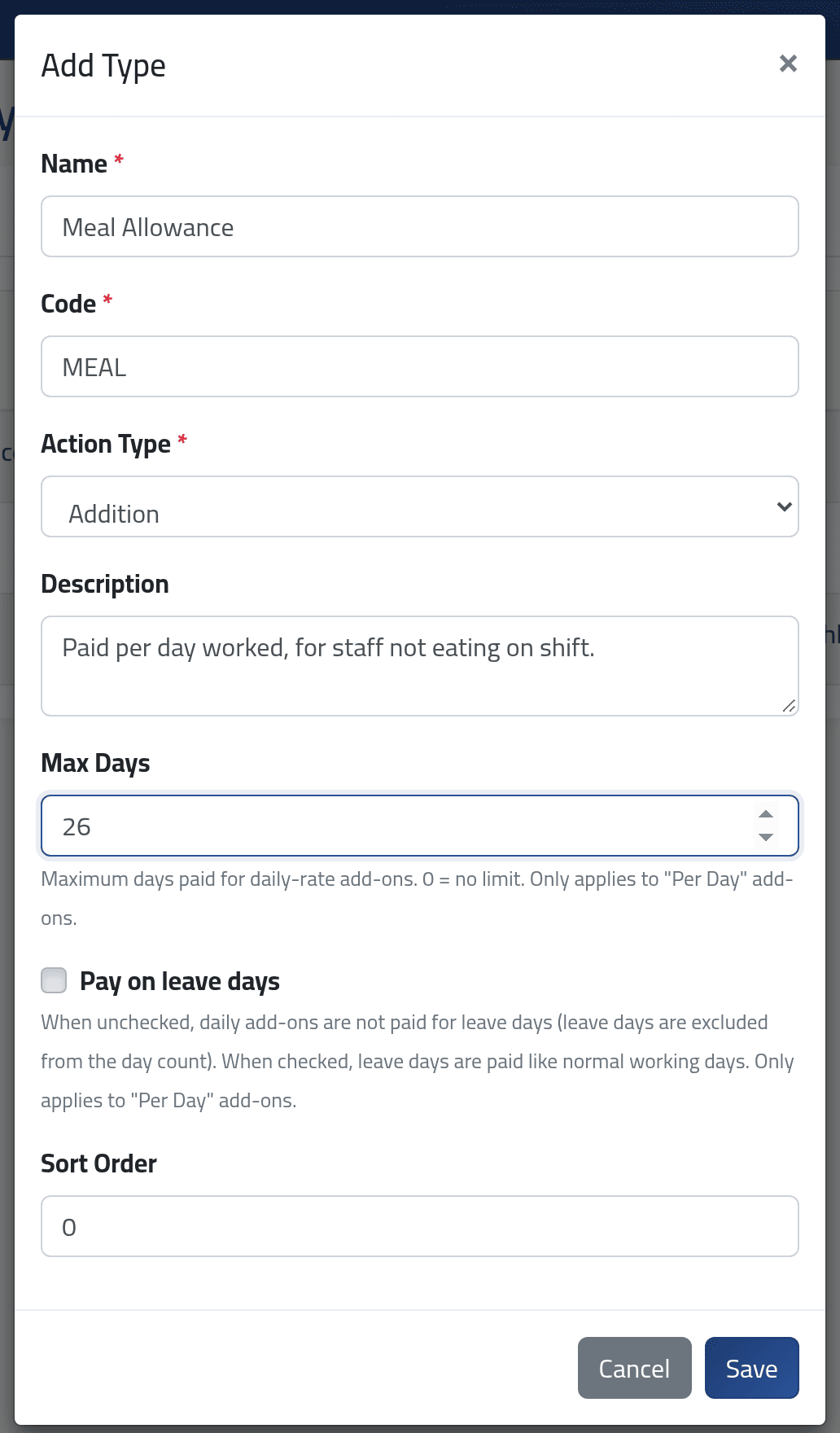
Click Add Type:
- Name and Code — the code is short, each once.
- Action Type — Addition adds to the pay, Deduction takes away.
- Description — what it is for.
- Max Days — for a per-day add-on, the most days paid in one period.
0means no limit. - Pay on leave days — for a per-day add-on, whether leave days count as days worked.
- Sort Order — the place in the list.
Click Save.
Max Days and Pay on leave days do nothing for an add-on paid by the hour, as a percentage or as a fixed sum.
What happens next
The type can be assigned to people at once. Changing a type — its name, its action, its days — applies to everyone who has it, in every salary period still open, at the next calculation. Closed periods keep what they paid.
Switching a type off stops paying it to everyone who has it, from the next calculation of every open period. It is also no longer offered to anyone new. Their add-ons are kept, and pay again when the type is switched back on.
If it goes wrong
| What you see | What it means |
|---|---|
| Cannot delete this type as it is assigned to employees. | Someone has it. Remove it from them, or switch the type off — which stops it being paid. |
| The code has already been taken. | A type with that code exists — perhaps switched off. |
| A daily allowance pays more days than expected | Max Days is 0, or Pay on leave days is ticked. |
| The type is not offered when assigning an add-on | It is switched off. |
| An allowance stopped appearing on everyone’s pay | Its type was switched off. |