ClockWise HRGuidePayroll analysis
Payroll analysis
Four reports compare closed salary periods: branch against branch, what a payroll is made of, how it moves over time, and how each employee's net pay changed.
Only closed periods count — see Closing a salary period. On Reports, open Salary Reports. Each report opens on the latest figures; Filter chooses another period or branch.
Gross is before adjustments; net is after. A payroll with appraisals can show a net higher than its gross — Hamra’s September does, mostly because of Lina Mansour’s $100 appraisal. Amounts are in the company’s default currency: each employee’s pay is converted at the period’s exchange rates (see Currencies and exchange rates).
1Branch against branch
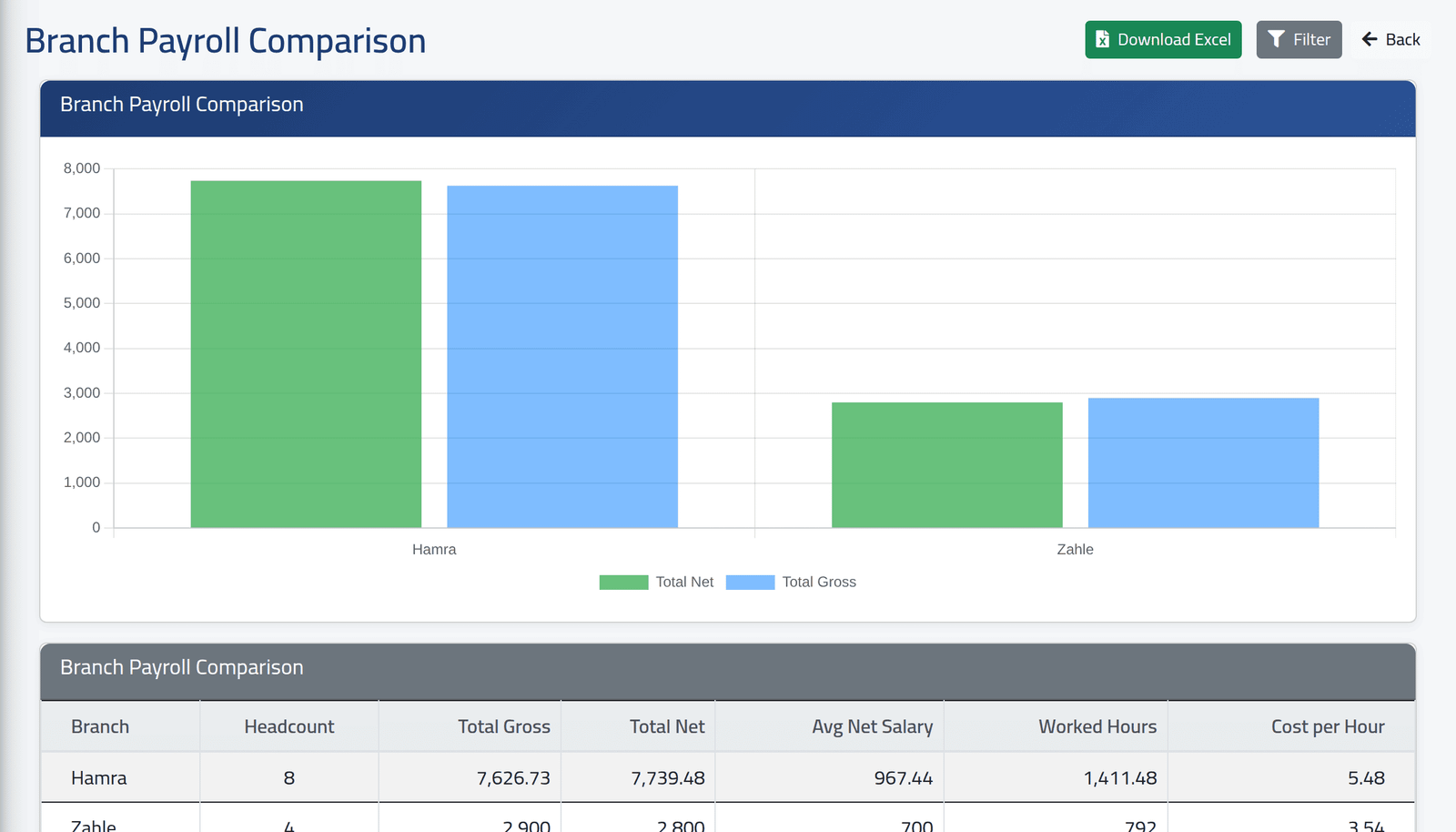
Branch Payroll Comparison: for the latest closed period of each branch — or one period chosen under Filter — the headcount, total gross and net, average net, hours worked, and cost per hour (net ÷ hours). Held salaries are left out.
2What the payroll is made of
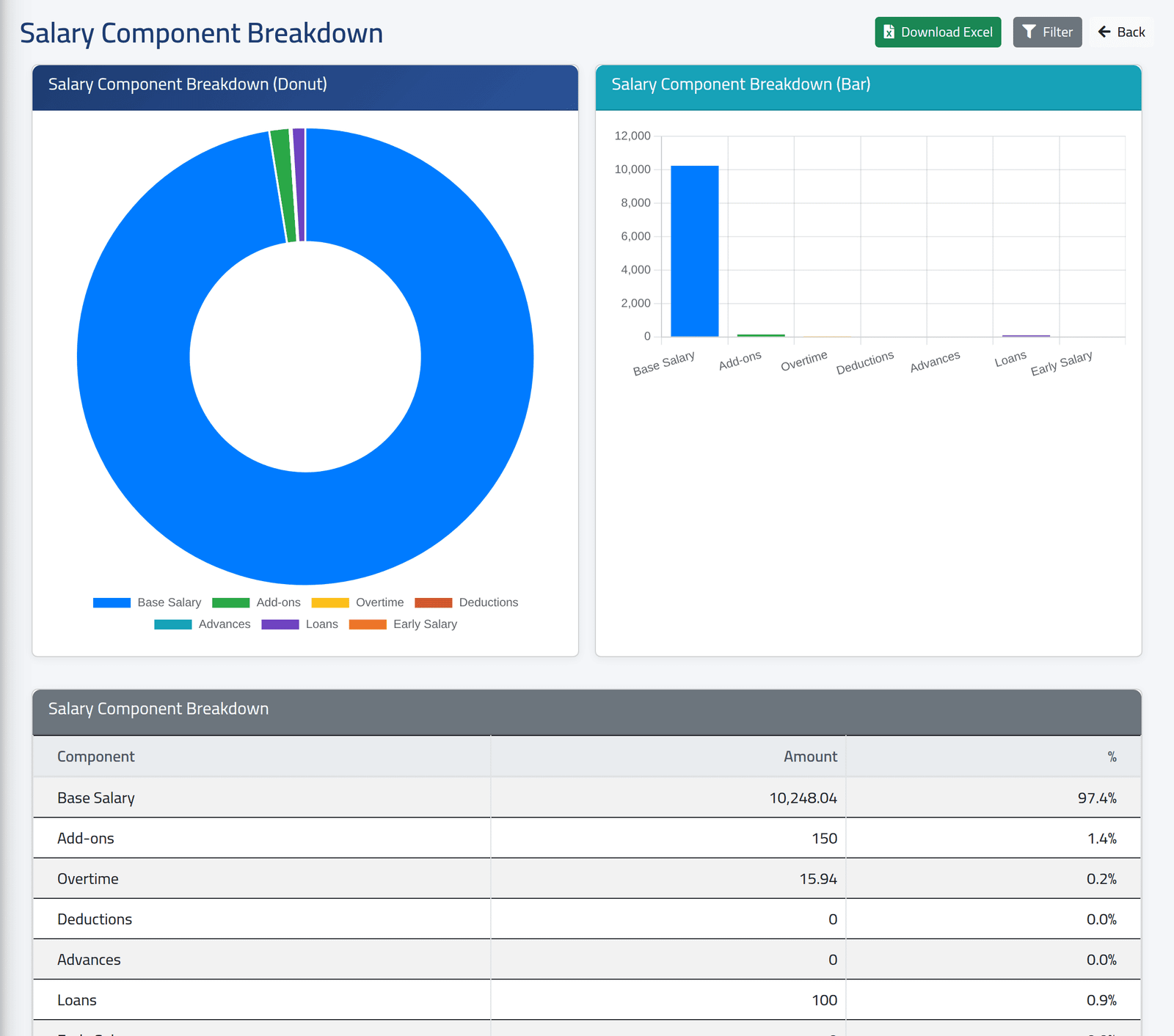
Salary Component Breakdown: base salary, add-ons, overtime, deductions, advances, loans and early salary, as amounts and shares of the gross, for the latest closed periods together or one chosen. Deductions here counts deduction add-ons only, not deductions made as adjustments.
3Over time
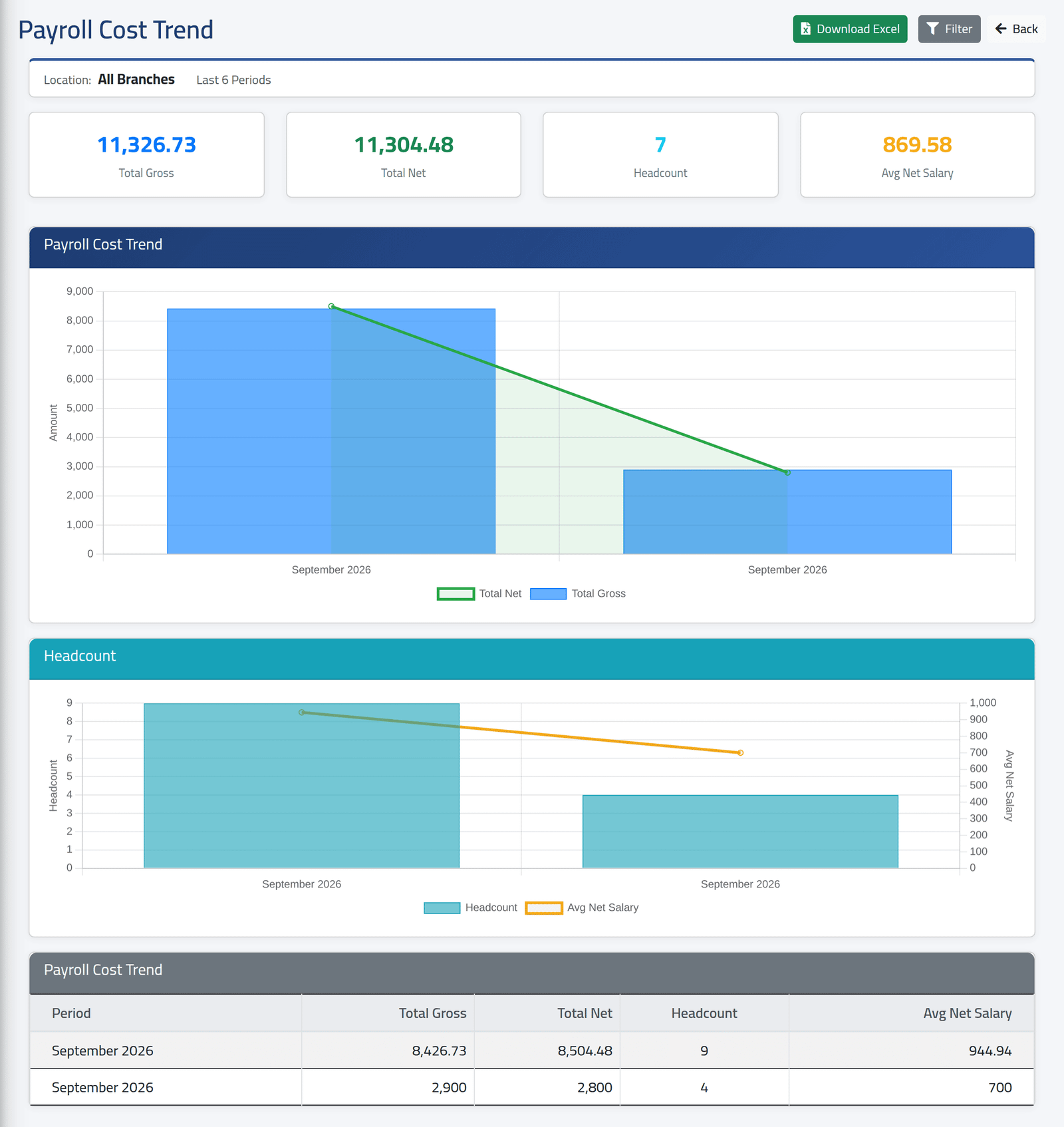
Payroll Cost Trend: the last 3 to 12 closed periods, with their gross, net, headcount and average net, as charts and a table.
Each line is a period of one branch. With All Branches, Hamra’s September and Zahle’s September are two separate points — choose one branch under Filter for a real trend. Headcount here includes held salaries; the branch comparison does not.
4Per employee
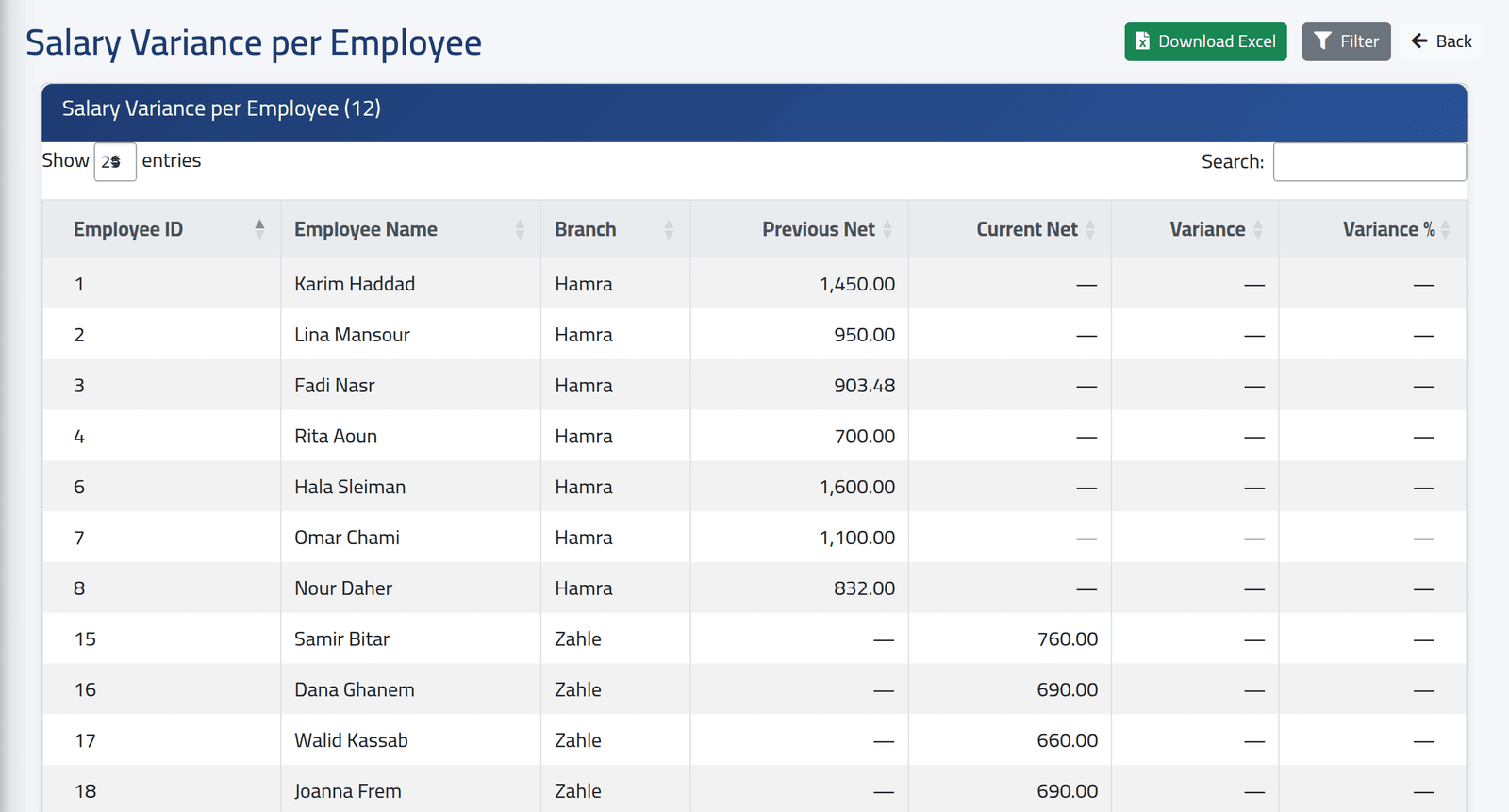
Salary Variance per Employee: each employee’s net pay in the previous and the current period, and the change.
Choose one branch. The report compares the two most recently closed periods, whichever branch they belong to: with All Branches, as in the picture, Hamra’s September is set against Zahle’s, so nobody has both figures. With one branch, it needs two closed periods of that branch.
What happens next
Download Excel exports each report as shown.
If it goes wrong
| What you see | What it means |
|---|---|
| A report is empty | No period is closed yet, or not for the chosen branch. |
| Every variance is — | Only one period is closed for the branch, or several branches are mixed. |
| Net is above gross | Adjustments added pay after the gross was worked out — see the warning above. |