ClockWise HRGuideReviewing and submitting an inspection
Reviewing and submitting an inspection
Before an inspection is submitted, the review page shows its score and what is still missing. Required questions block submission; optional ones do not. Once submitted, the inspection is scored and becomes a record that cannot be changed.
Every question marked Required must have an answer.
How the score works: each question is worth its weight in points. Yes earns them, No earns nothing, and N/A — or no answer — removes the question from the total altogether. The score is the points earned out of the points that count.
1Review
On the form’s last category, click Review & Submit.
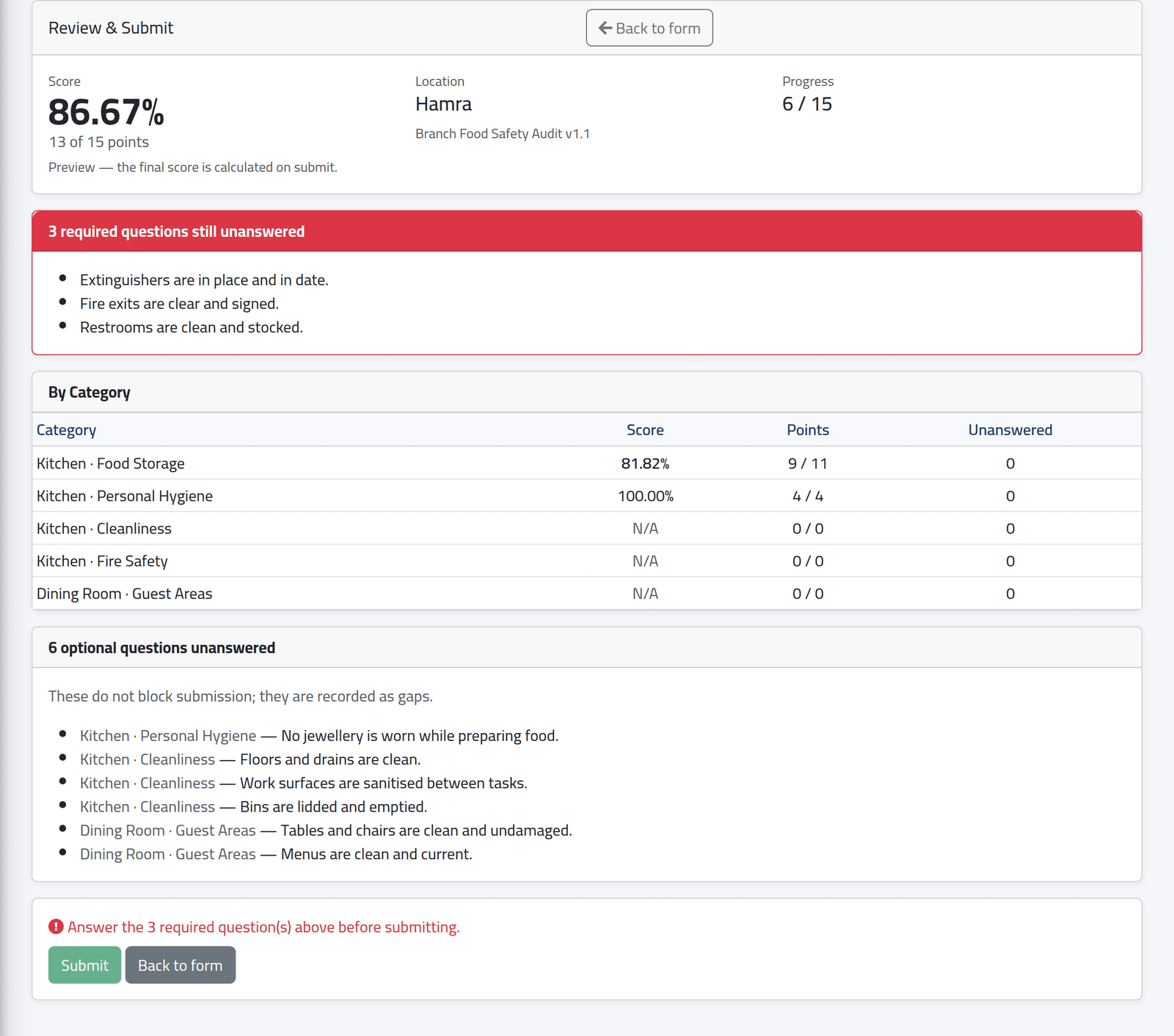
At the top, the score so far and the points behind it, the branch and form, and how many questions are answered. A red panel lists any required questions still unanswered, and Submit stays disabled until they are answered. Below:
- By Category — each category’s score and points; under 90 % is shown in red;
- the optional questions left unanswered, which do not stop you.
Hamra, in the picture, cannot be submitted: three required questions are still open. Back to form returns to the form.
2Ready to submit
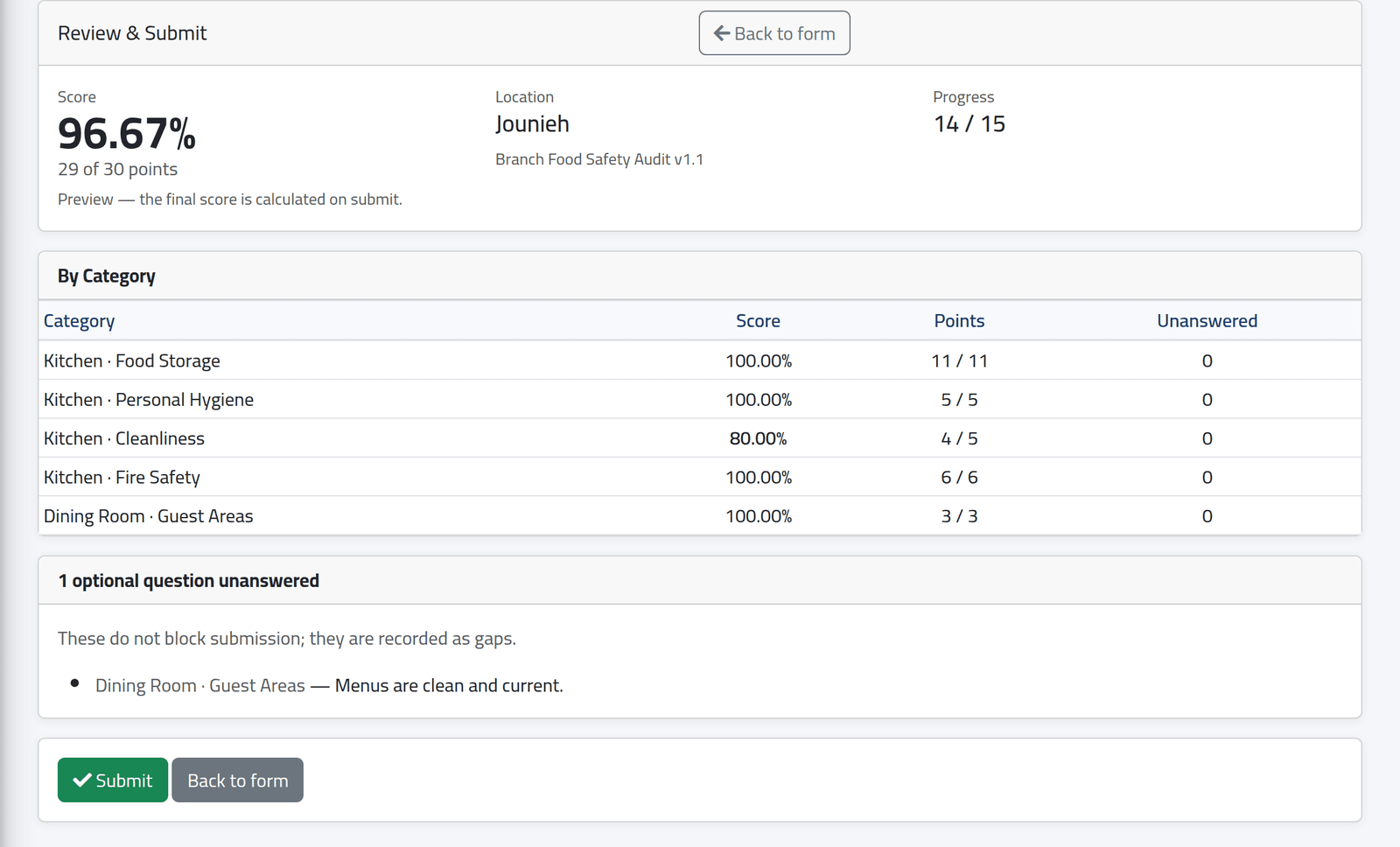
With every required question answered, Submit is enabled. Jounieh’s spot check has one optional question left — the menus — which is recorded as a gap.
3Submit
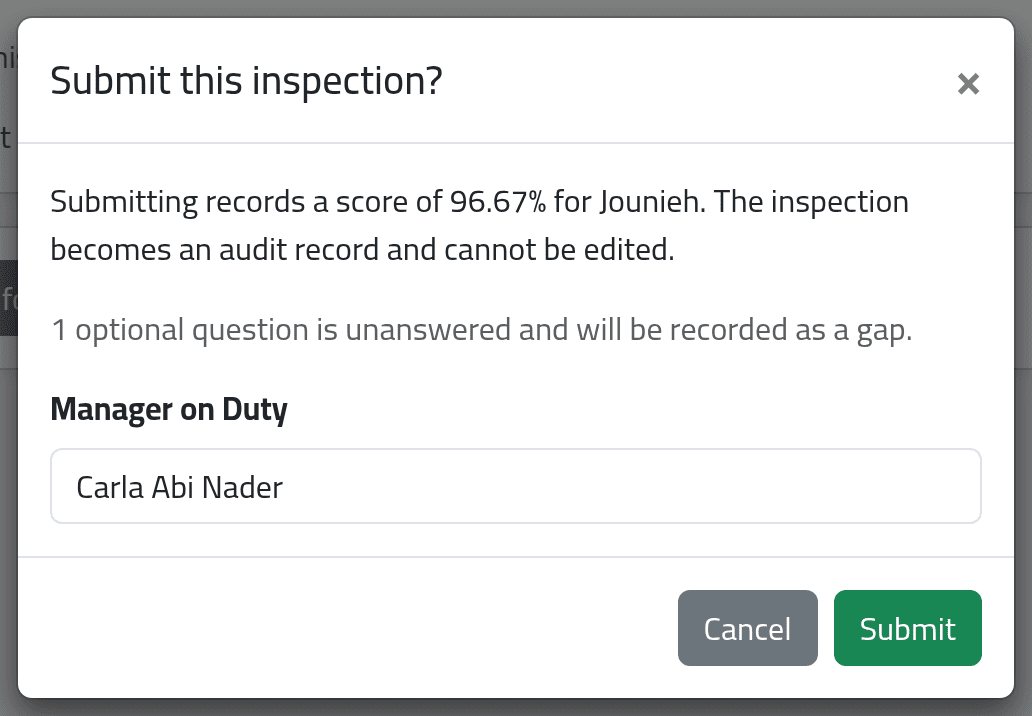
Click Submit. The dialog repeats the score and branch and says how many optional questions are unanswered. Fill in or correct Manager on Duty, then click Submit.
What happens next
The inspection is scored and opens as its record — see Inspection records. If it came from an assignment, the assignment is done and whoever assigned it is notified with the score.
A submitted inspection cannot be edited or deleted. If it is wrong — the wrong branch, for example — the office can void it, with a reason, and you start a new one.
If it goes wrong
| What you see | What it means |
|---|---|
| 3 required questions still unanswered | Go back to the form and answer them; the categories marked red hold them. |
| The score on the record differs from the review | The review is a preview; the record is calculated on submit, from the answers then saved. |