ClockWise HRGuidePayment methods and banks
Payment methods and banks
The ways your company pays salaries, and the banks it pays into. A method's name does more than label it: ClockWise reads the English words Bank, Wallet and Cheque in it to decide what an employee's account must hold.
Your account must be allowed to manage payment settings.
1Open Payroll Settings
In the menu on the left, under General Settings, click Payroll Settings. The Payment Methods tab lists each method, whether it is Active, and who created it.
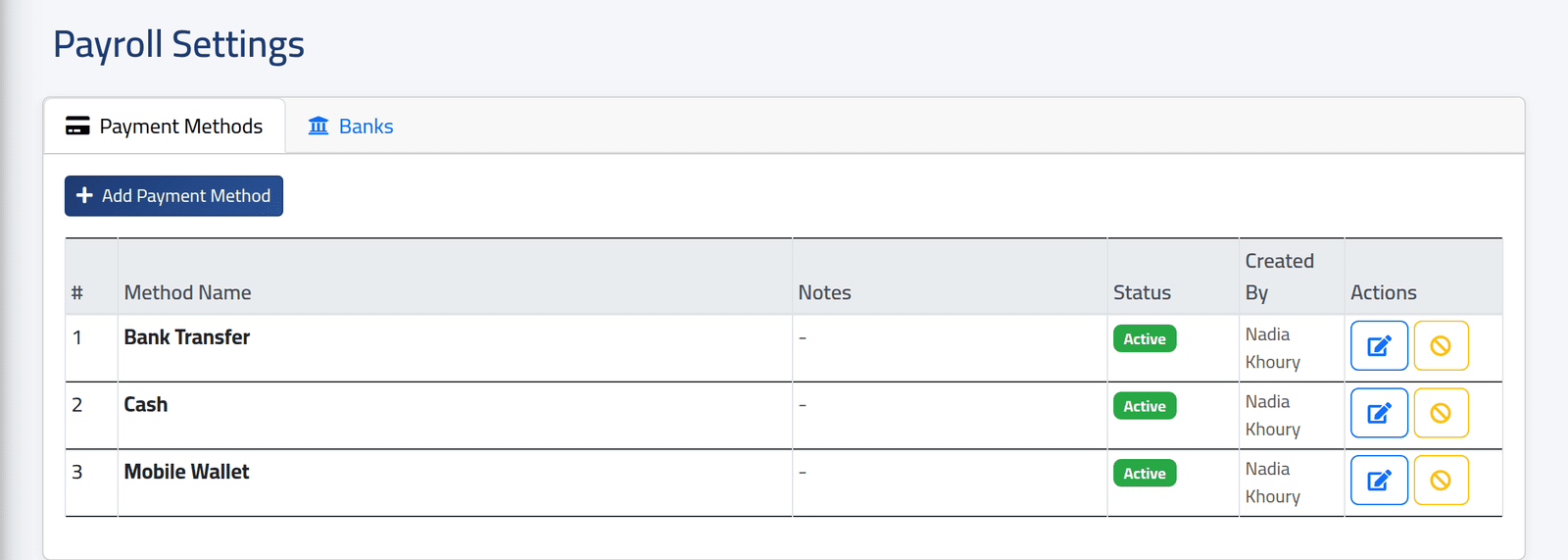
2Add a method
Click Add Payment Method, give a Method Name — each name once — and, if useful, Notes. Click Save.
The name sets the rules for employees’ accounts. A method whose name contains:
- bank — needs a bank, and an account number or IBAN;
- wallet — needs the wallet number;
- cheque — needs the account holder’s name.
ClockWise looks for those English words only. A method named in Arabic — as the Arabic screen’s own example suggests — asks for nothing at all. Keep one of those words in the name, for example Bank Transfer — تحويل مصرفي.
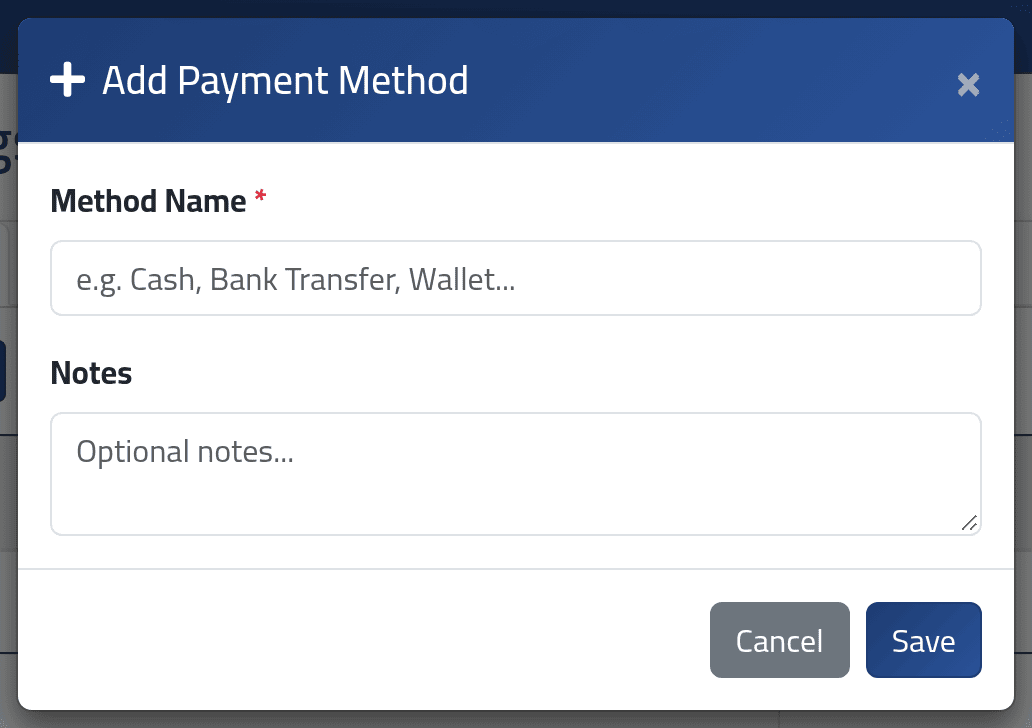
3Add a bank
On the Banks tab, click Add Bank: Bank Name (each once), Bank Code, SWIFT / BIC and Notes. Click Save.
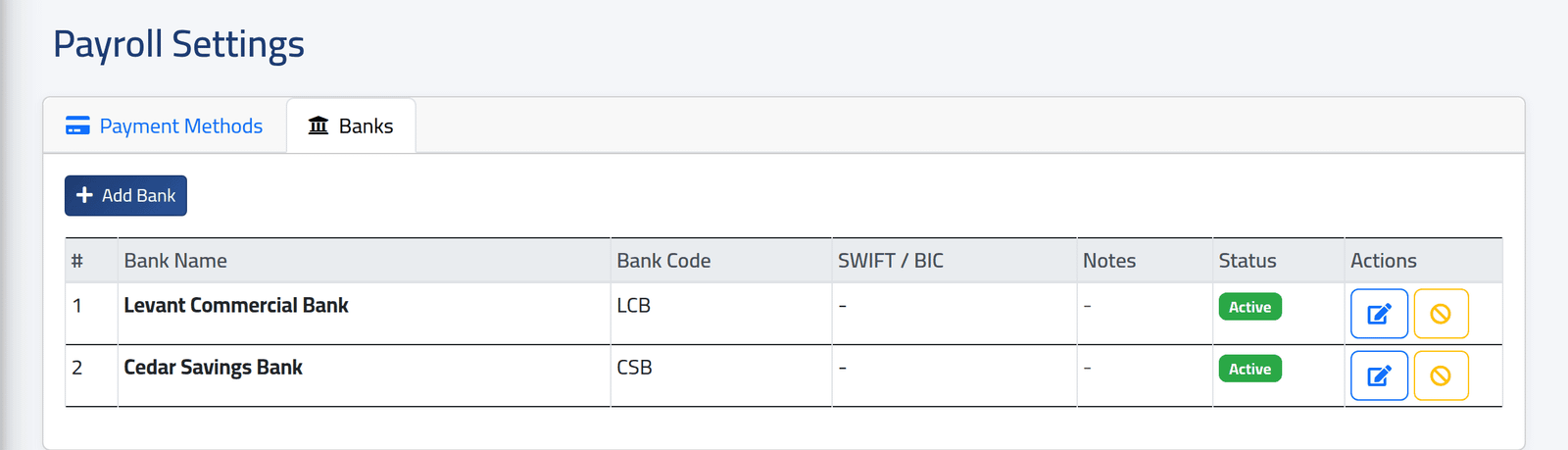
4Rename or switch off
The pencil edits a method or a bank. The yellow circle switches it off, and on again.
What happens next
A method or bank switched off is no longer offered for new payment accounts (see Payment accounts) or when fixing a batch line (see Paying a batch). Accounts that already use it keep it, and payment batches still pay through it.
Renaming a method renames it everywhere it is used, and changes the rules above for accounts saved from then on.
Methods and banks cannot be deleted — only switched off.
If it goes wrong
| What you see | What it means |
|---|---|
| The … has already been taken. | A method or bank of that name exists — perhaps switched off. Switch it on instead. |
| An account was saved with no bank or account number | Its method’s name does not contain bank. |
| No Payroll Settings in the menu | Your account may not manage payment settings. |