ClockWise HRGuideA session's status
A session's status
A session moves from draft to scheduled, in progress and completed — or is cancelled, with a reason. Completing it needs every attendee marked; after that it is locked. A session can be copied, and a recurring one copied to its next date.
Changing a status needs permission to manage sessions; completing one, and reopening a completed one, are permissions of their own.
| From | It can become |
|---|---|
| Draft | Scheduled, Cancelled |
| Scheduled | In Progress, Completed, Cancelled |
| In Progress | Completed, Cancelled |
| Completed | In Progress, through Reopen — only for accounts allowed to edit a completed session’s attendance |
| Cancelled | nothing — it is final |
1Change the status
On the session’s page, click Change Status: it lists only the moves open from where the session is and to your account. Choose one and click Confirm.

2Cancel
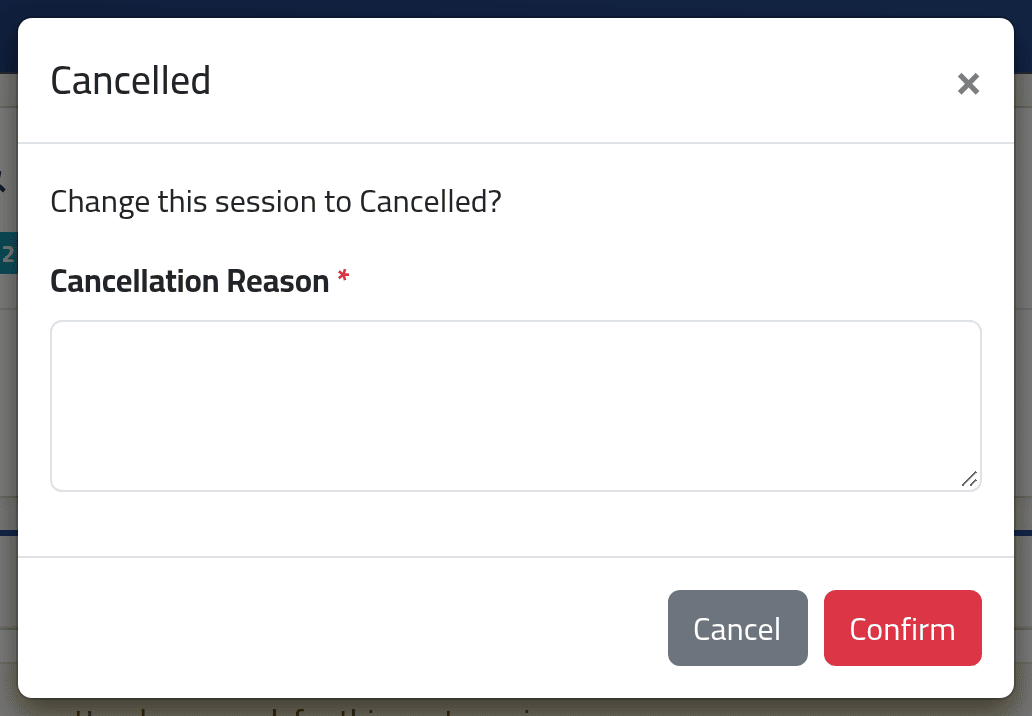
Cancelled asks for a Cancellation Reason. Everyone still nominated or confirmed on it is cancelled with it.
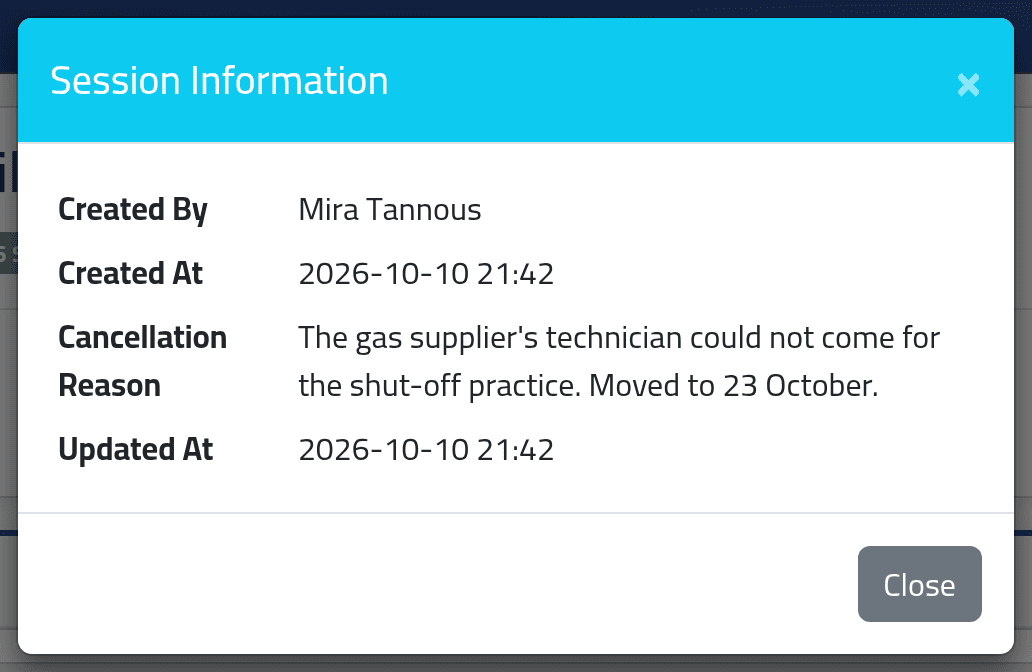
A cancelled session is final. It cannot be edited, reopened or scheduled again. To hold it on another day, schedule a new session — the drill cancelled on 9 October was rescheduled that way, for the 23rd.
3Complete
Completed is refused while anyone on the session is still Nominated or Confirmed: mark everyone’s attendance first. Completing records who completed it and when, and locks the session.
4Copy it
A completed session, as the coordinator sees it: no Change Status, no Edit — only the copy button and Back.

5Confirm the copy
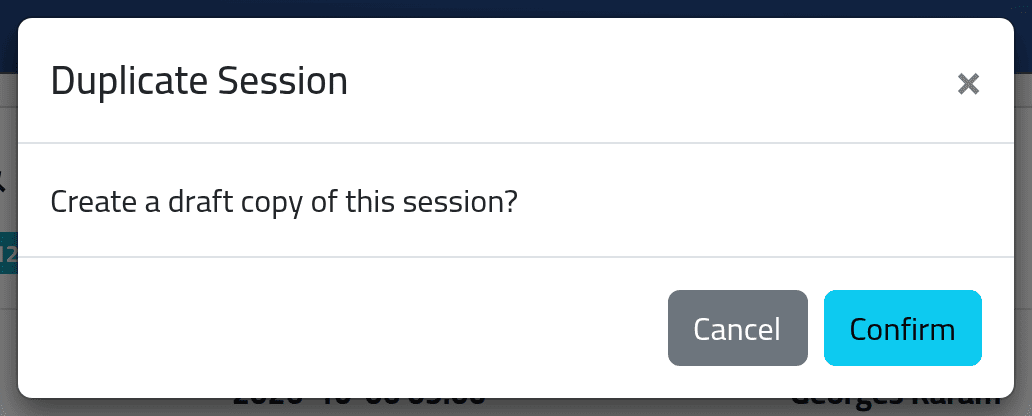
The button is Duplicate Session, or Create Next Occurrence when the program is recurring. It makes a draft copy — title, place, trainer, seats, cost; not the people — and opens it for editing.
- For a recurring program, the copy is moved on by the program’s interval: the Hamra food-safety session of 6 October 2026 copies to 6 October 2027.
- Otherwise the copy keeps the same dates — change them before saving.
6Read why it was cancelled
The i button beside the badges opens Session Information: who created it and when, who completed it, the cancellation reason, and the last change.
What happens next
A completed session’s attendance, results and certificates stay as they were marked. Reopening returns it to In Progress so they can be corrected.
Delete appears only on a session nobody has ever been assigned to. Once anyone has been — even someone removed again — cancel it instead.
If it goes wrong
| What you see | What it means |
|---|---|
| Cannot complete: 4 enrolled employee(s) still have no final attendance mark. | Mark everyone’s attendance, then complete. |
| This session has enrolled employees. Cancel the session instead. | People have been assigned to it, so it cannot be deleted. |
| This session status transition is not allowed. | The status changed since the page was opened — reload it. |
| No Completed in the list | Your account may not complete sessions. |
| No Edit | The session is completed or cancelled. |