ClockWise HRGuideEarlier salary periods
Earlier salary periods
Every period that is not a branch's latest — closed ones, and open ones still waiting to be finished. Last month's period is here as soon as this month's exists.
You see the periods of the branches your account can see.
1Open the history
In the menu on the left, under Salaries, click History.
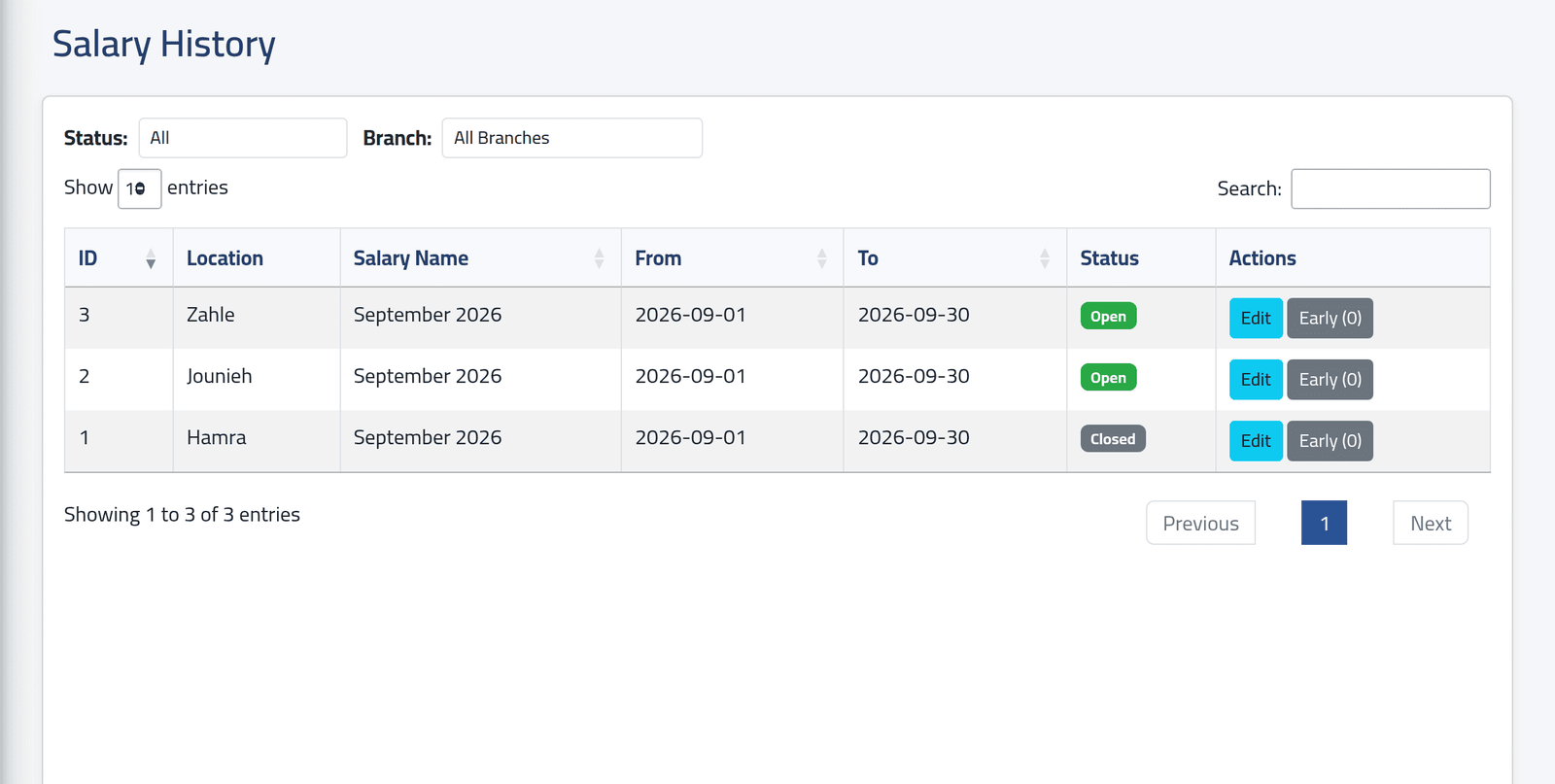
Narrow the list with Status — open or closed — and Branch, or search by name or date. In the picture, Hamra’s September is closed; Jounieh’s and Zahle’s are still open, waiting to be finished.
2Open one
Click Edit to open the period — see Reading a salary period. Everything on it works as on a period opened from Current Salaries.
What happens next
Nothing changes until you act on the period itself.
If it goes wrong
| What you see | What it means |
|---|---|
| A period is not here | It is its branch’s latest — it is on Salaries › Current. |
| Early (0) does nothing when clicked | On this screen the button leads nowhere. Use it on Current Salaries, or open the period. |
| No Lock Salary button on an open period | It is offered on Current Salaries only. Lock from the period’s own Actions — see Recalculating and locking a period. |