ClockWise HRGuideTips sheets and history
Tips sheets and history
The PDF is the signature sheet: who is to be paid, with a box to sign. It lists only people not yet paid, so print it before paying. The Excel file has every figure. Each person's tips also appear beside their salary on their file.
Exporting needs permission to export tips and to see tip amounts.
1Open the run
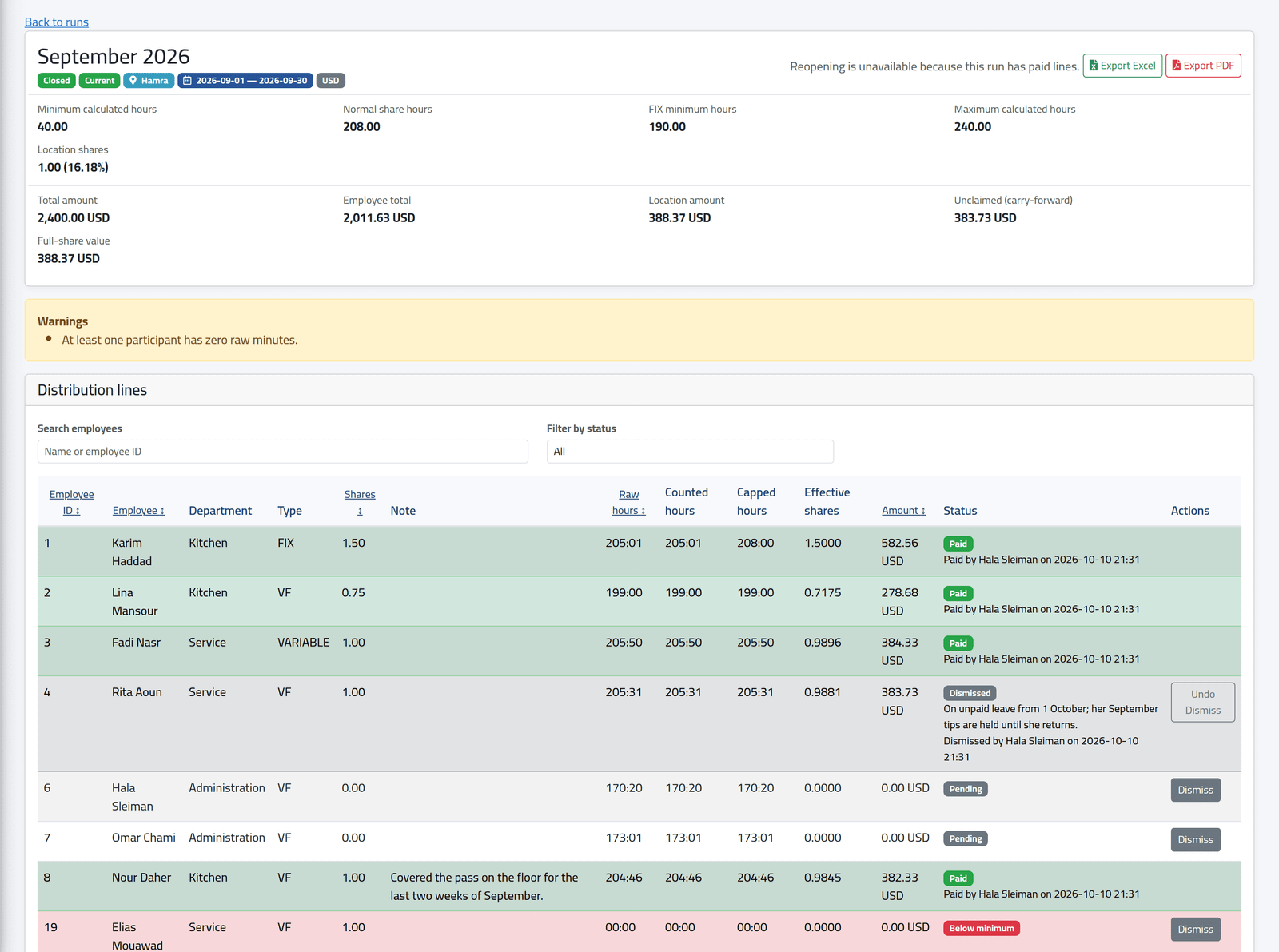
On Tips Runs, click View. A closed run shows Export Excel and Export PDF at the top, and the unclaimed amount if anyone is dismissed.
2The signature sheet
Export PDF opens a one-page sheet: the period, branch and currency; under Employees to Pay, each person still to be paid with their shares, amount and a signature box; under Not Payable / Receiving Nothing, everyone else with the reason — already paid, dismissed (with the reason), zero amount, below the minimum; then the totals, the house’s amount, what is unclaimed, and boxes for who prepared and who approved it.
Print it before paying anyone. Once a person is marked paid, they move to Already paid and leave the list to sign — after Mark All Paid the sheet has nobody left to sign for.
3The Excel file
Export Excel has the run’s parameters and every line with its hours in decimals — raw, leave, adjustment, counted, capped — shares, effective shares and amount.
4On the employee's file
On a person’s file, the Salaries tab (see One person’s salaries) shows each period’s salary, their tips and the total.

What happens next
Each export is recorded in the financial audit log.
If it goes wrong
| What you see | What it means |
|---|---|
| No export buttons | Your account may not export tips, or may not see amounts. |
| No employees are currently payable. on the sheet | Everyone is paid, dismissed or receives nothing. |
| No Tips column on the Salaries tab | Your account may not see tip history. |