ClockWise HRGuideAdding a clocking machine
Adding a clocking machine
Each clocking machine is listed here with its network address. Punches are matched to people by one number — the user number on the machine must be the person's Employee ID in ClockWise. Deleting a machine deletes every punch it ever recorded.
You need the machine’s IP address on the company network. Adding, editing and deleting machines are separate permissions.
A punch belongs to whoever’s Employee ID equals the user number it was recorded under — on any machine. Someone enrolled on the machine as user 14 is Mira Tannous if Mira’s Employee ID is 14, whichever branch the machine is in. Enrol people on the machine under their ClockWise Employee ID, and check it when someone’s punches do not appear.
1Open the machines
In the menu on the left, under Attendance Settings, click Terminals.
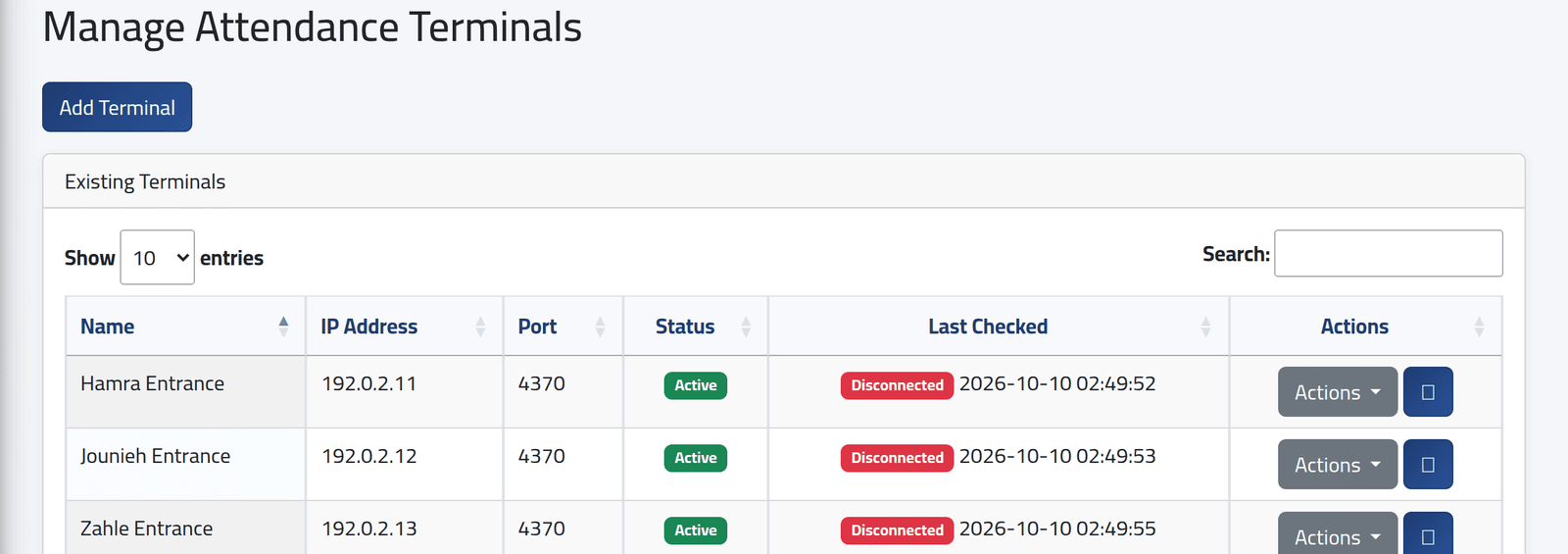
Each machine with its address and Status. Last Checked shows whether the server could reach the machine when it was last saved, and when that was — not now. For a live check, use the dashboard’s terminal health (see The dashboard) or Checking a clocking machine.
2Add one
Click Add Terminal.
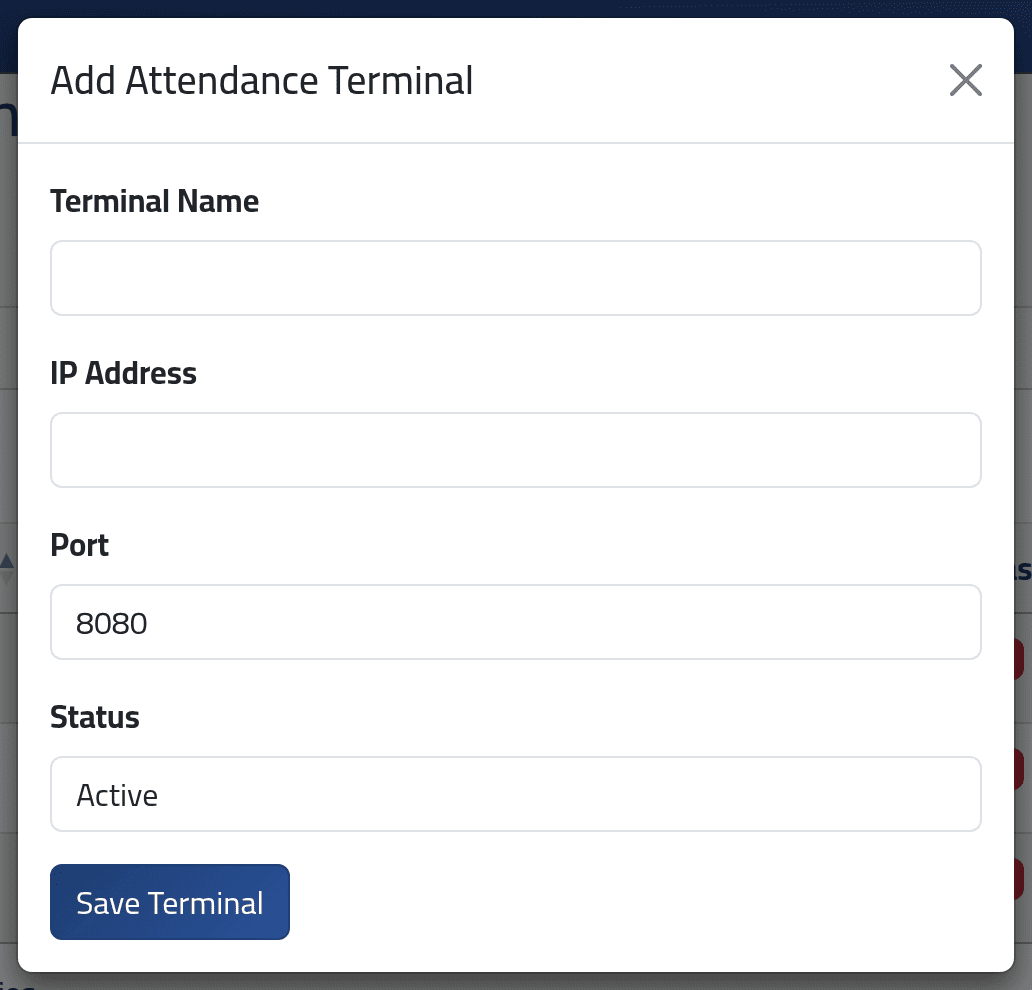
- Terminal Name — where it hangs: Hamra Entrance.
- IP Address — each address once.
- Port — kept as a note. ClockWise always talks to machines on port 4370, whatever is typed here.
- Status — Active, Inactive or Maintenance.
Click Save Terminal. The server tries to reach the address and records Connected or Disconnected.
What happens next
The machine can now be read from this screen — see Fetching punches from a clocking machine.
This form cannot give a machine its branch. A machine’s branch is what the on-site service uses to send its punches to ClockWise, and what decides who sees them in Reading the punches. It is set when that service is installed, not here. If the punches of a machine you added do not appear in Attendance Logs, ask whoever installed ClockWise to attach it to its branch.
Deleting a machine deletes every punch it ever recorded. The next time those days are recalculated, they become absences. Set an old machine to Inactive instead of deleting it.
If it goes wrong
| What you see | What it means |
|---|---|
| The terminal ip has already been taken. | Another machine has that address. |
| Disconnected on a machine that works | The server could not reach it at the moment it was saved — or cannot reach it at all from where ClockWise is hosted. Machines on a branch network are usually reached by the on-site service instead. |
| Someone’s punches are missing | Their user number on the machine is not their Employee ID, or the machine has not sent its punches yet. |