ClockWise HRGuideEmployee and structure lists
Employee and structure lists
The lists tab answers "who": every employee with their details, who has a schedule and who does not, who is missing a photo — and the shifts and departments the company is built on.
On Reports, open List Reports — see Finding a report.
1Every employee, in Excel
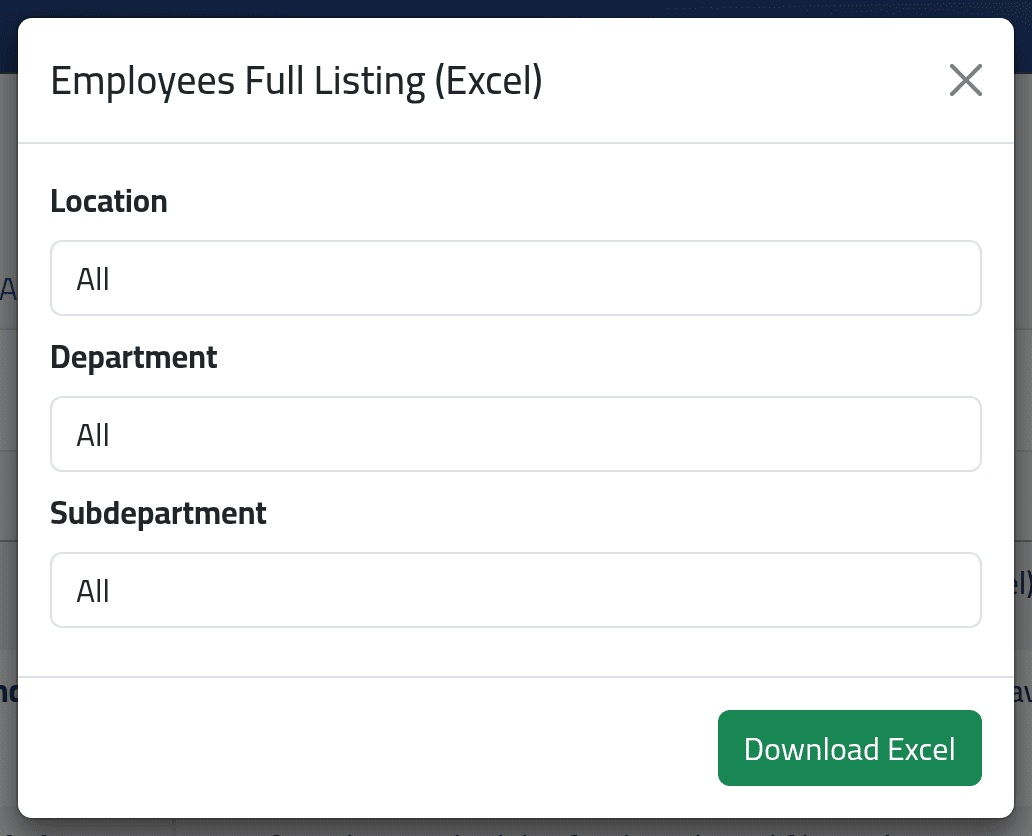
Employees Full Listing (Excel), Download Excel: choose a branch, department or sub-department, or none, and click Download Excel. One line per employee, with their details, position, dates, pay type, branch and contacts — stopped employees included.
2Shifts
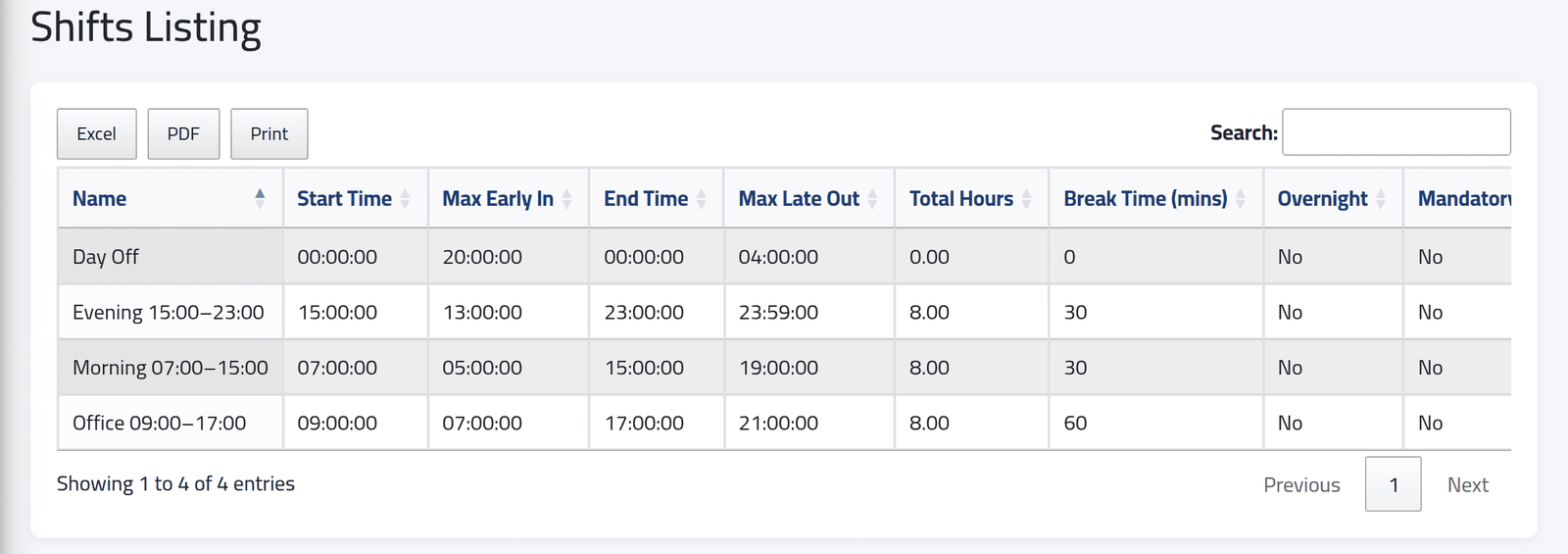
Shifts Listing, View Report: every shift with its start and end, how early or late punches still count, its hours and break, and how many schedules and employees use it. See Adding a shift.
3Schedules
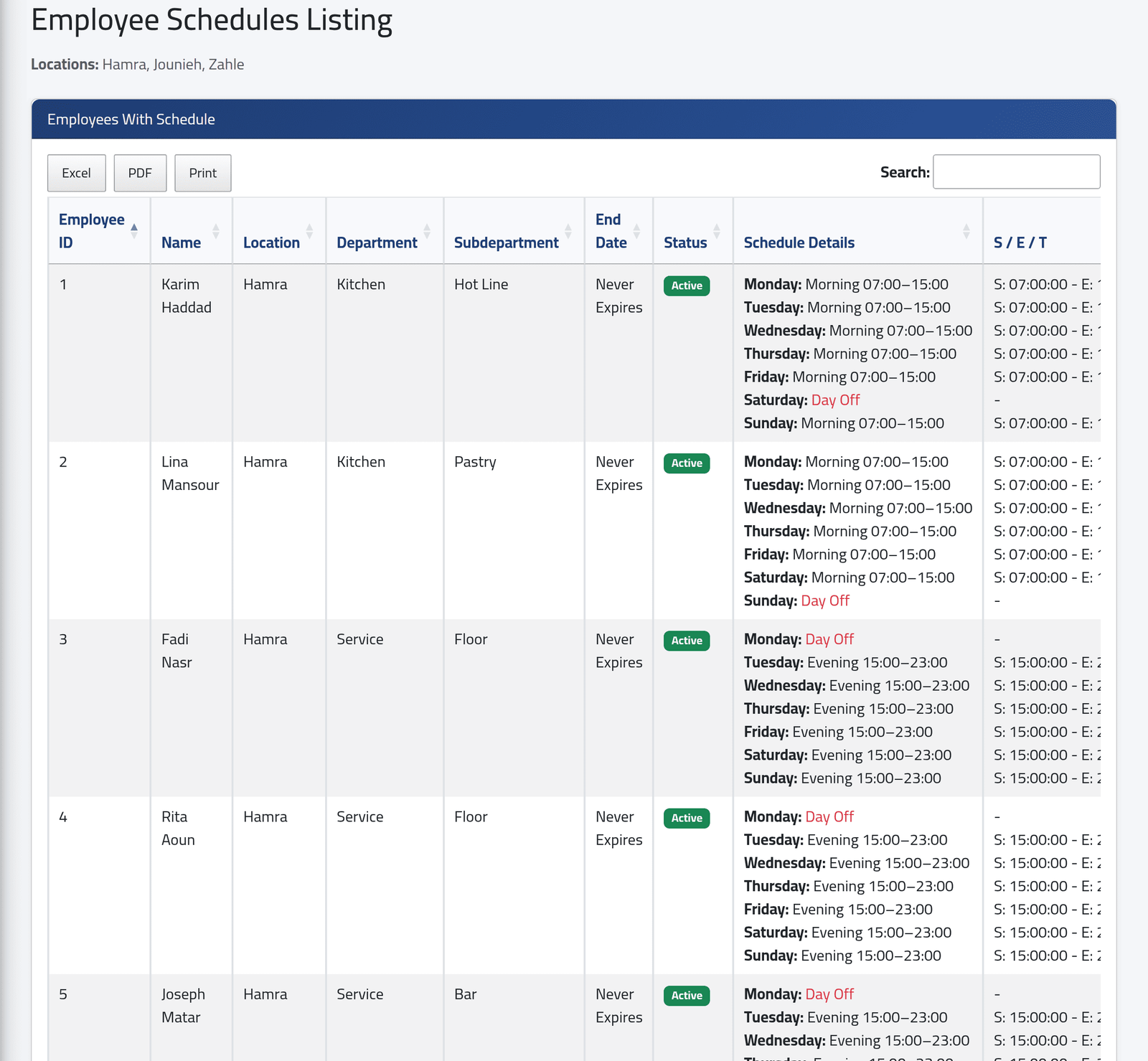
Employee Schedules Listing, Generate Report: choose a branch, department or sub-department. First every employee with a schedule — until when, and the shift for each day of the week — then every employee with none, who therefore cannot be paid by the hour. Stopped employees are left out. See Giving someone a schedule.
4Missing photos
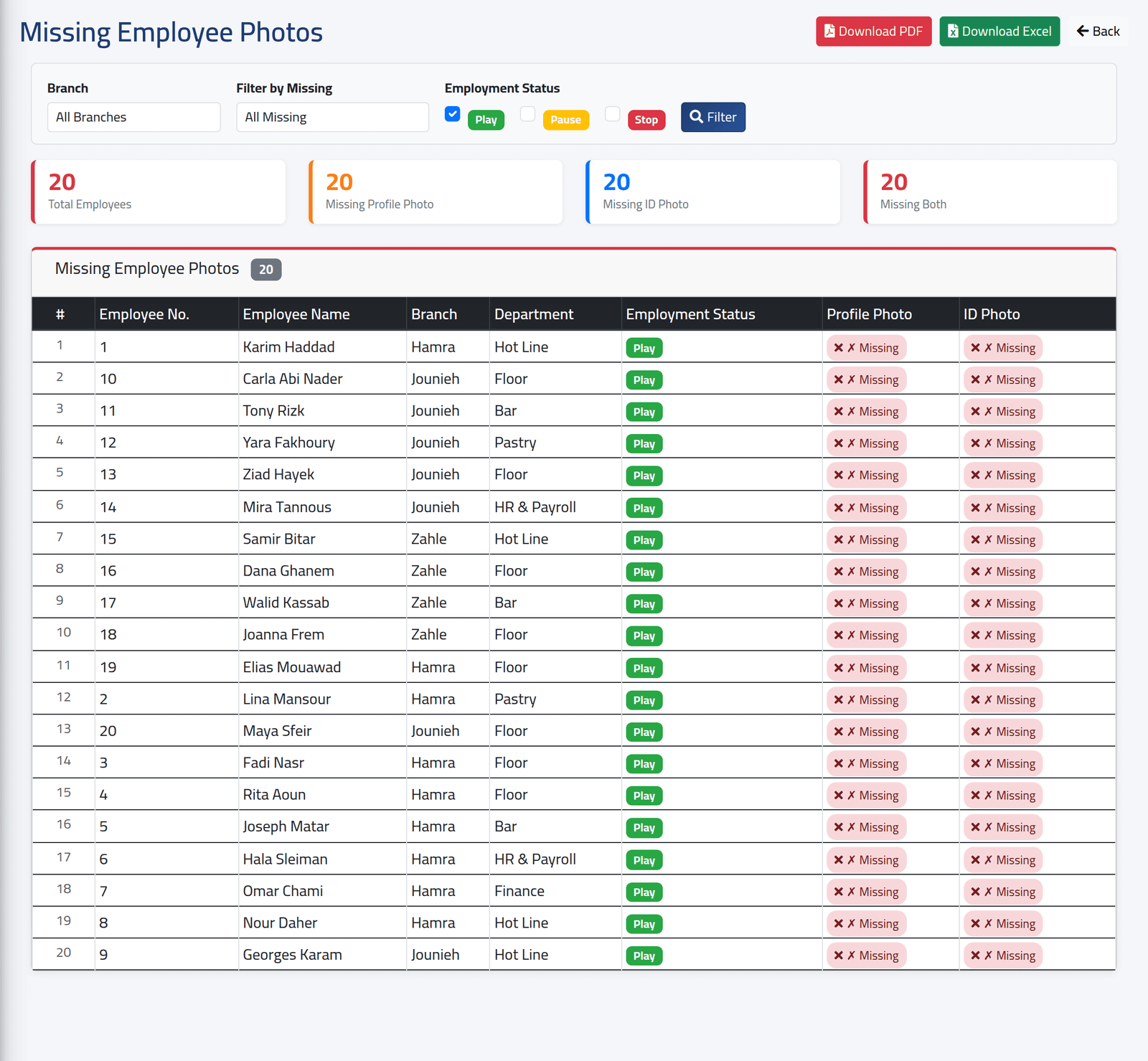
Missing Employee Photos Report, Generate Report: who has no profile photo, no ID image, or neither. Filter by branch, by what is missing, and by employment status; download as PDF or Excel. In the demo nobody has photos yet, so everyone is listed. See Changing an employee’s details.
5Departments
Departments List: PDF or Excel — every department with its sub-departments, at once, without a dialog.
What happens next
Each on-screen list has its own Excel, PDF and Print buttons, which export the table as it is shown.
If it goes wrong
| What you see | What it means |
|---|---|
| The Department column of missing photos shows sub-departments | That is how the report labels it. |
| A stopped employee is in the full listing | The listing includes every status. |