ClockWise HRGuideLending to an employee
Lending to an employee
A loan is created as a draft, approved, and then repaid in monthly instalments taken from the salary when each period closes. The balance shown for the employee does not go down when an instalment is taken that way — look at the instalments themselves.
These screens are in English in both languages, and they list every employee of every branch — the branches an account is limited to do not apply here.
Nothing stops the person who creates a loan from approving it. If two people should be involved, agree who approves.
1Open the accounts
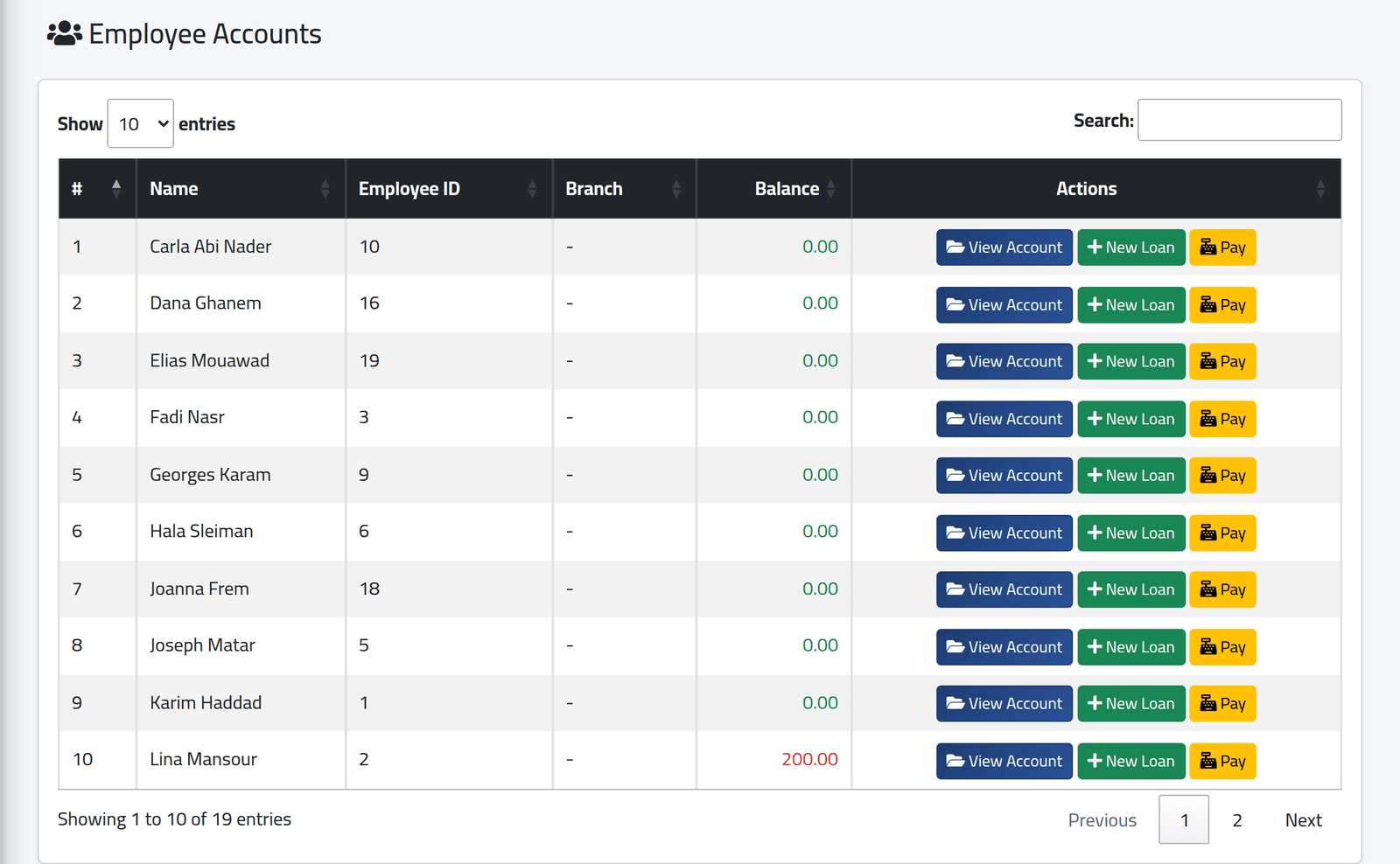
In the menu on the left, under Company, click Accounts.
One row per employee with their Balance: what they owe, in red when it is above zero. View Account opens their account; New Loan and Pay work from the row.
2Create the loan
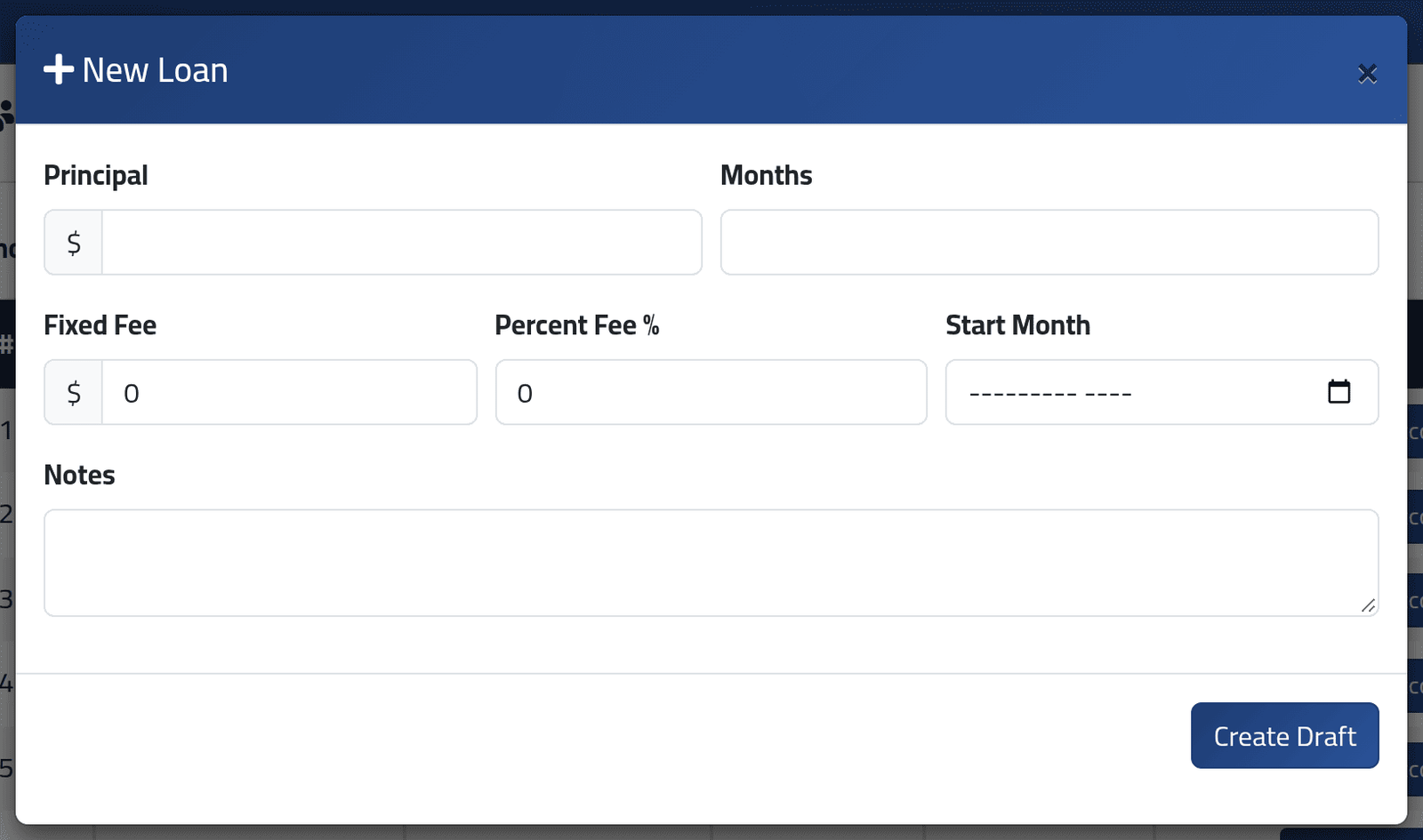
Click New Loan on the person’s row.
- Principal — the amount lent.
- Months — how many instalments.
- Fixed Fee and Percent Fee % — added to what is repaid, if your company charges them.
- Start Month — the month of the first instalment.
- Notes — what it is for.
Click Create Draft.
The total to repay is the principal plus the fees, cut into equal monthly instalments, the last one absorbing any rounding. Each is due on the first of its month.
3Approve it
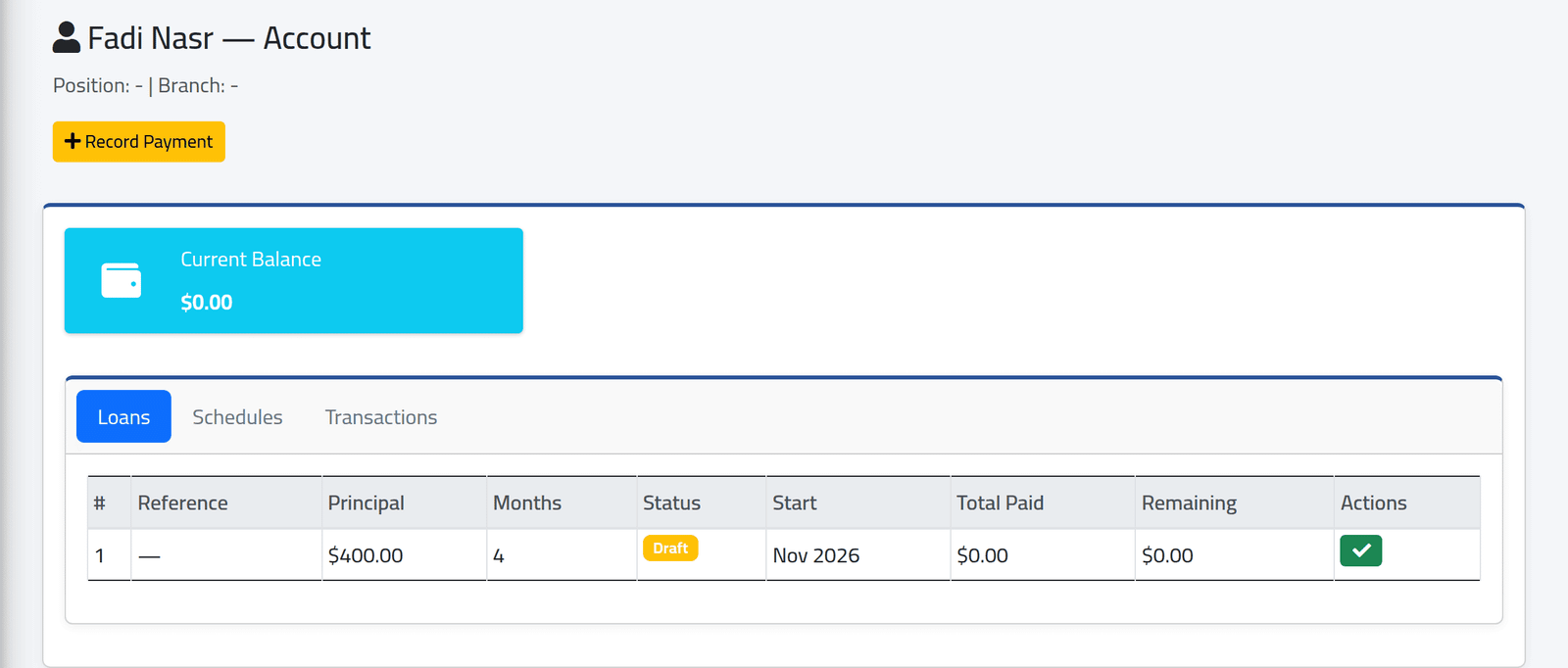
Click View Account on the person’s row. On the Loans tab, the loan is a Draft: nothing is owed yet and there are no instalments. Click the green tick to approve.
Approval creates the instalments and records the disbursement (and any fee) on the account. The loan becomes Active. ClockWise records the loan; it does not pay the money out.
4Check what has been repaid
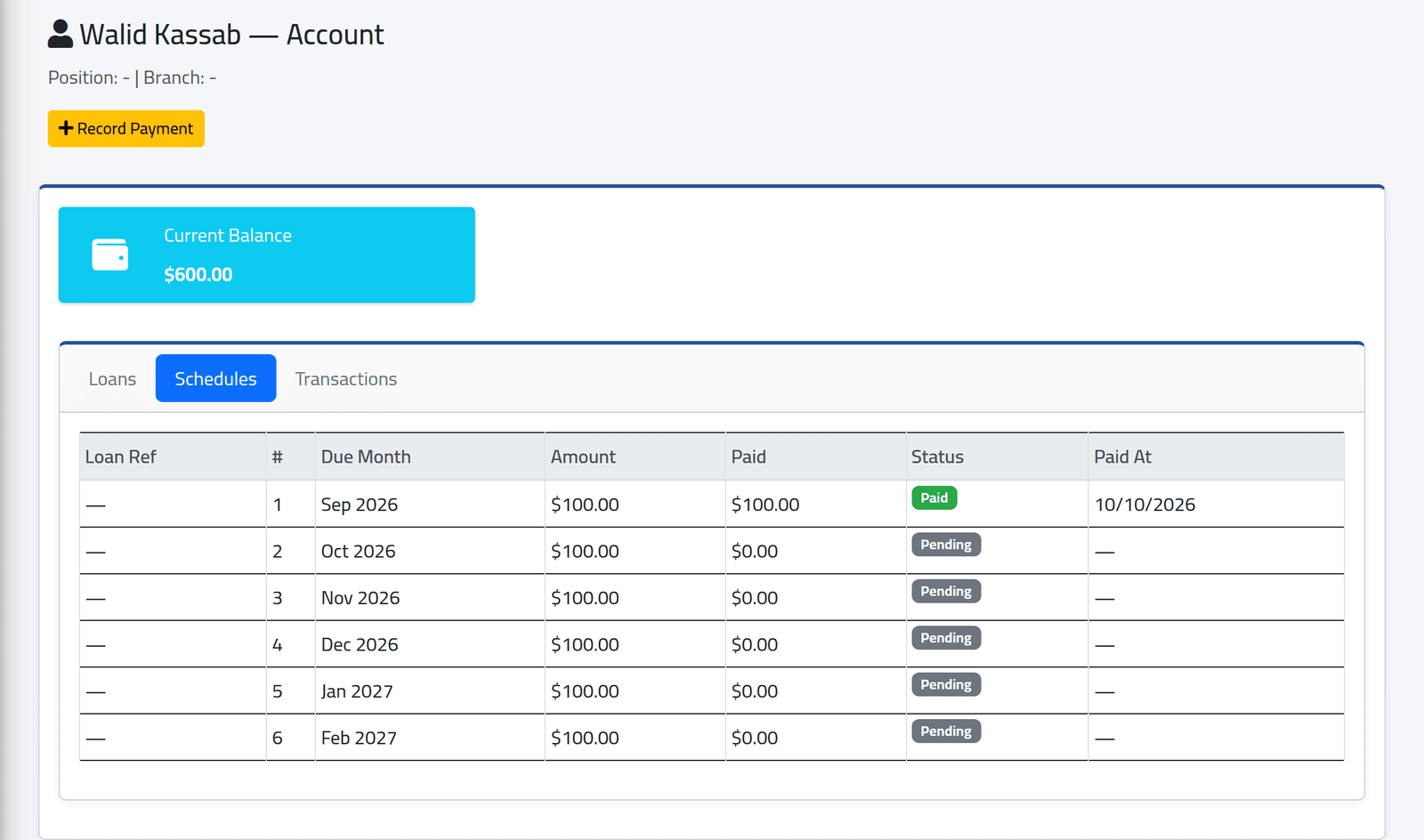
The Schedules tab lists each instalment: due month, amount, paid, and status. Look here, not at the balance.
An instalment taken from a salary does not lower the balance. In the picture, Walid Kassab’s first instalment was taken from September’s salary and shows Paid — yet his Current Balance is still $600.00, and so is his balance on the Accounts list. Only repayments recorded by hand (see Repayments outside the salary) lower it. What he still owes is the total of the instalments not yet paid.
What happens next
When a salary period closes, every instalment due by the end of the period and not yet paid is taken from the person’s salary, in full, and marked Paid.
All overdue instalments go at once. A loan whose start month is already past has several instalments due: the next closing takes every one of them. Choose the start month so the first instalment falls in a period that is still open.
When every instalment is paid, the loan becomes Completed.
To delete a loan, open the Transactions tab and click the red × on
its Disbursement line. Type i confirm and give a reason. The loan,
its instalments and every transaction on it — repayments included — are
removed; the deletion is logged with your reason.
If it goes wrong
| What you see | What it means |
|---|---|
| Only draft loans can be approved. | It is already approved. |
| The Reference column shows — | ClockWise does not number loans. Use Notes to identify them. |
| Branch shows - for everyone | The column is never filled in. |
| Several instalments taken from one salary | They were all due by the period’s end — the start month was in the past. |