ClockWise HRGuideSalary records
Salary records
Three reports show a single salary period line by line: the attendance and pay of each employee, and the full detail with bank, rate, bonus and deductions. They are the period's figures as it was closed.
On Reports, open Salary Reports — see Finding a report. These reports read a closed period; an open one shows nothing, or only an estimate. To read an open period, use the period itself (see Reading a salary period).
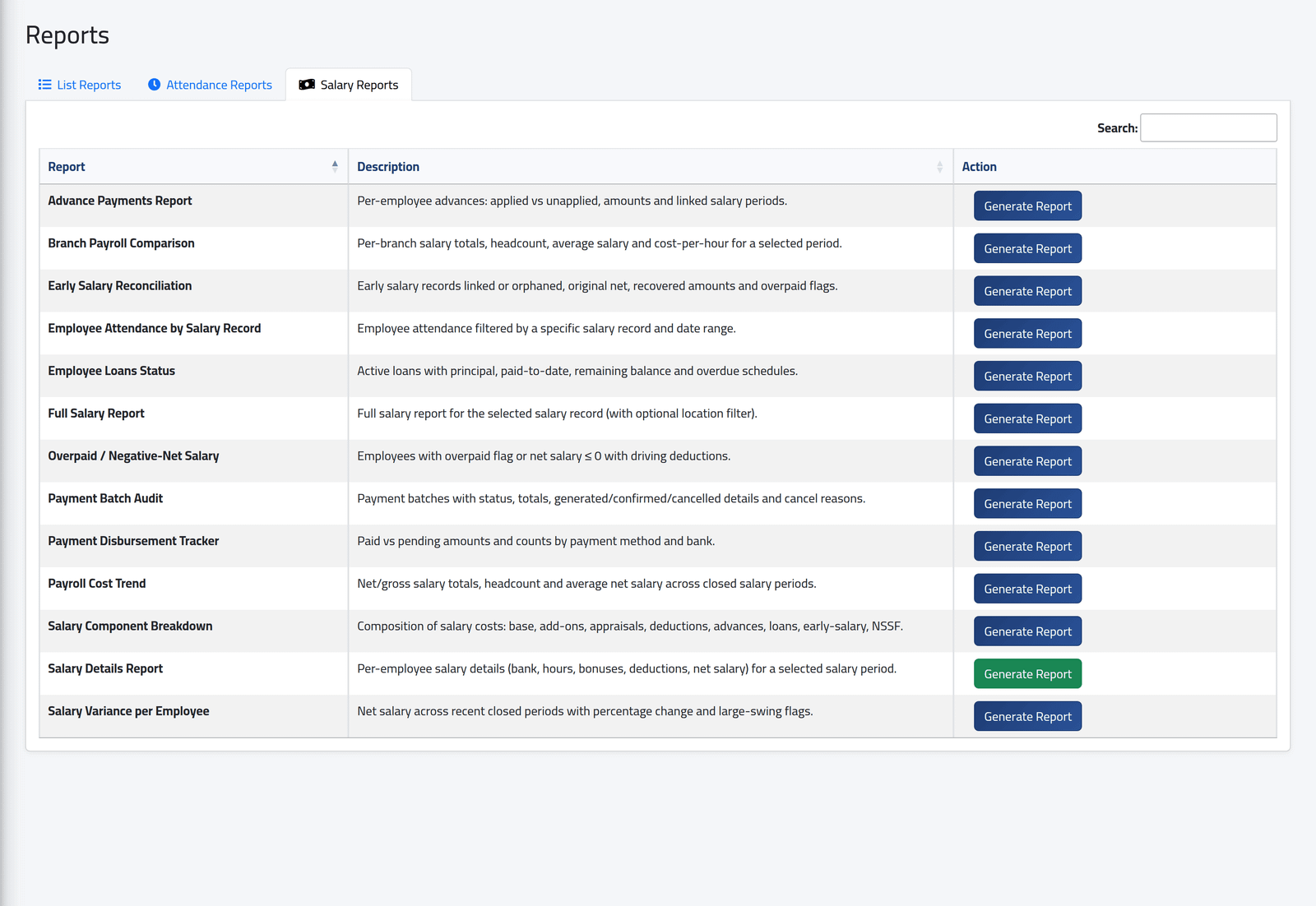
1The salary reports
Thirteen reports. This page covers the three about one period; the others are in Payroll analysis, Payment reports and Loans, advances and early salary.
2Attendance by salary record
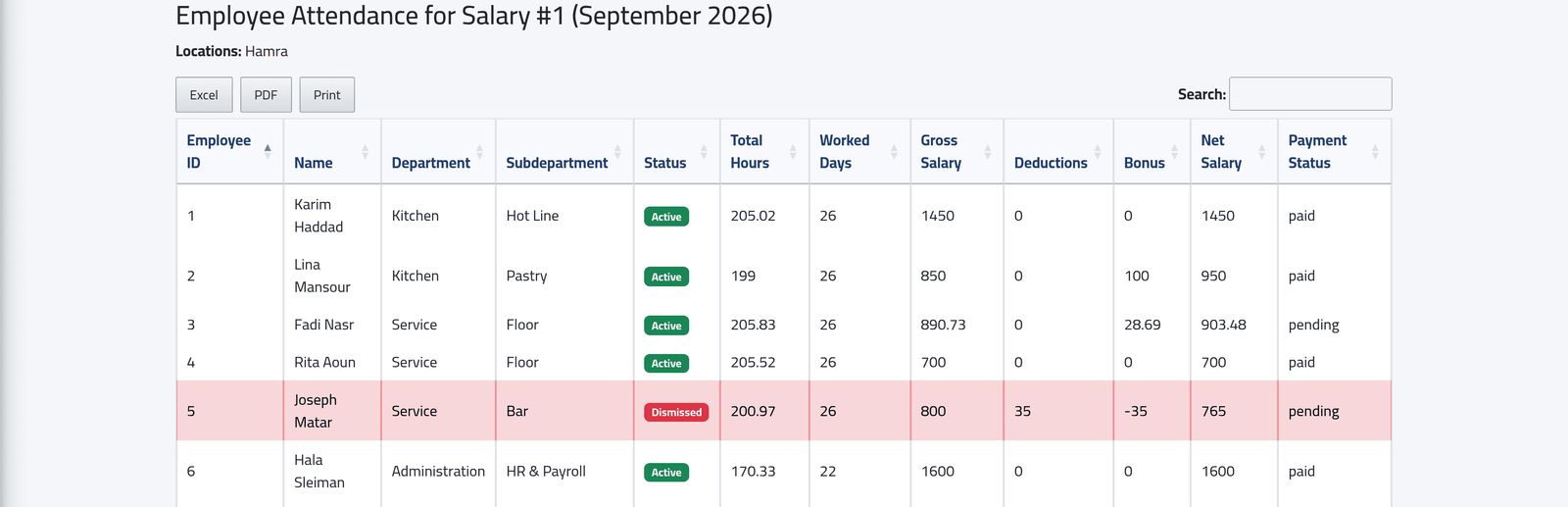
Employee Attendance by Salary Record, Generate Report: choose the closed period and, if you like, a sub-department. One line per employee: hours and days worked, gross, deductions, bonus, net, and the payment status. Held salaries stay in the list, marked Dismissed and shaded.
Deductions adds up deductions, advances, loans and early salary; Bonus is the adjustments plus overtime, and is negative when the adjustments take more than they give — Joseph Matar’s $35 shows as 35 under deductions and −35 under bonus.
3Salary details
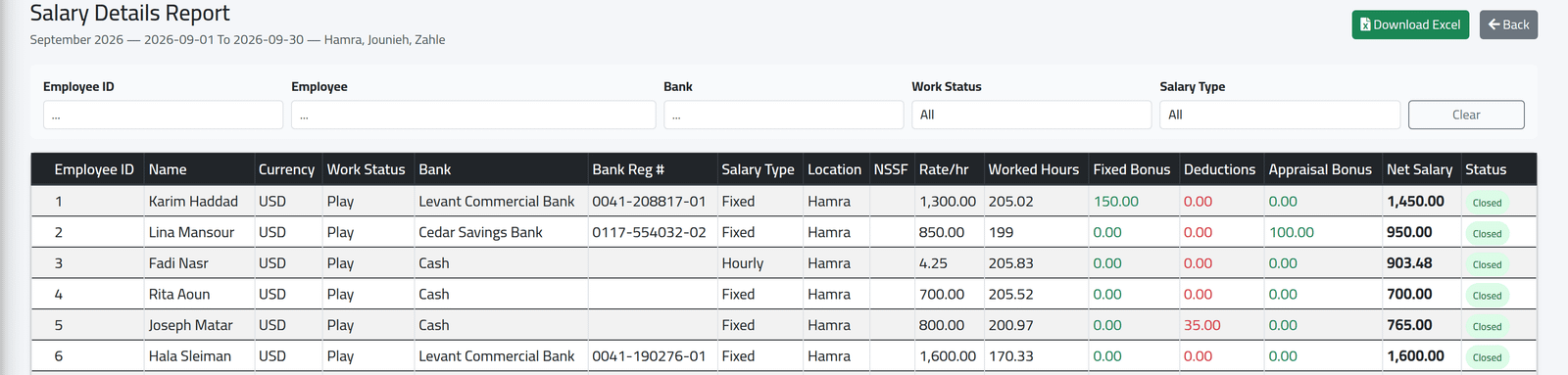
Salary Details Report, Generate Report: choose a branch, then the period. One line per employee: currency, bank and account number (or Cash), salary type, rate, hours, fixed bonus, deductions, appraisal and net, with totals at the foot. Filter by employee, bank, work status or salary type; Download Excel exports it.
What happens next
Each table exports from its own buttons. For the payments themselves, see Payment reports.
The totals include held salaries. Hamra’s September totals 8,504.48 in the details, but the batch that paid it came to 7,739.48: the difference is Joseph Matar’s held $765. Subtract held lines before comparing with a payment.
Full Salary Report does not work. It fails with an error page for every period. Use Salary Details Report instead.
If it goes wrong
| What you see | What it means |
|---|---|
| The period is not offered | It is not closed, or it belongs to a branch you may not see. |
| An employee paid in another currency | The Currency column shows their own currency, but every amount is in the company’s default currency, converted at the period’s exchange rates — see Currencies and exchange rates. |
| An error page from Full Salary Report | See above. |