ClockWise HRGuideThe financial audit log
The financial audit log
Every change to salaries, adjustments, loans, payments and their settings, and every closing, payment, export and view of a salary — who did it, when, and to which record. It shows every branch, and nothing in it can be changed.
Your account must be allowed to view the financial audit log.
The log is not limited to your branches: anyone who can open it sees every branch’s salaries, amounts and names. Give the permission accordingly.
1Open the log
In the menu on the left, under Salaries, click the item named audit — the menu shows it in that form.
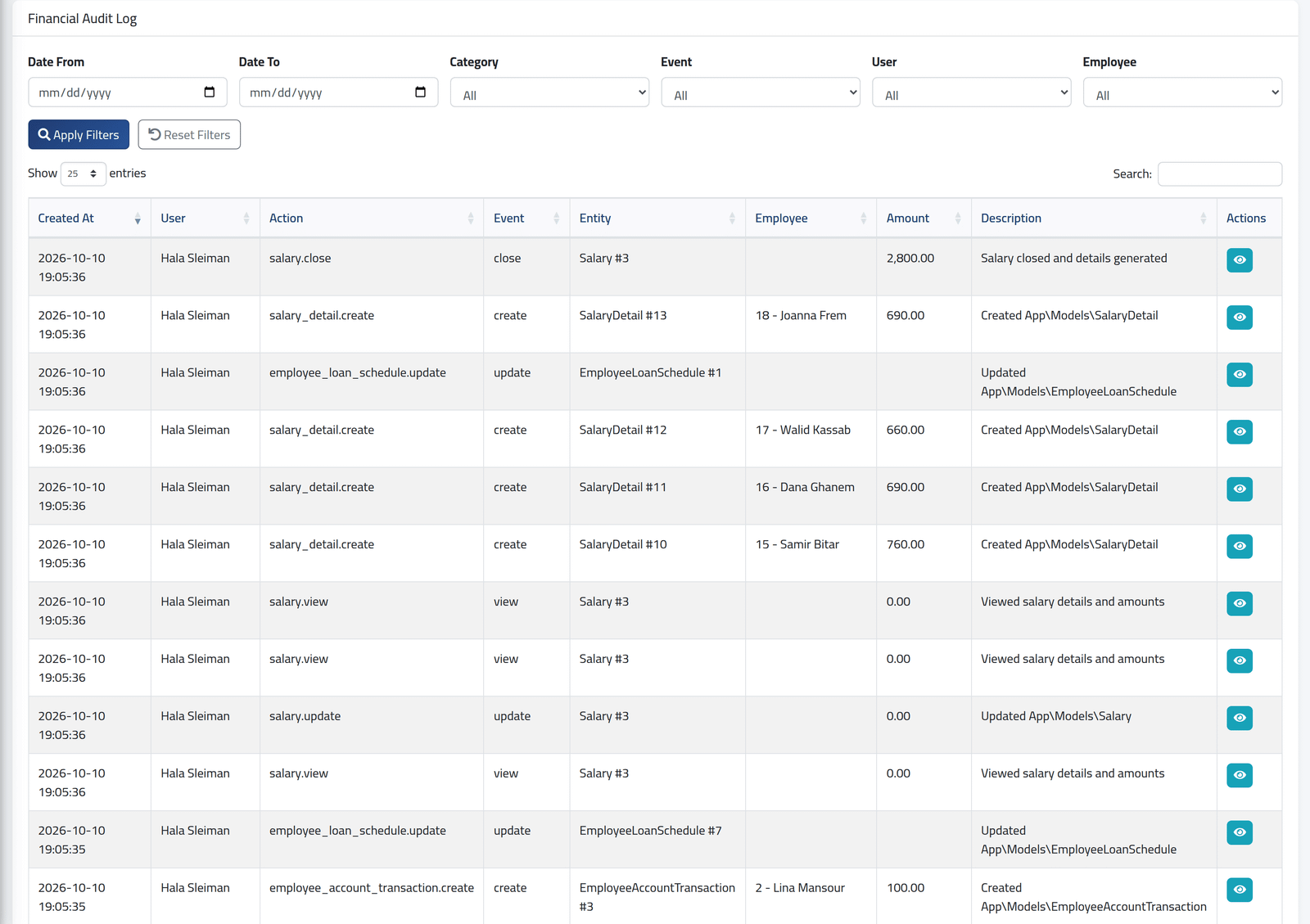
Newest first. Each line has:
- Created At and User — when, and who;
- Action and Event — what, such as
salary.close,salary_detail.createoradjustment.update; - Entity — the kind of record and its number;
- Employee and Amount, when there are any;
- Description.
What is recorded:
- every creation, change and deletion of salary periods, salary records, adjustments, early salary records, loans and their instalments and transactions, payment batches and their lines, payment methods, banks and employees’ payment accounts, currencies and add-ons;
- each closing, payment, hold, addition after closing and lock;
- each time a salary period or someone’s breakdown is opened
(
salary.view), and each export.
Bulk actions — Pay All Pending, Mark Selected as Paid — are recorded as one line for all the people involved.
2Narrow it down
Set Date From and Date To, a Category, an Event, a User or an Employee, and click Apply Filters. Search looks in the action, the description, the user and the employee.
3See the detail
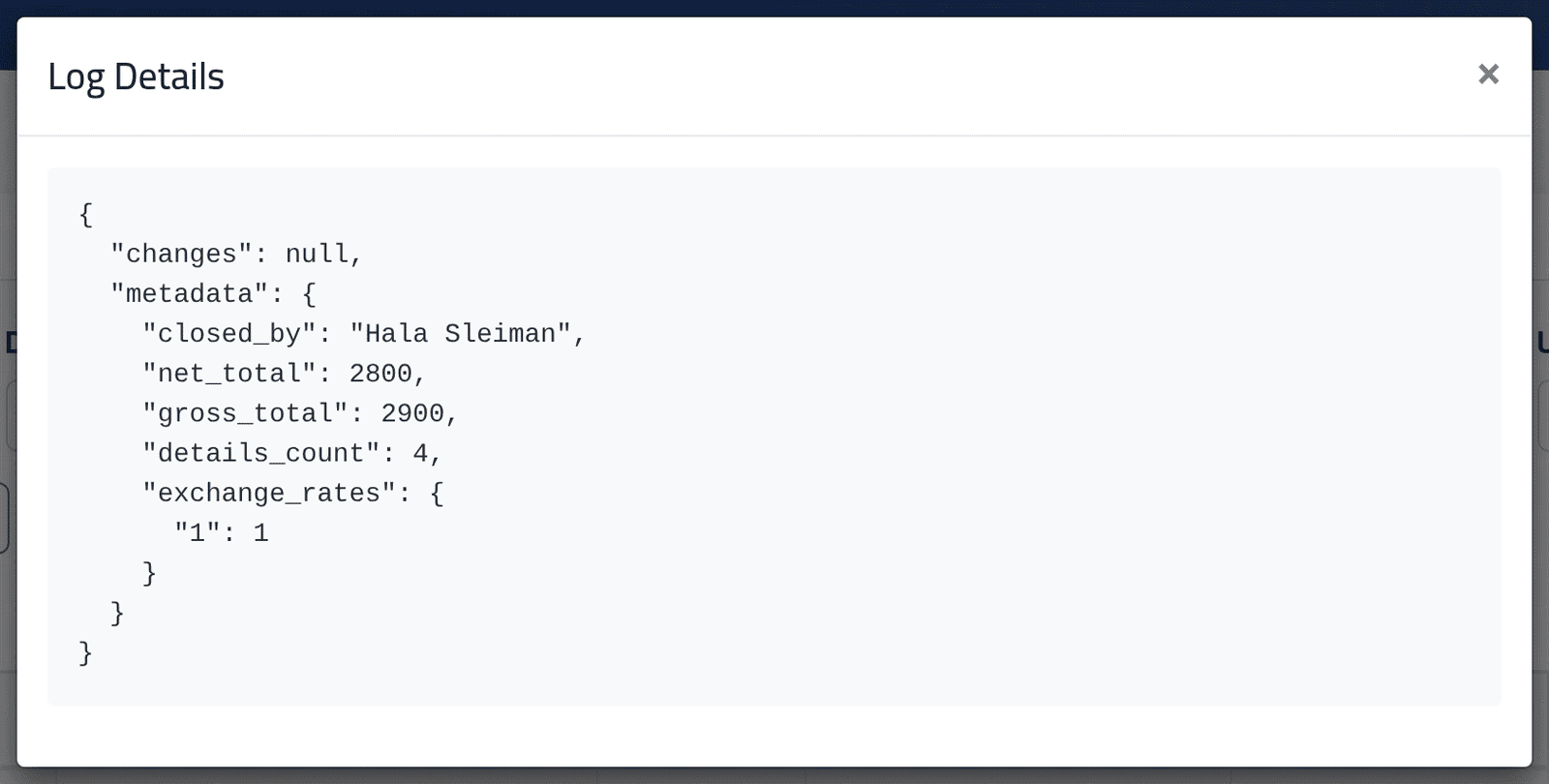
Click the eye on a line. Log Details shows what was recorded, as the
system stores it: changes — the values before and after — and metadata,
such as the totals of a closed period.
In the picture, Hala Sleiman’s closing of Zahle’s September: four people, gross $2,900, net $2,800, at an exchange rate of 1.
What happens next
Nothing here can be edited or deleted.
If it goes wrong
| What you see | What it means |
|---|---|
| No audit in the Salaries menu | Your account may not view the log. |
Many salary.view lines |
Each opening of a period or a breakdown is recorded. Filter by Event to leave them out. |
| A change you expected is not there | It was not to a salary, adjustment, loan, payment or their settings — attendance corrections are not in this log. |