ClockWise HRGuideSchedule audit
Schedule audit
The schedule audit finds patterns that point at a wrong schedule: an employee with no schedule on the same weekday week after week, or who always punches outside their shift.
On Reports, open Attendance Reports.
1Choose the dates
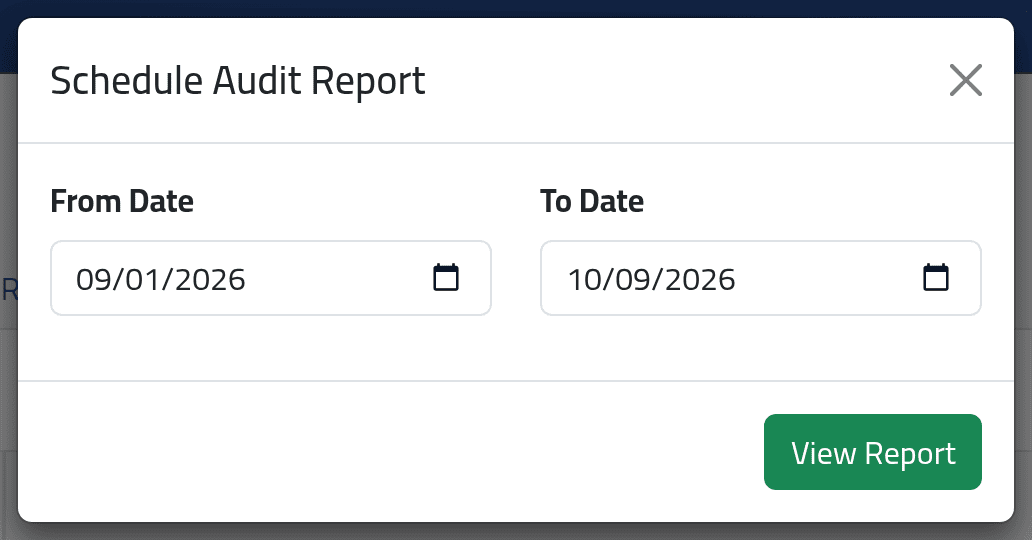
Schedule Audit Report, Generate Report: a from and to date — several weeks give the patterns room to show. Click View Report.
2Read the findings
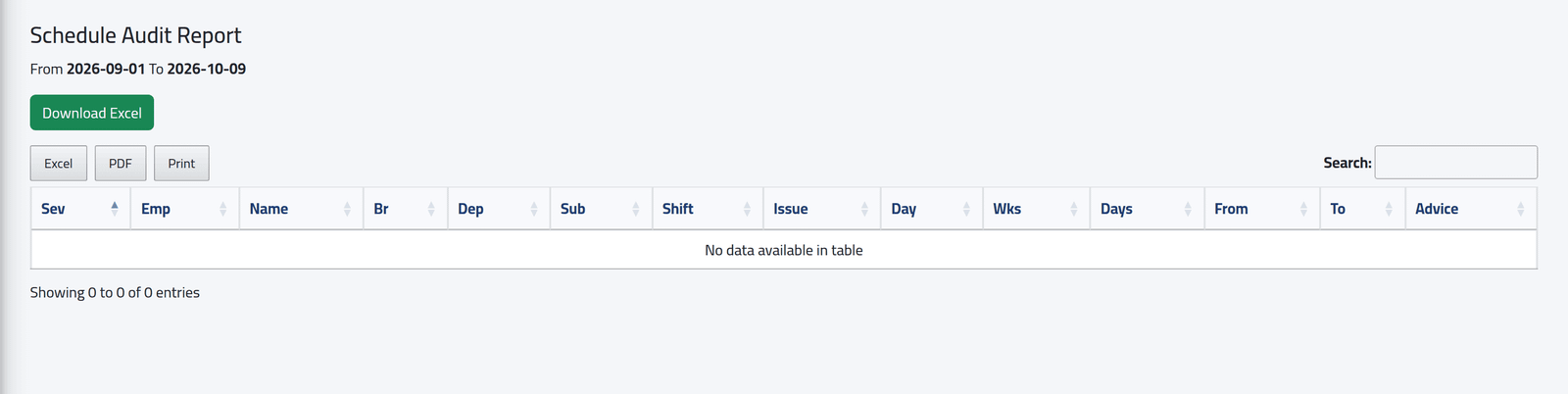
One line per employee, problem and weekday, kept only if it happened in at least two different weeks: its severity, the employee and their branch, department and shift, the problem, the weekday, how many weeks and days, the first and last date, and advice on what to change. Download Excel exports it.
In the demo every schedule matches the punches, so there is nothing to show.
What happens next
Fix what it finds on the employee’s schedule — see Giving someone a schedule — then recalculate the days.
Edited Attendance Summaries does not work. The report fails with an error page whatever is chosen. Until it is repaired, see who changed a day on the day itself — see Correcting a day.
If it goes wrong
| What you see | What it means |
|---|---|
| No data available in table | Nothing repeated over two weeks or more in the period. |
| An error page from Edited Attendance Summaries | See above. |