ClockWise HRGuidePayment reports
Payment reports
Two reports follow the money out: what has been paid and what is still pending, by method and bank, and every payment batch with who made, confirmed or cancelled it.
Payments are made through batches — see Payment batches. On Reports, open Salary Reports.
1Paid and pending
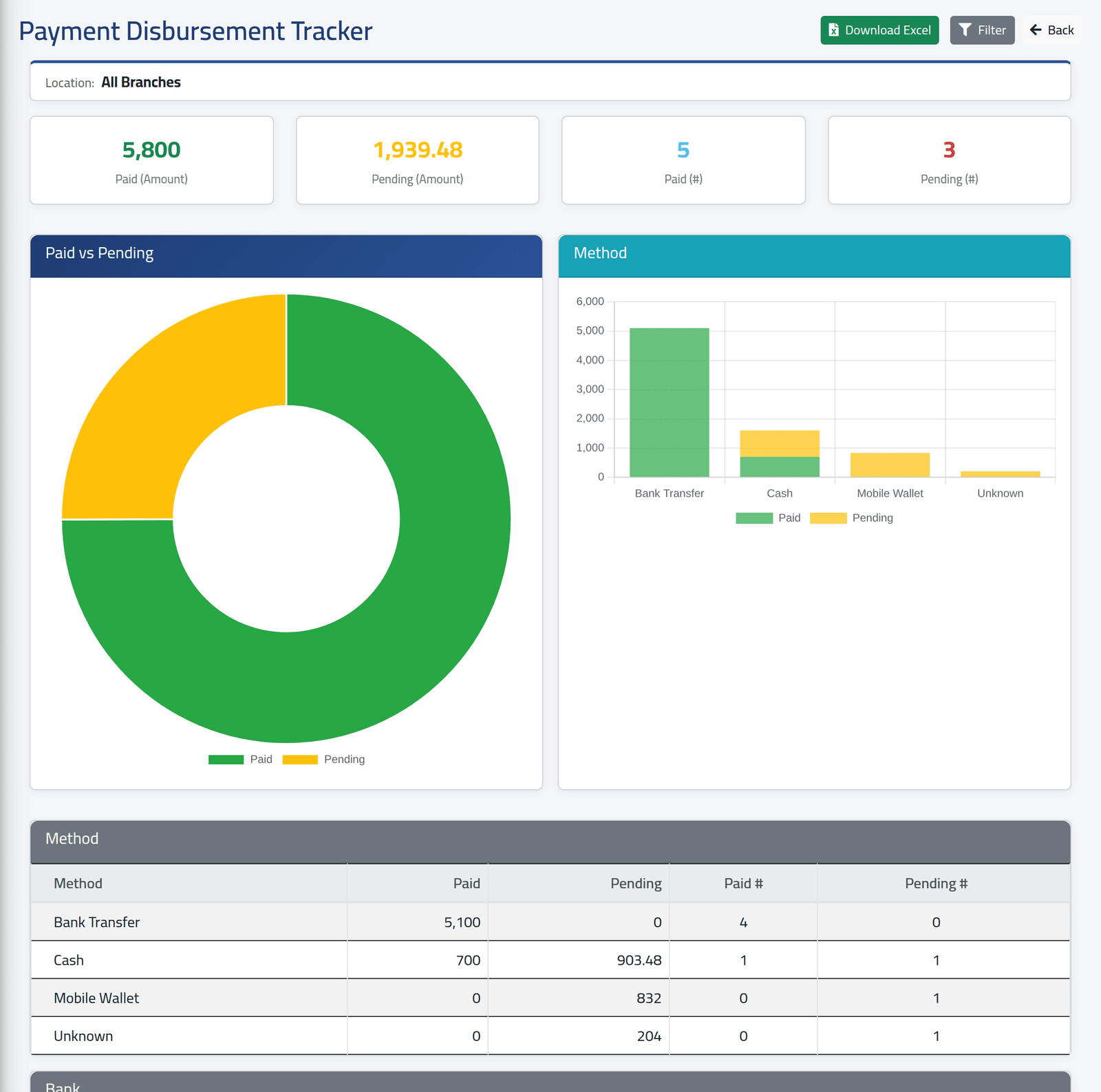
Payment Disbursement Tracker: across every batch that is not cancelled, the amounts and counts paid and still pending, then by payment method and by bank. Choose a branch under Filter.
Pending is anything not yet paid — failed and held items included. Unknown is a line with no payment account: Elias Mouawad, added to the period by hand, has none.
2Every batch
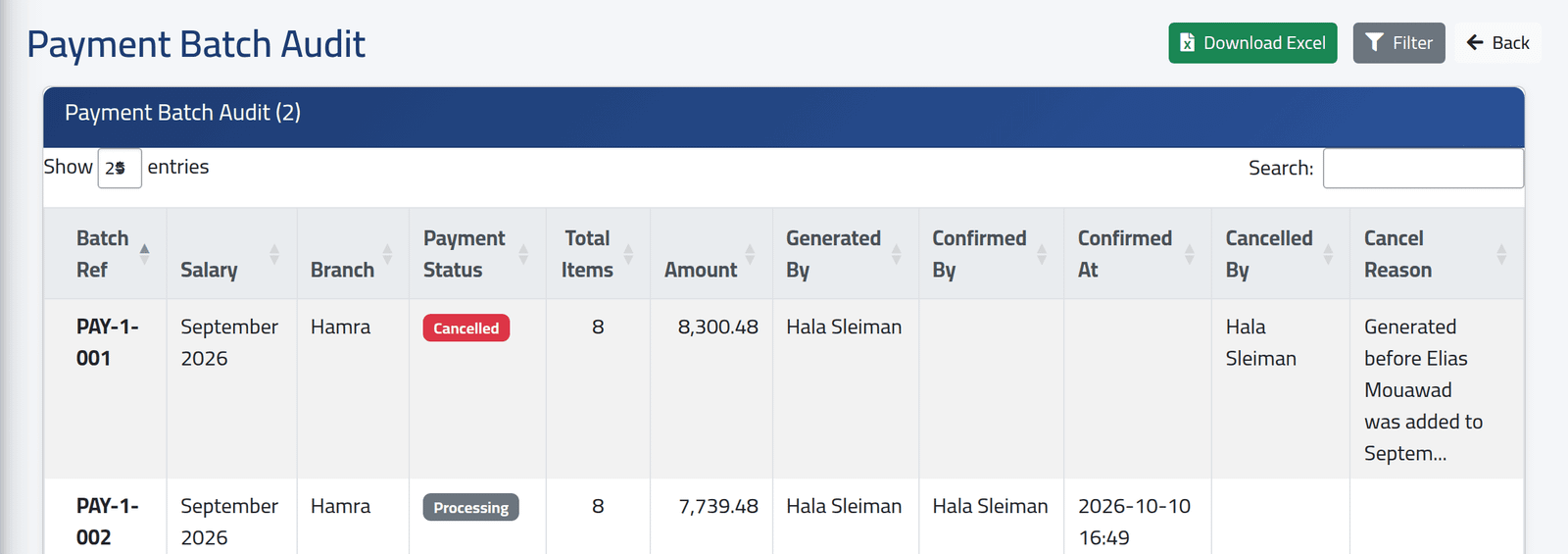
Payment Batch Audit: each batch with its period, branch, status, number of items and amount, who generated and confirmed it and when, and — for a cancelled batch — who cancelled it and why. Cancelled batches stay in the list.
What happens next
Download Excel exports each report.
The bank breakdown does not work yet: every amount is listed under N/A. Use the method breakdown, or the batch itself (see Paying a batch), to see payments by bank.
If it goes wrong
| What you see | What it means |
|---|---|
| A payment is counted as pending | It is not marked paid in its batch — failed and held items count as pending. |