ClockWise HRGuideTaking an asset back
Taking an asset back
When an employee hands an item back, record it: a returnable item goes back into stock, or is marked damaged — with a charge if they are to pay for it. A permanent item can be taken back only until its charge has been taken from a salary.
Your account must be allowed to return assets. Find the allocation on the asset’s page, under Allocations, or on the order it came with (see Changing a submitted order).
1A returnable item
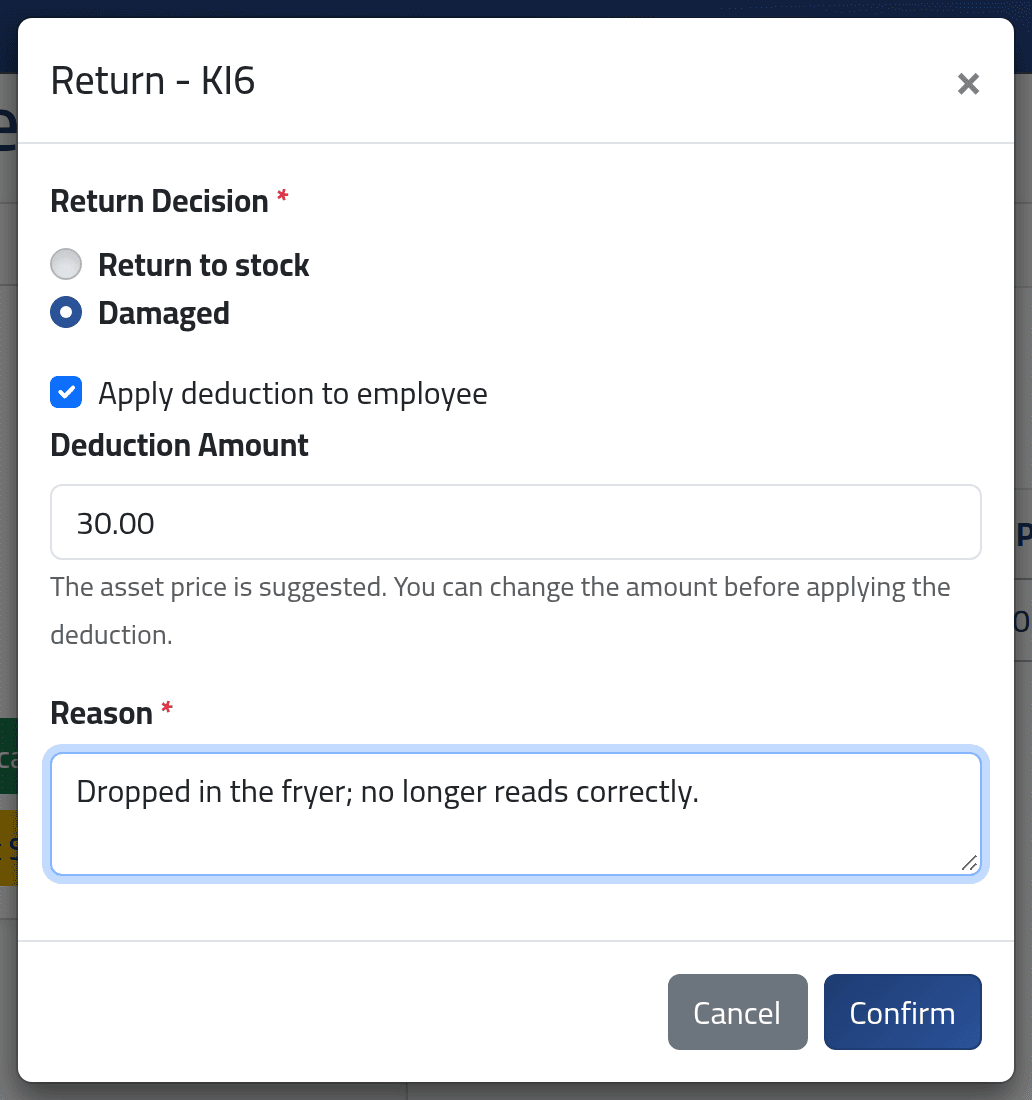
Click Return on the line.
- Return to stock — it goes back into stock.
- Damaged — it does not. Tick Apply deduction to employee to charge them: the price is suggested, and can be changed.
Give the Reason and click Confirm.
2A permanent item
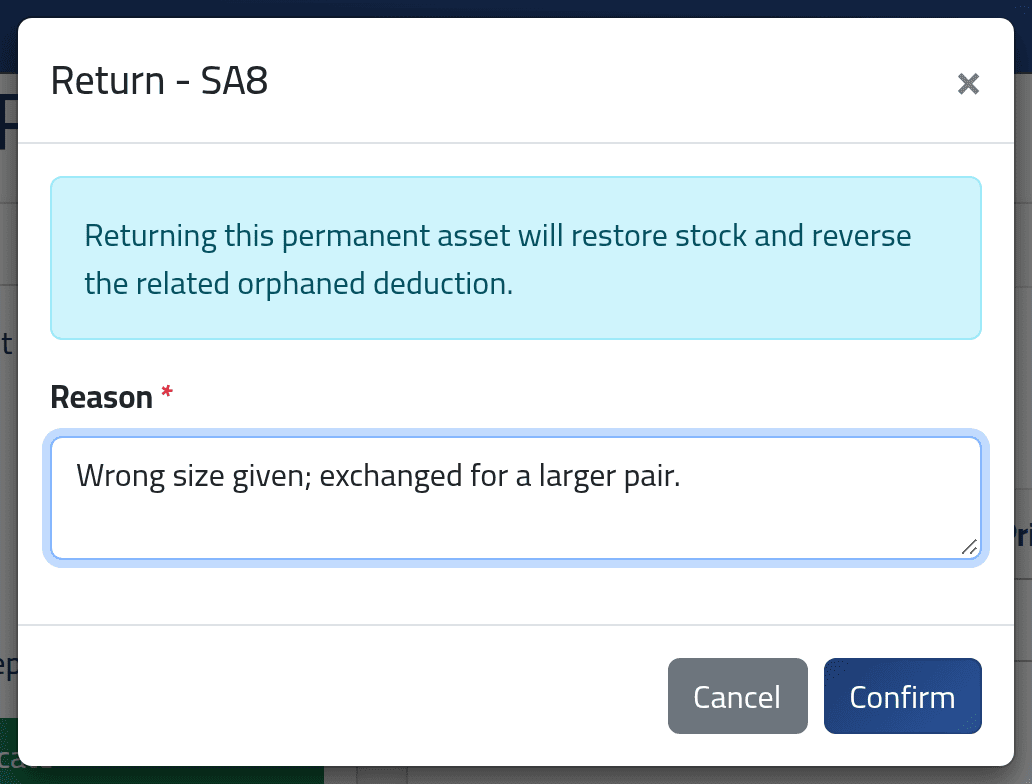
The dialog says the stock will be restored and the charge cancelled. Give the reason and click Confirm.
3Afterwards
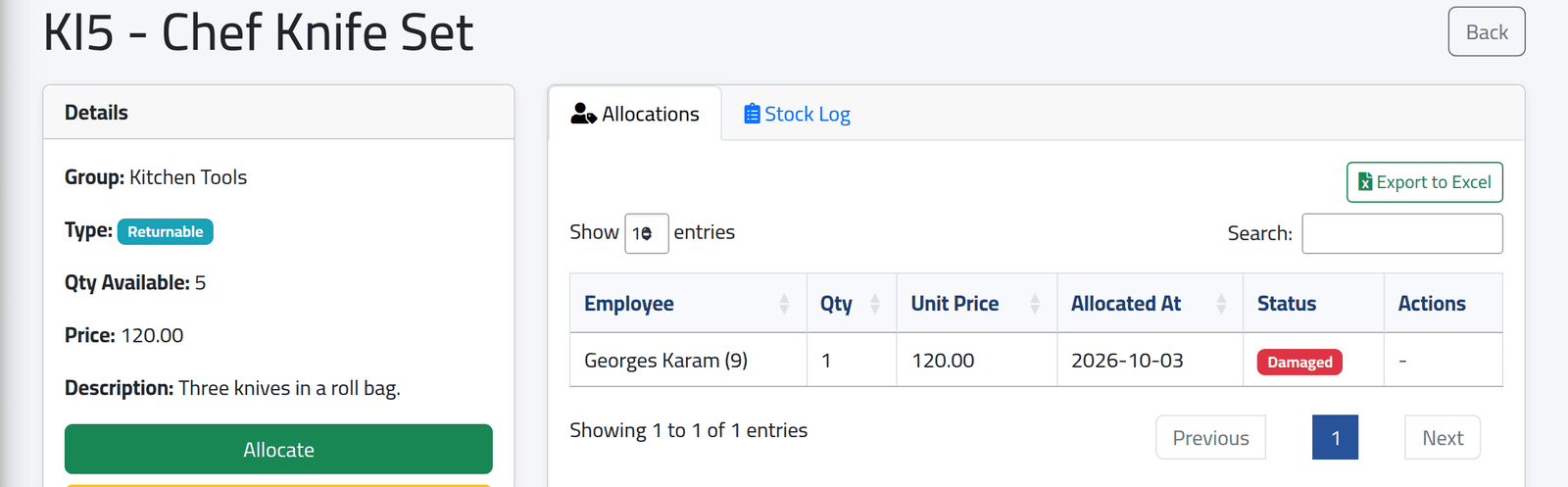
The line shows Returned or Damaged, and has no more buttons. The Chef Knife Set, here, came back damaged from Georges Karam: the stock stays at 5, and $60 — half its price, as agreed — is charged to him.
What happens next
A damage charge is a cash deduction like a permanent item’s: it is taken from the employee’s next salary — see Adjustments for the coming salary. Every return and damage is in the stock log, with its reason.
A permanent item cannot come back once its charge is in a salary. The Return button disappears as soon as the deduction has been taken into a salary period. To make good a mistake after that, correct the salary.
If it goes wrong
| What you see | What it means |
|---|---|
| No Return on a line | It is already returned or damaged, or it is a permanent item whose charge is in a salary. |
| This permanent asset cannot be returned because its deduction is already linked to a salary. | As above. |
| A damaged item is charged too much | The amount is editable before you confirm; afterwards, change the deduction on the employee’s adjustments. |