ClockWise HRGuideChanging a submitted order
Changing a submitted order
A submitted order is unlocked to correct it: everything on it goes back into stock and its charges are cancelled, the order becomes a draft to edit, and resubmitting it gives the items out again.
Your account must be allowed to allocate assets.
1Unlock
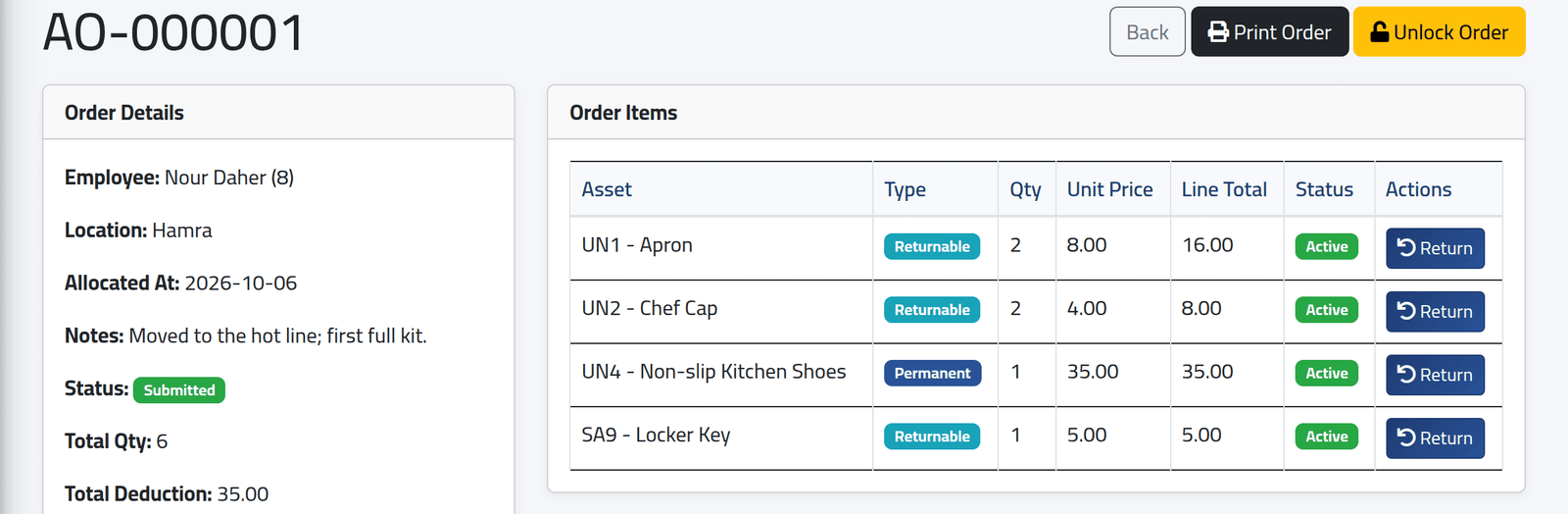
Open the order from Allocation Orders. A submitted order shows its details and items, with Print Order and Unlock Order. Click Unlock Order and confirm.
Every item still out is put back into stock — recorded in the stock log as a return, Order unlocked for editing — and the charges not yet taken are cancelled. The order becomes a Draft.
2Edit the draft
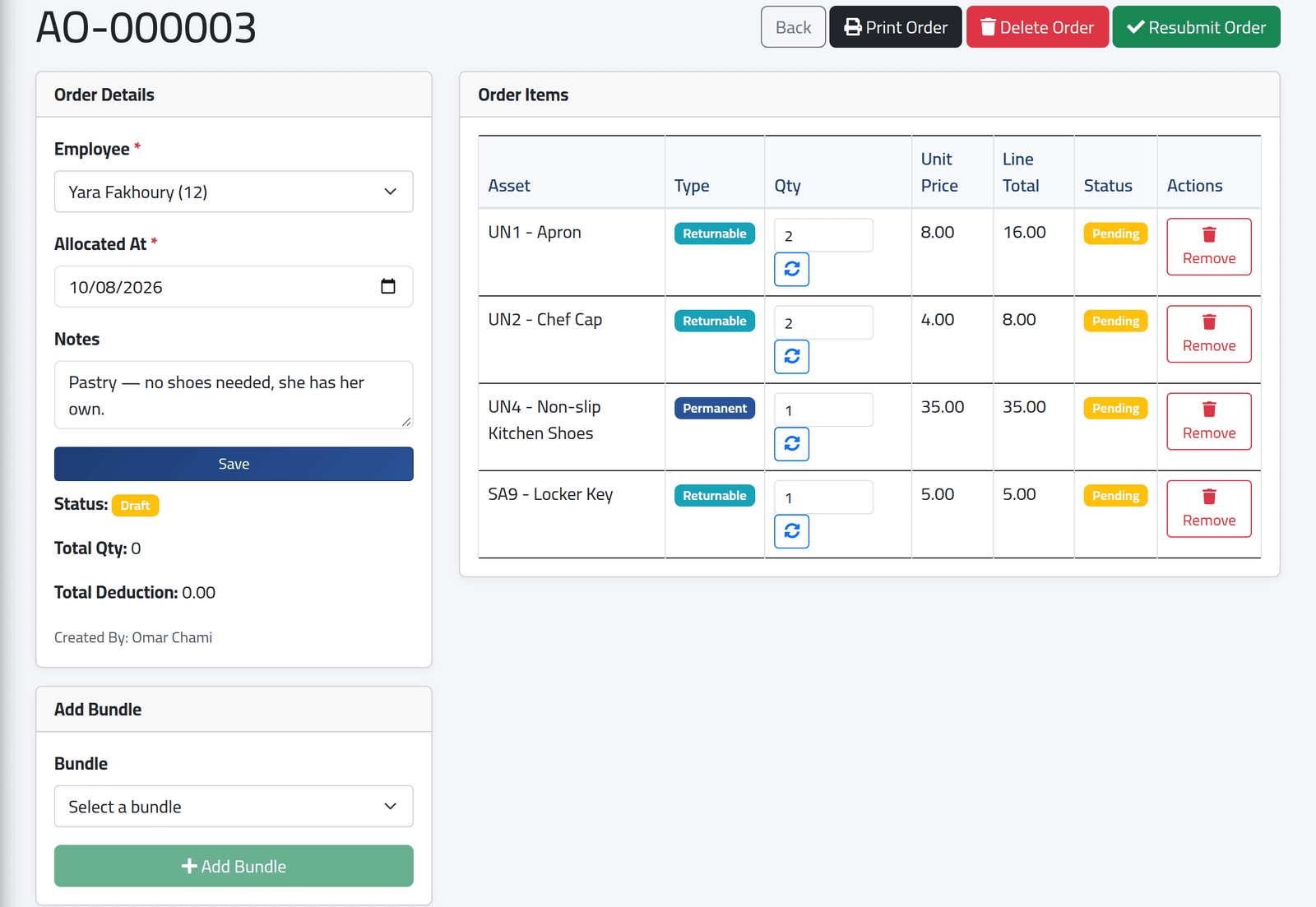
- Order Details — change the employee, date or notes and click Save.
- Each item — change the quantity and click the arrows beside it, or click Remove.
- Add Bundle and Add Item add more.
Yara Fakhoury’s order, here, was unlocked because she did not need the shoes in the kitchen kit: remove that line.
3Resubmit
Click Resubmit Order and confirm. The stock is checked, the items are given out again, and permanent items create their charges afresh.
What happens next
The order is Submitted again, with the same reference. Delete Order, on a draft, removes it and everything on it — nothing was given out while it was a draft.
An order cannot be unlocked once any of its charges is in a salary. The page then refuses with This order cannot be unlocked because a deduction is already linked to a closed salary. Return single items instead (see Taking an asset back), or correct the salary.
A draft holds nothing. While an order is a draft its items are back in stock and can be given to someone else; resubmitting can then be refused for lack of stock.
If it goes wrong
| What you see | What it means |
|---|---|
| No Unlock Order | It is already a draft, or your account may not allocate. |
| The order must have at least one item before it can be resubmitted. | Add an item, or delete the order. |
| Insufficient stock for … | Something on it was given out while it was a draft. |