ClockWise HRGuideOne person's salaries
One person's salaries
Every closed salary of one person, on their own file, with the breakdown as it was closed and a slip to print. "Total Paid" is the period's net — it is shown whether or not it has actually been paid.
Your account must be allowed to see employees’ salary history. Open the person’s file — see Finding an employee.
1Open their salaries
Click the Salaries tab. One row per period in which the person has a salary: the period’s name, Total Worked, and Total Paid.
Total Paid is the net worked out at closing. It is shown the same way for a salary still pending and for one that was held — check the period itself (see Paying and holding salaries) to know whether it was paid.
Periods still open are not listed: a salary exists only once its period closes, or once the person is added to a closed period.

2Open one period
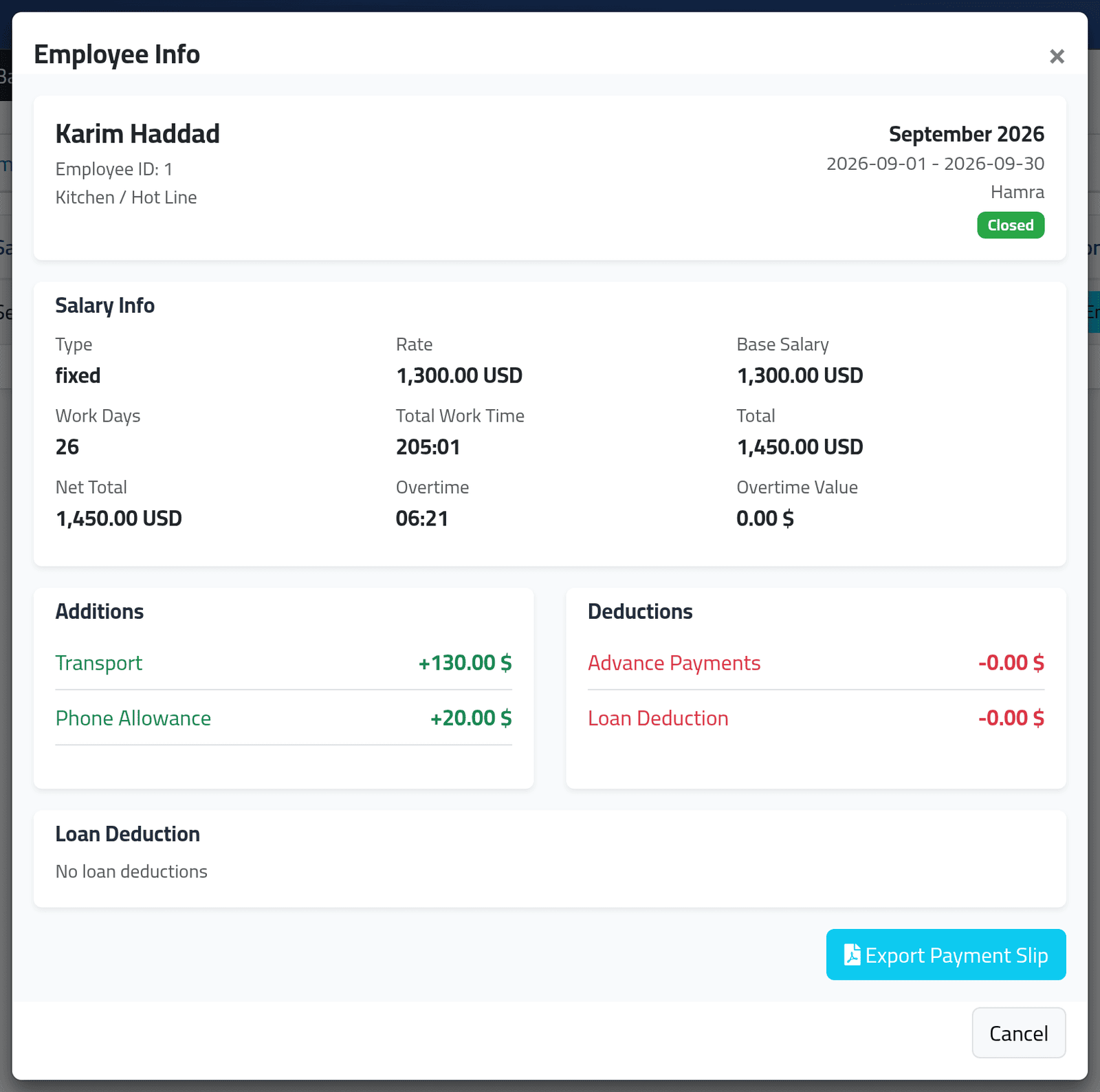
Click Employee Info. The breakdown is the one written at closing: the type and rate they had then, work days and hours, overtime, additions, deductions, loans, and Net Total. A later change to their pay does not alter it.
Export Payment Slip prints that period’s slip again.
What happens next
Nothing here changes anything.
If it goes wrong
| What you see | What it means |
|---|---|
| There is no Salaries tab | Your account may not see salary history. |
| Last month is missing | Its period is not closed yet. |
| A refusal when you click Employee Info | The period belongs to a branch your account cannot see. |