ClockWise HRGuideDocuments
Documents
Identity cards, contracts and certificates, filed on the person with the date each one expires. The expiry date sets off a notification — sooner than you might expect.
Have the file ready: PDF, Word, JPG or PNG.
Your account must be allowed to see documents; without that, the Documents tab is not on the file at all.
1Open the Documents tab
Open the person’s file and click Documents. Each document shows its name, its type, a View link to the file, and its Expiry Date — or a dash if it never expires.

2Add a document
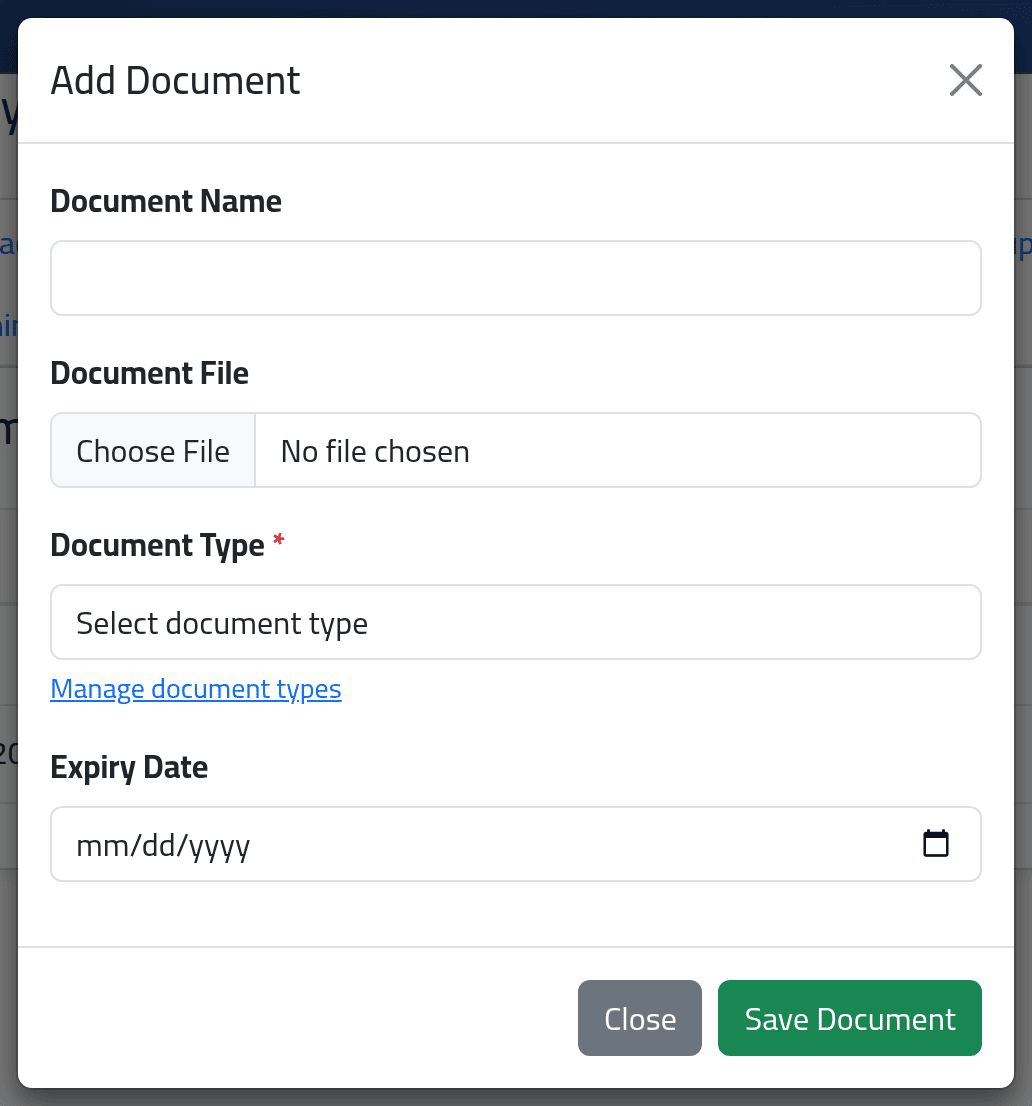
Click Add Document.
- Document Name — what it is, so somebody can find it in a year: “National ID card”, “Employment contract 2021”.
- Document Type — chosen from a list your administrator keeps. The Manage document types link beside it opens that list.
- Document File — the file.
- Expiry Date — required for types marked as expiring, such as an identity card; optional for the rest.
Click Save Document.
3Replace or remove a document
Edit changes the name, type or expiry date, and can replace the file. Delete removes the document from the file.
What happens next
Document added successfully appears at the top of the page, and the document is on the list.
A document with an expiry date raises a notification straight away, not when the date comes near. Whoever holds the overdue-notification permission gets one in the bell — File … for … Will Expire at … — the next time anybody opens the dashboard, for every document whose expiry date has not yet passed by more than ten days. A document that expired longer ago than that raises nothing.
So the bell will tell you that a passport expires in 2031. Read the date in the message, not the fact that there is one.
If it goes wrong
| What you see | What it means |
|---|---|
| The expiry date is required for this document type. | That type is marked as expiring. Fill in the date. |
| The file is refused | It is not PDF, Word, JPG or PNG. |
| The type you need is not in the list | Ask your administrator to add it under File types. |
| There is no Documents tab | Your account cannot see documents. |