ClockWise HRGuideBreaks and weekly hours
Breaks and weekly hours
Two quick checks: which days had breaks longer — or shorter — than you allow, and how this week's hours compare with the two weeks before, branch by branch.
On Reports, open Attendance Reports.
1Breaks
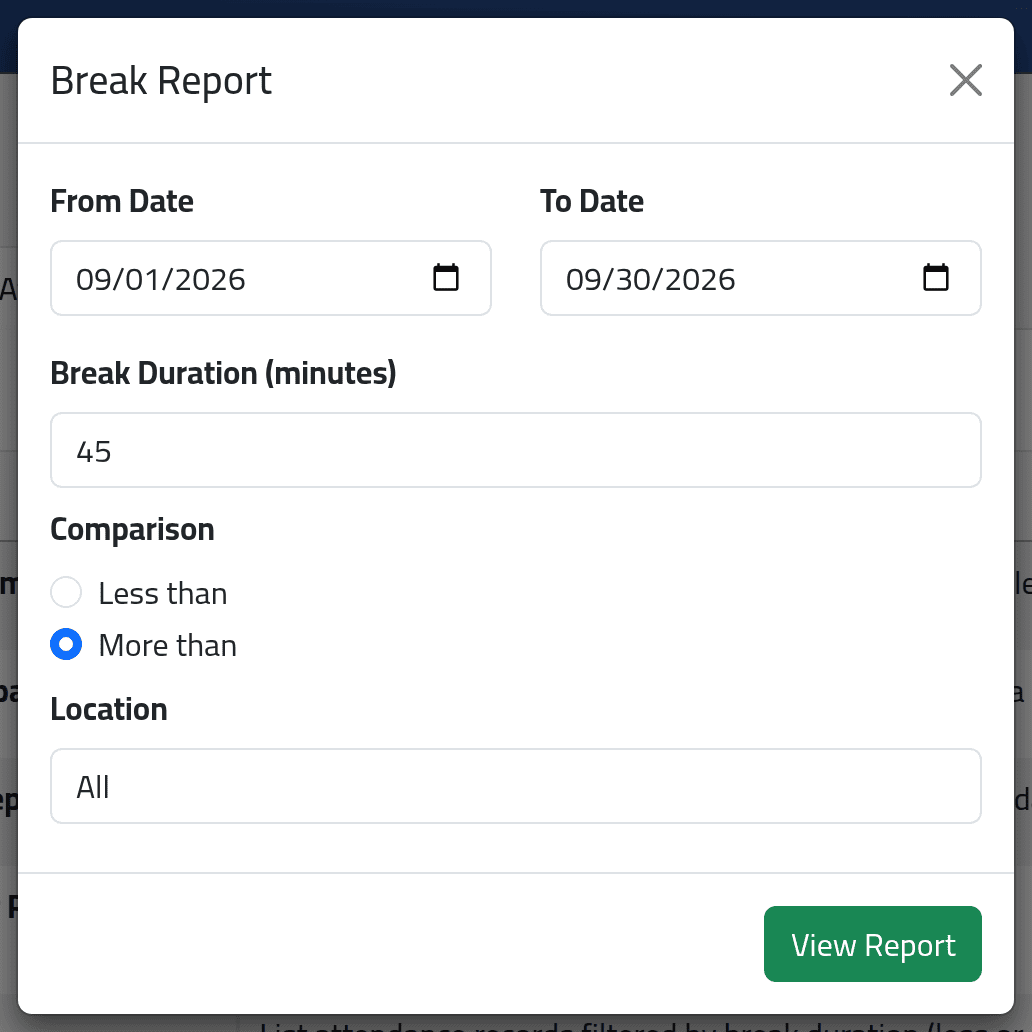
Break Report, Generate Report: the dates, a Break Duration (minutes), Less than or More than, and optionally a branch. Click View Report.
2Read the breaks
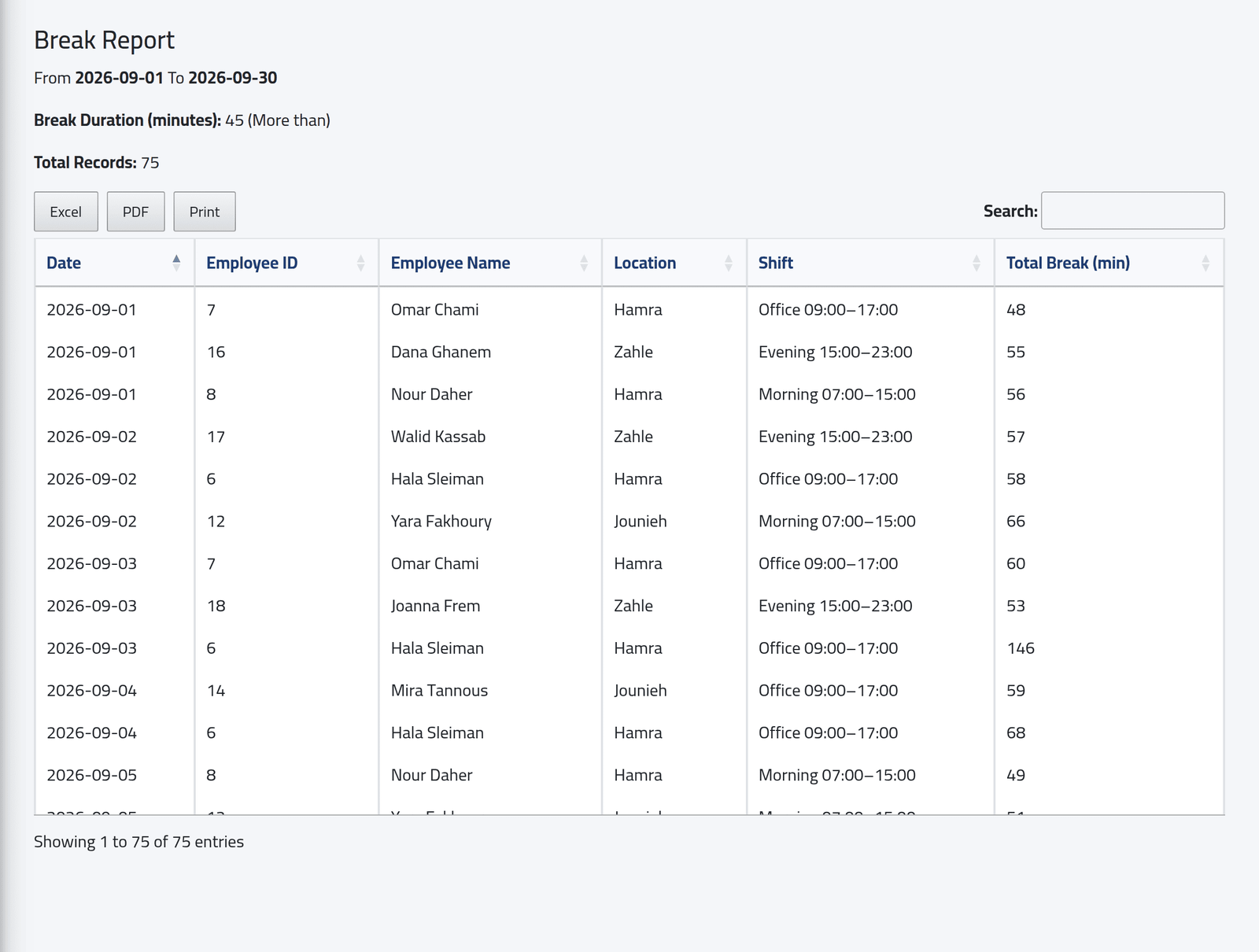
Every day whose total break was more (or less) than the duration — strictly: a break of exactly 45 minutes is in neither — with the employee, branch, shift and minutes. Here, 75 days in September went over 45 minutes; Hala Sleiman’s 146 on 3 September stands out.
3Weekly hours
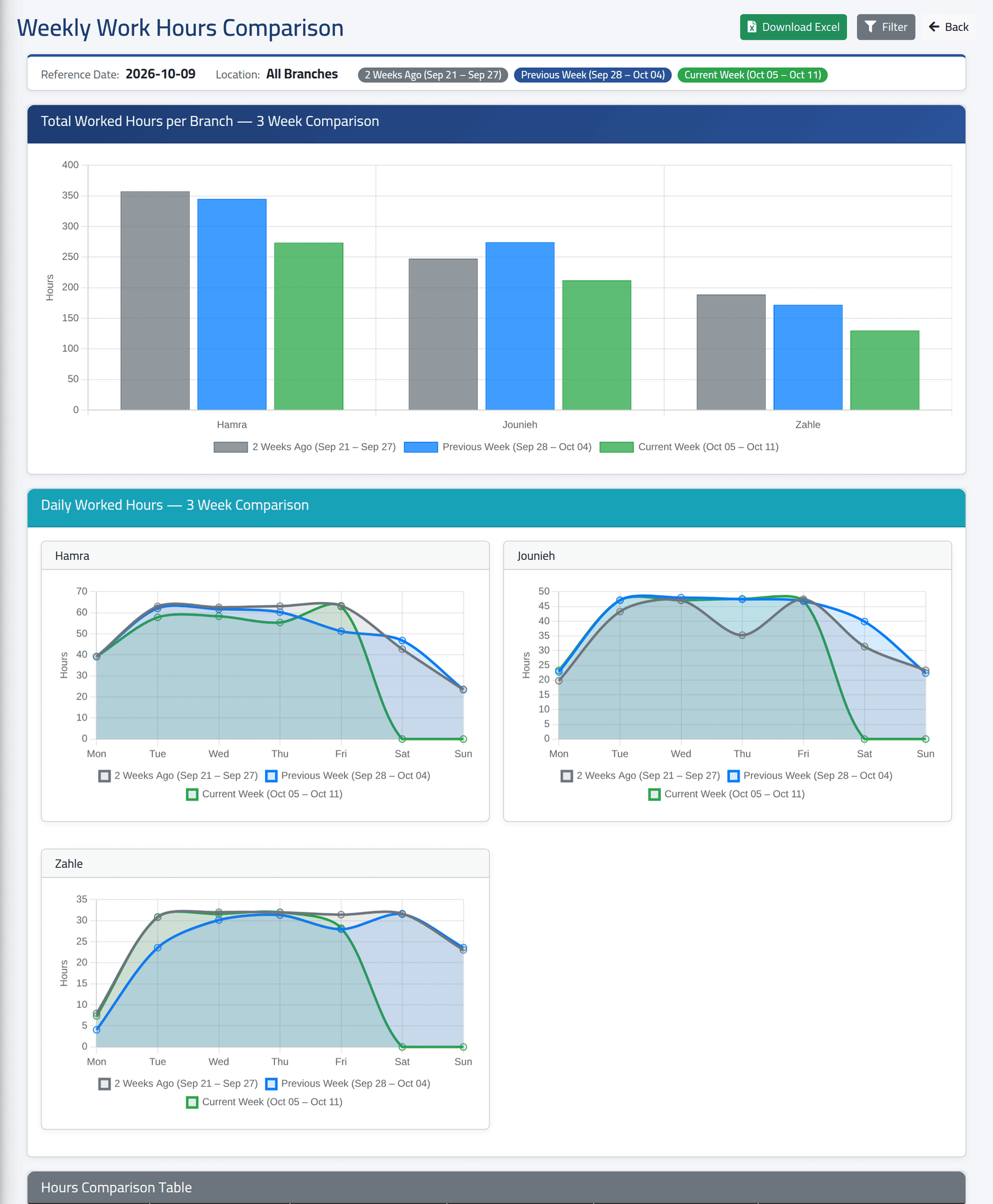
Weekly Total Work Hours Comparison, Generate Report: choose a Reference Date and, if you like, a branch. Three weeks, Monday to Sunday — the week containing the date and the two before:
- a bar per branch per week;
- a line per branch for each day of the three weeks;
- below, a table comparing the weeks up to the same weekday, so a week still in progress is compared fairly, with the change in per cent.
Download Excel exports it.
What happens next
Days after the last recorded attendance show zero: in the picture, Saturday and Sunday of the current week have not been worked yet.
If it goes wrong
| What you see | What it means |
|---|---|
| The Break Report shows nothing | Nobody’s break was beyond the duration, or the dates hold no attendance. |
| Unauthorized branch | You chose a branch your account may not see. |