ClockWise HRGuideChanging a draft run
Changing a draft run
While a run is a draft, change its total, the house's share, the limits — or one person's shares for this run only. Every change shares the whole box out again, so everyone else's amount moves too.
The run must be a Draft. Your account must be allowed to edit tips runs.
1Open it
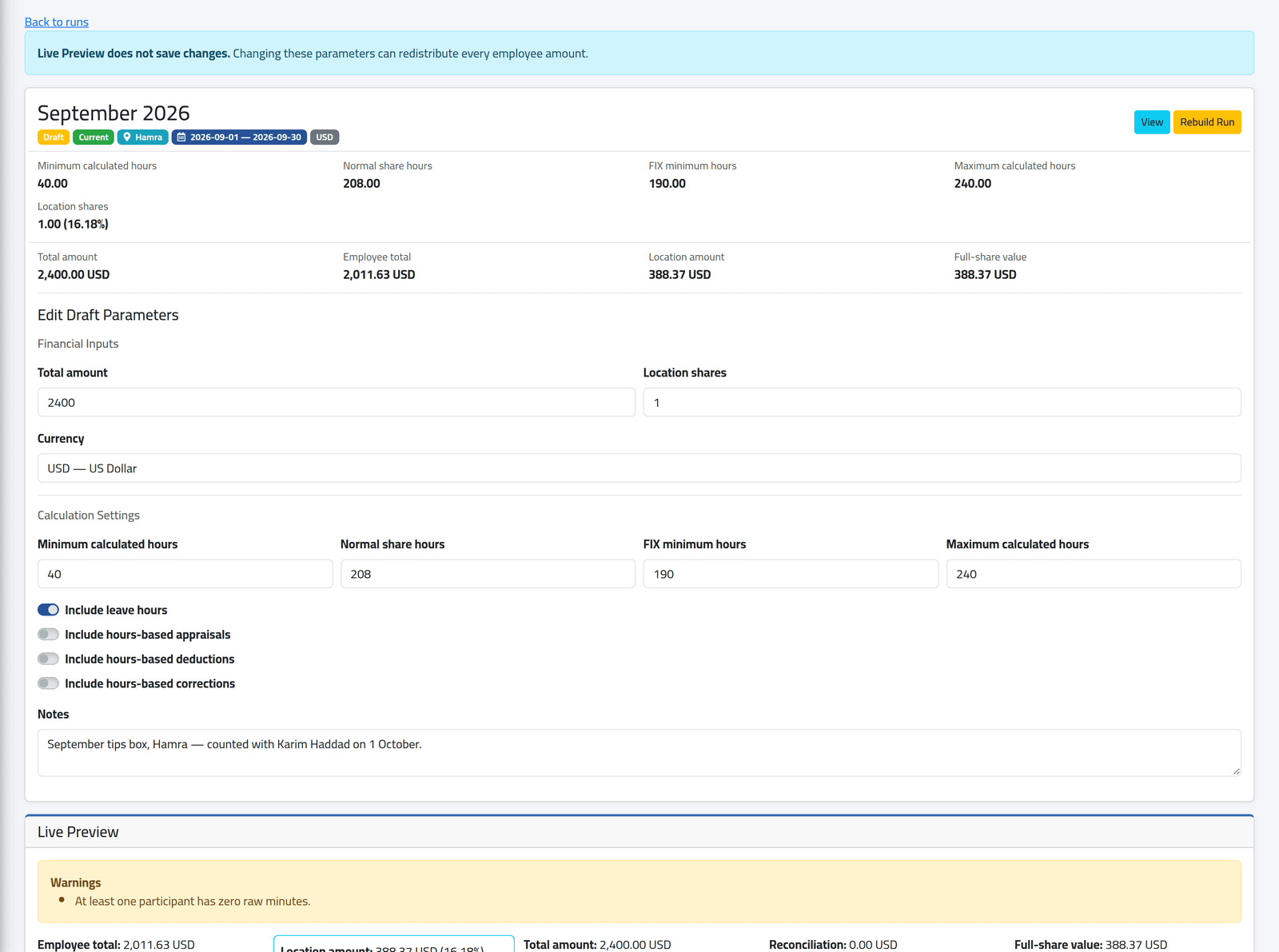
On Tips Runs, click Edit on the run. The run’s figures are at the top, its parameters below them.
2Change the parameters
Change the total, the house’s shares, the currency, the limits or the switches. Live Preview shows the effect; nothing is saved until you click Save Changes.
3Change one person's line
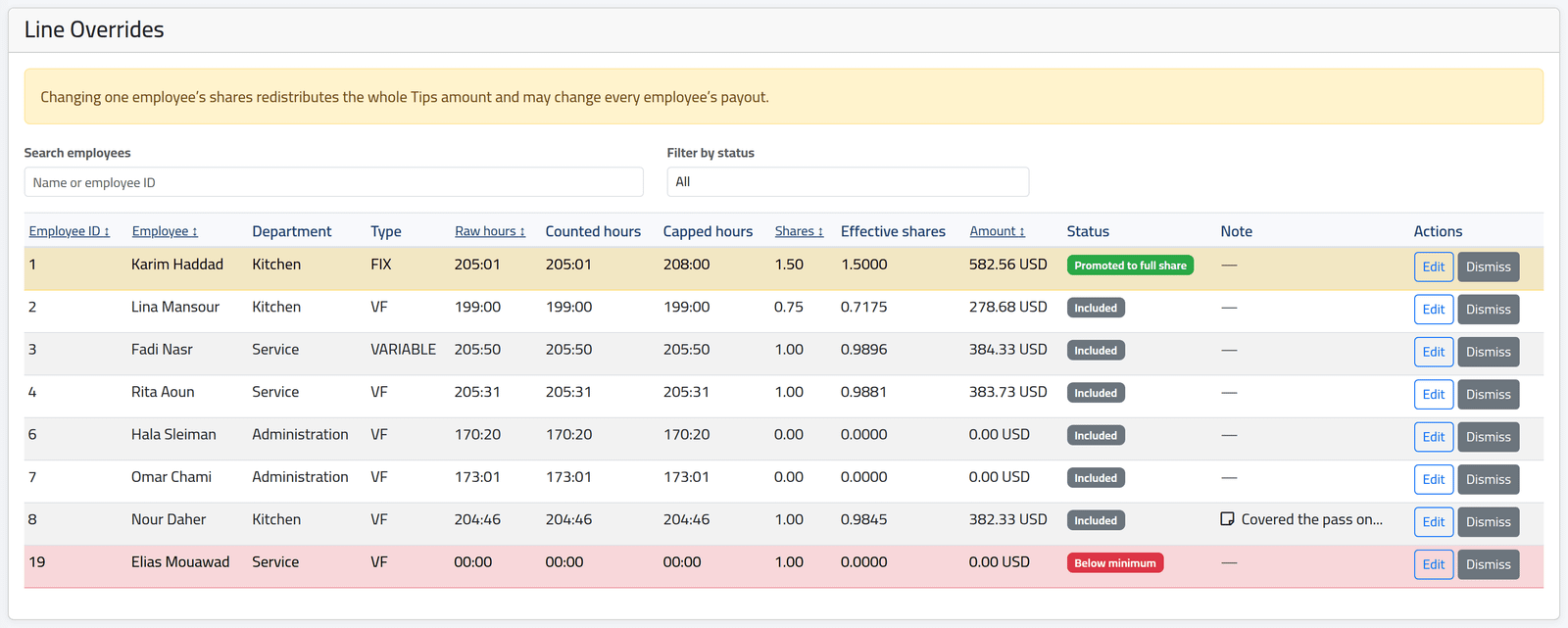
Under Line Overrides, each person’s line has Edit and Dismiss.
4Edit a line
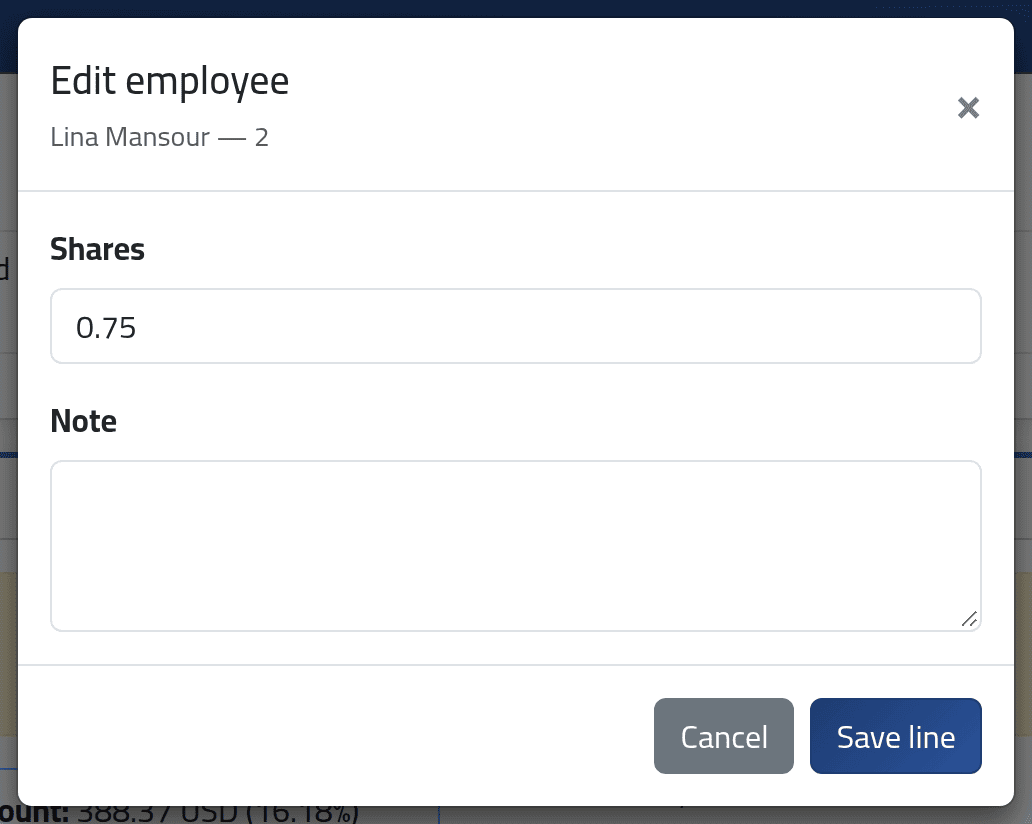
Change their Shares for this run only — their file keeps its own — and say why in Note. Click Save line.
In the list of lines above, Nour Daher’s 0.75 was raised to 1 for September, with the reason in the note.
Dismiss on a draft removes the person from the run, and their share is divided among the others.
5Rebuild
Rebuild Run recalculates the run from the salary period, the attendance and the adjustments as they are now — keeping the line changes, notes and dismissals you made. Use it when hours were corrected after the run was made, or when the run is stale.
What happens next
Every save shares the whole box out again: one person’s change moves every other amount. When the figures are right, close the run — see Closing and reopening a tips run.
If it goes wrong
| What you see | What it means |
|---|---|
| This tips run is closed and cannot be recalculated. | It is closed. Reopen it first — possible only while nobody is paid. |
| No Edit on the run | It is closed, or your account may not edit runs. |
| Everyone’s amount changed after one edit | That is how a shared box works. |