ClockWise HRGuideBranches
Branches
Each place the company works is a location — a branch. Everyone is filed under one, every salary period belongs to one, and what each user may see is decided by them. This screen shows no messages: when something is refused, nothing seems to happen.
Adding a branch is quick; what follows matters more. A new branch has no employees, no salary period and no machine, and nobody can see it until they are given it — see Deciding what someone can see.
1Open the branches
In the menu on the left, under Company, click Locations.
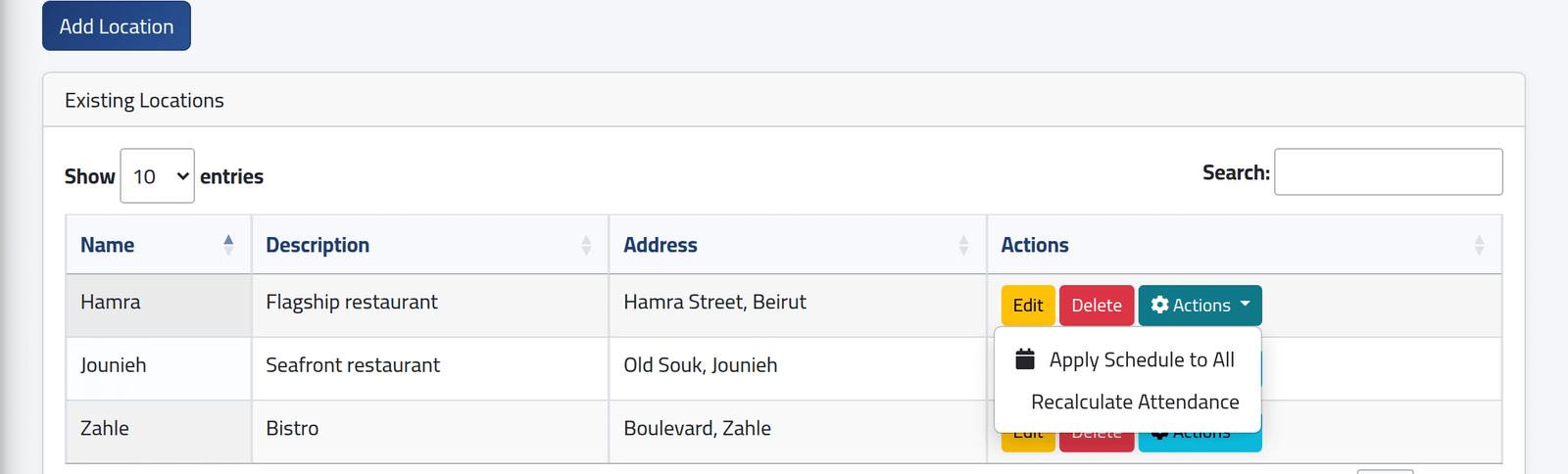
Each branch with its description and address. Besides Edit and Delete, Actions on a branch offers Apply Schedule to All and Recalculate Attendance — see One schedule for a whole branch and Recalculating a branch.
An administrator sees every branch here; anyone else sees only the branches they are given.
2Add a branch
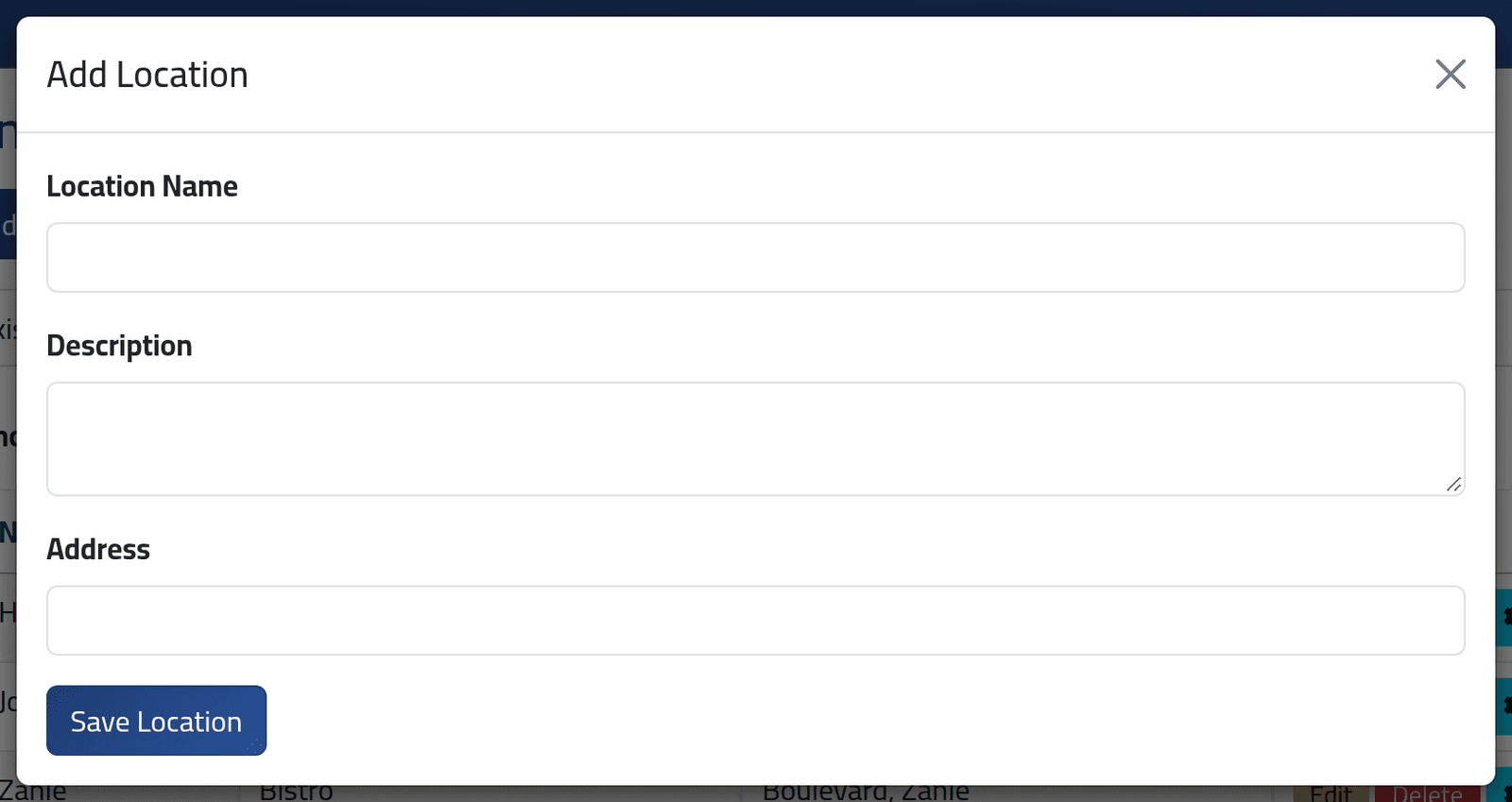
Click Add Location.
- Location Name — each name once.
- Description — fill it in. Left empty, saving fails with an error page.
- Address.
Click Save Location.
3Rename one
Edit changes the name, the description and the address. Everything filed under the branch follows the new name.
What happens next
Then, for the new branch:
- Give it to the users who should see it — Deciding what someone can see.
- Create its salary periods. With no period, schedules in the branch can start only from today — see Creating a salary period.
- File its people — Adding an employee — and give them schedules.
- Connect its machine — Adding a clocking machine.
If it goes wrong
| What you see | What it means |
|---|---|
| You click Delete and the branch is still there | A branch with employees, or with early salary payments, cannot be deleted. The screen does not say so. Move the people to another branch first. |
| You saved and nothing changed | The name is already taken, or the address is empty. The screen does not say which. |
| An error page after saving | The description was empty. Go back and fill it in. |
| A user cannot see the new branch | It has not been given to them. |