ClockWise HRGuideAssigning inspections
Assigning inspections
An assignment asks an inspector to inspect a branch with a form by a date. The inspector is told, reminded before the due date, and reminded again — with you — once it is late.
- The form must be published.
- Inspectors are the users whose role can perform inspections; only they are offered.
- Your account must be allowed to manage assignments.
1See the assignments
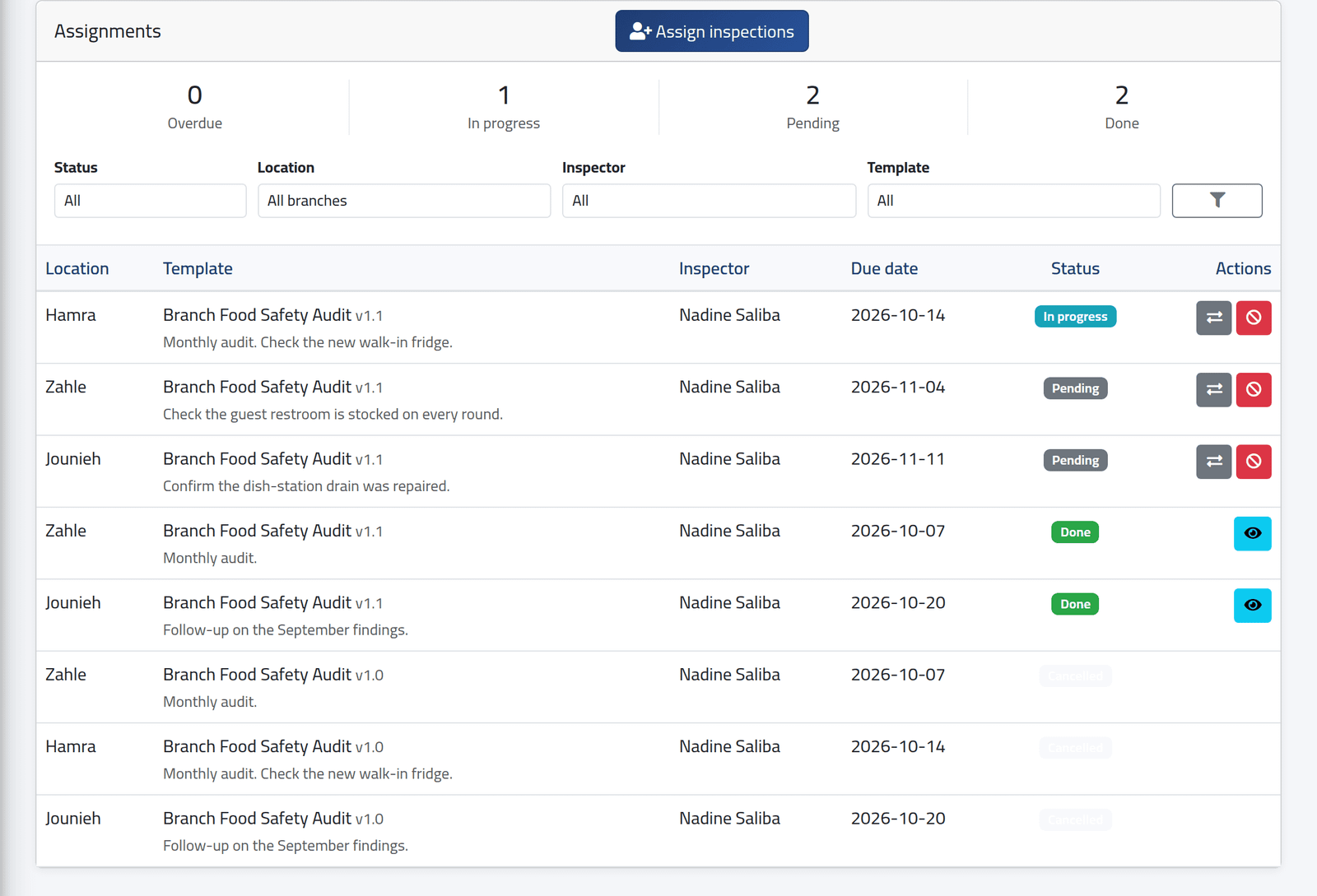
In the menu on the left, under Inspections, click Assignments. At the top, how many are overdue, in progress, pending and done. Filter by status — open ones are shown by default — branch, inspector or form.
Overdue first, then in progress, pending, done and cancelled, each by due date, with the office’s note under the form. The eye on a done assignment opens the inspection.
2Assign
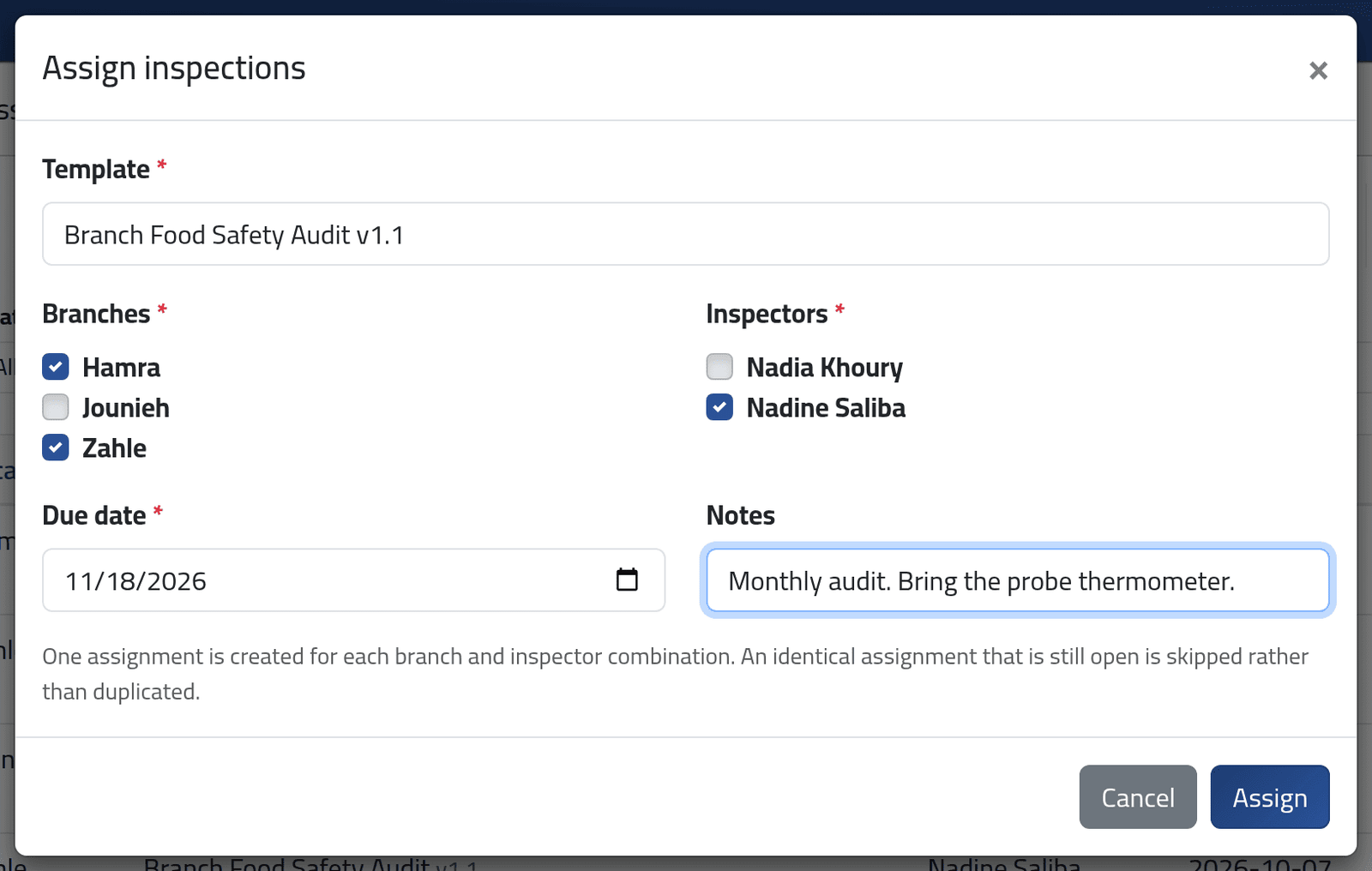
Click Assign inspections.
- Template — the form. Only the branches it applies to are then offered.
- Branches and Inspectors — tick as many as needed.
- Due date and Notes — the note is shown to the inspector.
Click Assign. One assignment is made for each branch and inspector: two branches and one inspector make two.
3Reassign or move the date
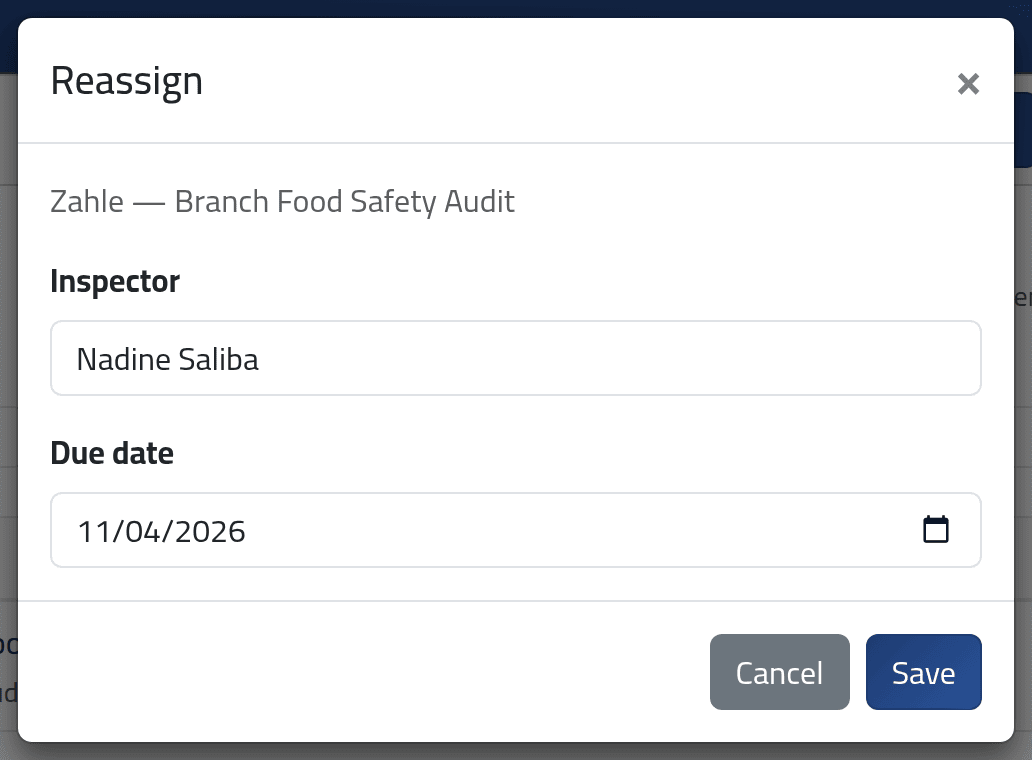
The arrows on an open assignment change its inspector or due date. Click Save. The red button cancels it.
What happens next
The inspector is notified and sees it under Assigned to me (see My inspections). Every morning at 07:00 ClockWise:
- marks every pending or started assignment past its due date Overdue;
- tells the inspector, and whoever assigned it, that it is late;
- reminds inspectors of assignments due in the next two days.
When the inspection is submitted, the assignment is Done and whoever assigned it is told the score.
Reassigning starts the work again. The new inspector gets a clean form; answers the first inspector had entered stay in their own draft.
If it goes wrong
| What you see | What it means |
|---|---|
| Nothing to assign: no valid branch and inspector combination was selected. | Tick at least one branch and one inspector. |
| That template is not published. | Publish the form first. |
| Fewer assignments than expected, “skipped” | An identical one is already open, or the form does not apply to that branch. |
| No buttons on an assignment | It is done or cancelled, and cannot be changed. |
| An inspector is missing from the list | Their role cannot perform inspections. |